AI Commercial Production: Create Professional Video Ads Without a Crew
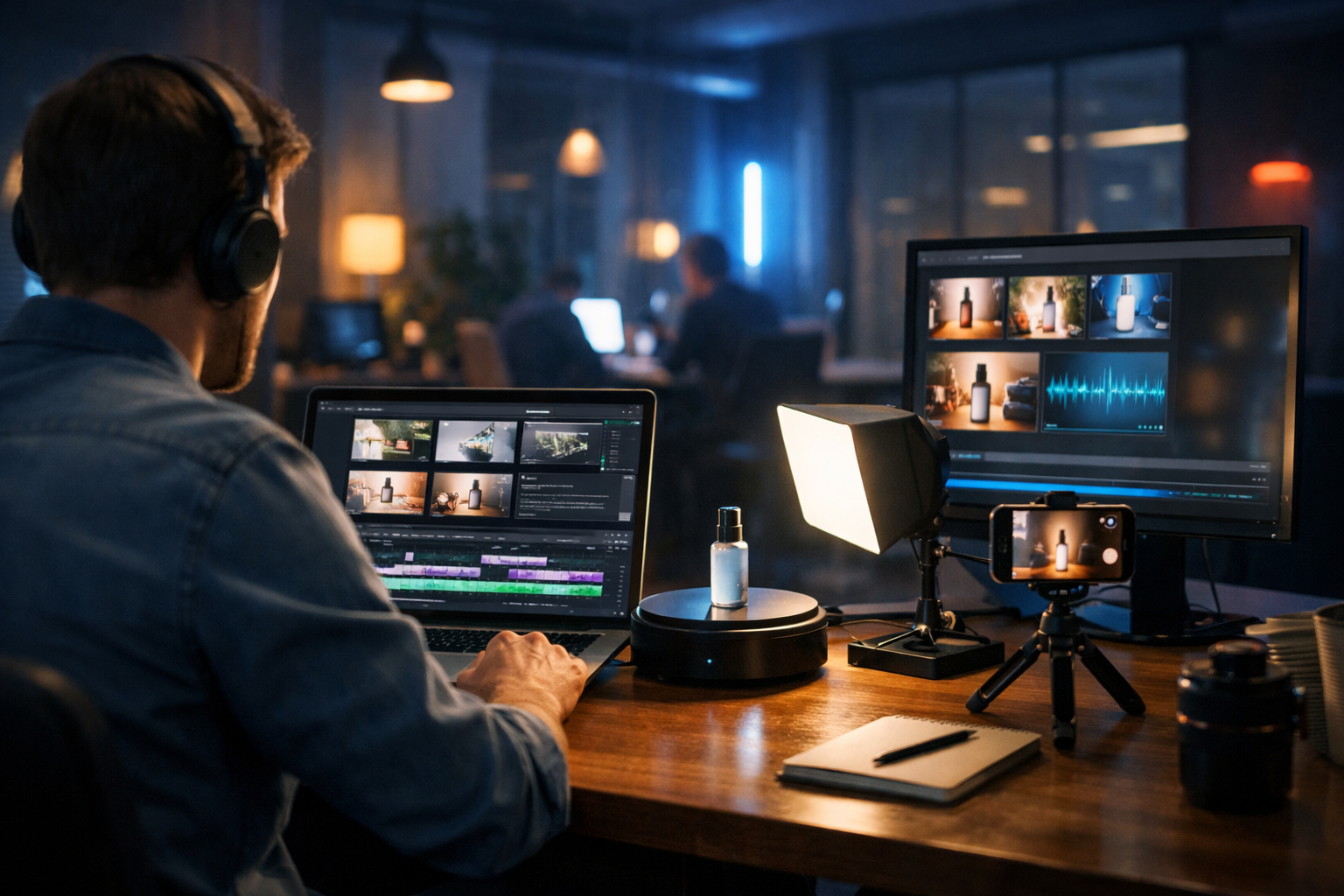
AI commercial production has changed the economics of advertising: you can now create professional video ads without a crew, without a studio booking, and without weeks of back-and-forth. With the right workflow, a small business or lean marketing team can go from idea to multi-format campaign assets in a day—scripts, visuals, voice-over, background music and edited videos included.
What “AI commercial production” actually means (and what it doesn’t)
When people hear “AI video ads”, they often imagine a one-click button that magically produces a perfect TV-ready commercial. Realistically, AI commercial production is a streamlined process where AI handles the time-consuming parts—drafting scripts, generating visual concepts, producing voice-overs, creating B-roll style shots, and assembling versions—while you make the key decisions: the offer, the audience, the message, and the final approvals.
It doesn’t eliminate creative thinking; it removes bottlenecks. Instead of coordinating a director, camera operator, editor, motion designer, and voice talent, you use one platform to create consistent outputs and iterate quickly. Gen AI Last brings those capabilities together—text, image, video, and audio generation—so the assets stay aligned from script to final cut. Explore our AI content tools to see how the pieces fit.
Why you can create professional video ads without a crew now
Traditional commercial production is expensive because it’s labour- and coordination-heavy. Even a “simple” shoot requires pre-production planning, location and lighting, talent, sound, editing, revisions, and formatting for each platform. AI shifts much of that work to generation and templated editing.
- AI text generation accelerates scripts, hooks, voice-over copy, captions, and CTAs.
- AI image generation creates product-style visuals, scene concepts, and storyboard frames without a designer on call.
- AI video generation helps turn a script and visual direction into ad-ready sequences and variations.
- AI audio generation produces voice-overs, narration, and background music without hiring separate talent.
The result is not “cheap-looking AI”. It’s a repeatable production pipeline that looks professional because it follows professional rules: clear messaging, consistent branding, correct pacing, and platform-native formatting.
The crewless commercial workflow (end-to-end)
Below is a practical, repeatable workflow you can run for most products and services. It is designed for speed, quality control, and easy iteration—especially useful for startups and small teams working to tight budgets.
Step 1: Define the brief in one page
Before generating anything, write a short brief. This is the difference between random outputs and a cohesive campaign.
- Audience: Who is the advert for (and what do they care about)?
- Offer: What’s the single strongest reason to act now?
- Proof: What evidence supports the claim (reviews, stats, demo, guarantee)?
- Format: 6s bumper, 15s reel, 30s explainer, 1:1 feed, 9:16 story, 16:9 YouTube.
- Tone: Premium, playful, direct-response, educational, cinematic, etc.
Keep this brief visible while you generate scripts and assets. It becomes your consistency check.
Step 2: Generate three script angles (don’t settle for the first)
Professional ads rarely start with one idea. Create multiple angles, then pick the best. In Gen AI Last, use AI text generation to produce several variants quickly: one emotional, one problem/solution, one proof-led.
Example prompt (script generation):
“Write three 15-second video ad scripts for a subscription coffee brand. Audience: busy remote workers. Offer: first box 40% off. Tone: confident, warm, premium. Include a punchy 2-second hook, 3 benefit beats, and a clear CTA. Output as voice-over plus on-screen text.”
Then refine the best version for:
- Clarity: one message per ad.
- Pacing: short sentences, spoken-friendly.
- Specificity: numbers, timeframes, or a defined outcome.
If your ad will run on social, write hooks that work with sound off. You can also generate caption options and thumbnail copy from the same script inside our AI content tools.
Step 3: Storyboard in minutes with AI images
A crewless production still needs visual planning. Storyboarding used to be a bottleneck; now it can be generated. Create 6–10 frames that match each script beat (hook, problem, demo, proof, CTA). Use AI image generation to explore environments, lighting styles, and product emphasis.
What to storyboard:
- Opening visual that stops scrolling (unexpected angle, strong contrast, close-up).
- Product or outcome visual (before/after, demo, interface shot).
- Proof element (ratings, testimonial style shot, credibility cue).
- CTA frame (clean background, brand colours, simple instruction).
Even if you plan to include some real product footage (shot on a phone), AI storyboards help you decide which shots matter so you only film what you need.
Step 4: Create video sequences that match the storyboard
With your storyboard frames and final script, move into AI video generation. The goal is to create a set of short clips (2–4 seconds each) that you can assemble into a finished ad. This modular approach gives you flexibility: swap a clip, change a hook, or create alternate endings without rebuilding everything.
Tip: Generate multiple versions of the hook scene. For paid ads, the first 1–2 seconds often decide performance more than any other element.
Quality control checklist:
- Continuity: keep product appearance consistent across scenes.
- Brand fit: match your tone (premium lighting vs bright playful colours).
- Readability: leave safe space for captions and UI overlays on mobile.
- Platform framing: produce 9:16 for reels/stories and 16:9 for YouTube where needed.
Step 5: Produce voice-over and music (the “professional” multiplier)
Audio is where DIY ads often fall apart. Clean voice-over and appropriate music instantly improve perceived quality. Use AI audio generation to create a voice that matches your brand and a music bed that supports (not fights) the message.
Voice-over guidance:
- Choose pacing that fits your edit (usually 140–170 words per minute for social).
- Prefer clear, neutral delivery for informational ads; more character for lifestyle branding.
- Record (or generate) two versions: one energetic, one calm. Test both.
Music guidance:
- Keep it simple—steady rhythm, minimal melodic complexity.
- Leave space for the voice; avoid dense mid-range instruments.
- Match genre to audience expectations (tech = clean electronic, wellness = airy ambient, retail = upbeat pop).
Step 6: Assemble, caption, and format for each platform
Your final ad should exist in multiple cuts, not one. A crewless workflow is only “professional” if it respects platform behaviour.
- 6 seconds: one message, one proof point, one CTA.
- 15 seconds: hook → problem → solution → proof → CTA.
- 30 seconds: add demo detail, objection handling, and credibility.
Generate on-screen text and captions using AI text generation, then keep them visually consistent: same font style, same placement, and high contrast. If you sell internationally, create localised versions by translating the voice-over and captions, keeping the same visuals.
Three ad frameworks that work exceptionally well with AI
If you’re unsure how to structure the advert, use a proven framework. These are especially effective because AI can generate the variations quickly.
1) Problem → Agitate → Solution (PAS) for direct response
Best for performance marketing: paid social, retargeting, launch promos.
- Problem: “Still spending Sunday evening writing invoices?”
- Agitate: “It steals hours and mistakes cost money.”
- Solution: “Automate it in two clicks—try it today.”
2) Demo-first for products that need to be seen
Best for physical products, apps, tools, and anything with a “wow” moment. Open with the demo, then explain.
- Hook (visual): show the outcome immediately.
- How it works: three steps, fast cuts.
- Proof: rating, testimonial, guarantee, or stat.
- CTA: “Get yours today” / “Start free trial”.
3) Founder story for high-trust categories
Best for wellness, finance, B2B services, or premium brands where trust matters. AI can help draft and polish the narrative, and create supporting visuals.
- “I built this because…” (real origin point)
- “Here’s what it does differently…” (unique mechanism)
- “Here’s who it’s for…” (clear targeting)
- “Try it now…” (simple CTA)
Practical examples: prompts and outputs you can reuse
Below are reusable examples you can adapt inside Gen AI Last.
Example A: 15-second reel for a local service
Business: mobile car valeting
Goal: bookings this weekend
Format: 9:16, 15 seconds
Text prompt (script + captions):
“Create a 15-second Instagram Reel script for a mobile car valeting service in Manchester. Hook in first 2 seconds, show before/after, include price-from, and a CTA to book online. Provide voice-over and on-screen captions in short lines.”
Image prompt (storyboard frames):
“Photorealistic close-up of a dirty car interior transforming to spotless, soft natural light, cinematic shallow depth of field, 9:16.”
Audio prompt (voice-over):
“Warm, upbeat British voice, friendly and confident, medium-fast pace, clear articulation.”
Example B: 30-second explainer for a B2B SaaS
Business: appointment scheduling platform
Goal: free trials
Format: 16:9 YouTube + 1:1 paid social
Text prompt (explainer):
“Write a 30-second explainer video script for a scheduling tool that reduces no-shows. Audience: small clinics. Include one stat, one testimonial line, and a clear CTA. Provide a shot list with suggested visuals per line.”
Generate two versions: one “data-led” and one “patient experience-led”, then test which converts better.
How to keep AI-generated commercials on-brand
Brand consistency is the main reason ads look expensive. When you produce without a crew, you replace “human oversight” with “system oversight”. Build a small brand kit you reuse every time:
- Brand voice rules: 5 adjectives (e.g., direct, optimistic, expert, concise, human).
- Message hierarchy: primary benefit, secondary benefit, proof, CTA.
- Visual direction: lighting style, colour mood, typical environments.
- Do-not list: words you avoid, clichés, and any compliance boundaries.
Then paste this brand kit into your prompts. You’ll spend slightly longer upfront and save hours on revisions—and your ads will look like a coherent campaign rather than one-off experiments.
Common mistakes (and how to avoid them)
Crewless production is fast, but speed can amplify mistakes. These are the issues that most often reduce performance:
- Too many messages: pick one promise per ad and support it with proof.
- Weak hooks: generate 10 hooks; keep the best two and test them.
- Overly generic visuals: specify environment, lighting, lens feel, and subject actions.
- Robotic pacing: shorten sentences, add natural pauses, and match edit rhythm to the voice.
- No variants: always output at least 3 versions (hook A/B/C, CTA A/B).
If you’re running paid campaigns, treat your first batch as testing inventory. AI makes iteration cheap—use that advantage deliberately.
A realistic production plan you can run every week
If you want consistent results, build a weekly cadence. Here’s a simple plan for a small team (or a solo founder) creating ads without a crew:
- Monday: pick one offer + one audience segment; generate 3 script angles.
- Tuesday: storyboard 8 frames; generate 10 hook variations.
- Wednesday: generate video clips; produce voice-over and music.
- Thursday: assemble 6s/15s/30s cuts; generate captions and post copy.
- Friday: publish + analyse retention and click-through; queue next week’s variants.
Because Gen AI Last includes text, image, audio, and video generation in the same platform, you’re not juggling separate subscriptions and file formats. And with access starting at $10/month, it’s feasible to maintain a steady testing rhythm even on a startup budget. You can view pricing from $10/month.
When you still might need a crew (and how AI supports that)
There are cases where a crew still makes sense: complex stunts, high-end celebrity talent, regulated claims requiring strict oversight, or intricate product macro cinematography. But even then, AI helps you reduce cost and risk by tightening pre-production: stronger scripts, better shot lists, clearer storyboards, and more confidence before you spend on a shoot day.
Many brands now run a hybrid model: AI for rapid testing and always-on content, crew shoots for flagship campaigns, and AI again to create spin-off cuts, localisations, and seasonal variants.
FAQ: AI commercial production for video ads without a crew
How do I ensure the ad doesn’t look “AI-generated”?
Use specific art direction (lighting, lens feel, environment), keep pacing tight, prioritise clear voice-over, and maintain brand consistency across every version. “Generic” prompts create generic outputs.
What’s the minimum I need to start?
A clear offer, a defined audience, and one strong proof point. Gen AI Last can generate the script, visuals, voice-over, music, and video sequences from there.
Can I make different versions for different platforms?
Yes—plan for it. Create modular clips and generate separate cuts for 9:16, 1:1, and 16:9, with hooks tailored to each channel’s viewing behaviour.
Create your first crewless commercial today
If your business needs more ad creative but doesn’t have the budget (or time) for a full production crew, AI commercial production is the practical alternative. With Gen AI Last, you can generate scripts, storyboards, video sequences, voice-overs, music, and campaign copy in one place—then iterate fast based on performance data.
To begin, try one product, one offer, and one 15-second format—and produce three hook variants. Then build from what your audience actually responds to. When you’re ready, start creating for free and turn your next advert into a repeatable system rather than a one-off project.
Ready to Create with Generative AI?
Join thousands of creators using Gen AI Last to generate text, images, audio, and video — all from one platform. Start your 7-day free trial today.
Start Free — Try 7 DaysQuick Links
Create AI content from $10/month
View Plans