AI Commercial Production: Create Professional Video Ads Without a Crew
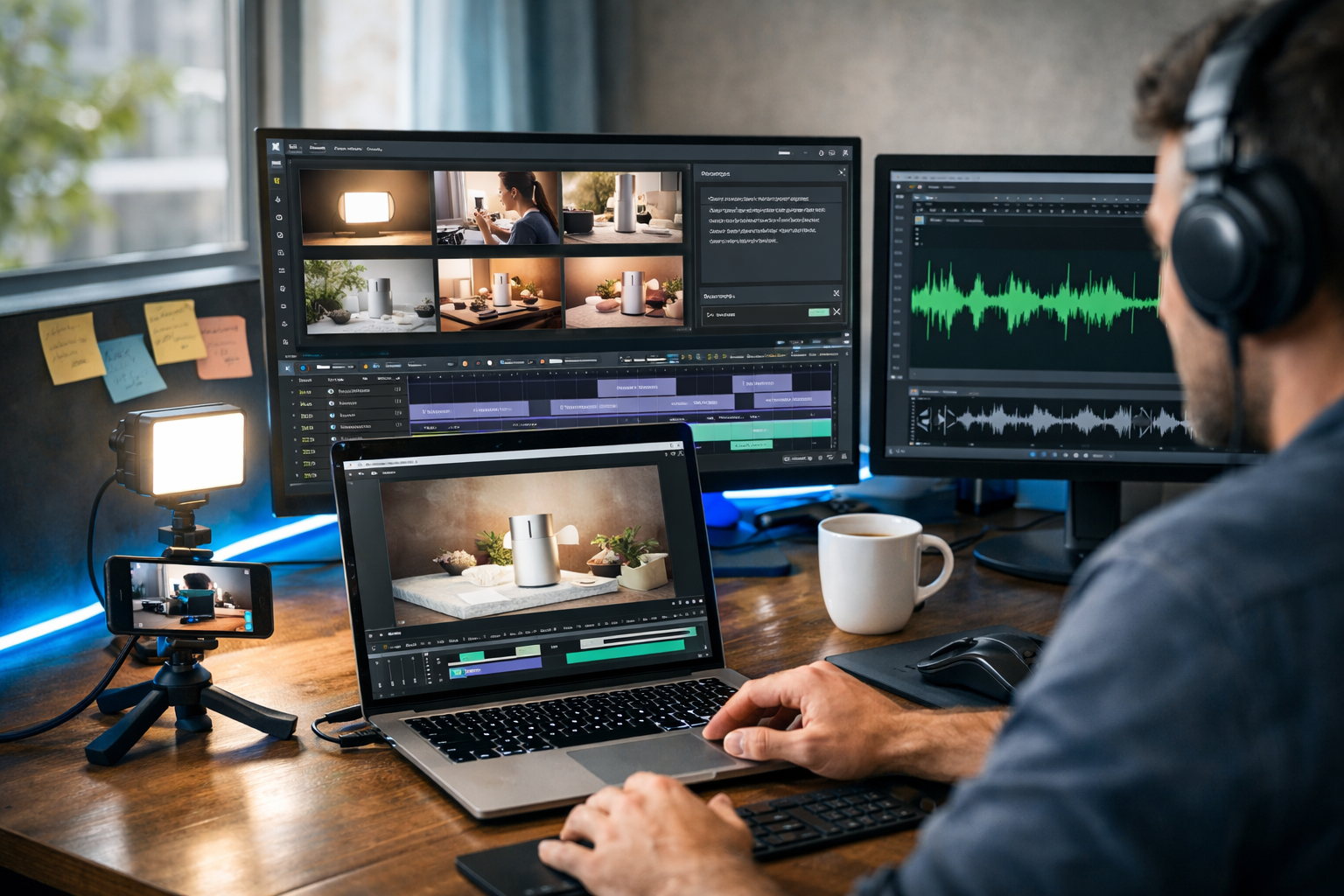
AI commercial production is changing how brands advertise: you can create professional video ads without a crew, expensive gear, or a long post-production schedule. With the right workflow, one person can go from idea to multiple ad variations—complete with scripts, visuals, voice-over, music and exports optimised for each platform—using an all-in-one tool like Gen AI Last.
What “AI commercial production” really means (and what it doesn’t)
When people hear AI video ads, they often imagine a single prompt producing a finished TV spot. In practice, high-performing ads come from a repeatable system: positioning, scripting, storyboarding, asset creation, editing, and iterative testing. AI speeds up each stage—especially the parts that normally require specialist roles (copywriter, designer, motion editor, voice talent).
AI commercial production doesn’t remove the need for judgement. You still need to understand your customer, clarify one core message per ad, and choose a visual approach that fits your brand. The difference is that you can do this with a lightweight setup and fast iteration, rather than relying on a crew, studio hire, and a lengthy edit cycle.
Why you can create professional video ads without a crew in 2026
The “crew” has traditionally been necessary because commercial production has many moving parts: concept, script, shooting, lighting, talent, sound, motion graphics, colour, and versioning. AI now covers a large portion of those tasks digitally, while small amounts of simple capture (like a phone product shot) can fill any realism gaps.
- AI text tools draft multiple script angles in minutes (hooks, CTAs, benefit statements, captions).
- AI image tools generate storyboards, packshots, backgrounds, and graphic elements for overlays.
- AI video tools turn sequences into ads, product demos, explainers and social reels.
- AI audio tools create voice-overs, narration, and background music without booking talent.
- All-in-one platforms make it practical for startups to ship creative weekly, not quarterly.
Gen AI Last brings these capabilities into one place. Instead of juggling separate subscriptions and file formats, you can generate text, images, video and audio in a single workflow via our AI content tools.
The modern AI commercial workflow (end-to-end)
Below is a practical process you can follow to produce a professional video ad without a crew. The key is to treat AI as your production team: writer, art director, editor, and voice talent—while you act as creative director and marketer.
Step 1: Define the one thing this ad must achieve
A professional ad is not “high budget”; it’s focused. Start with a single objective and a single audience segment.
- Objective: drive sales, leads, app installs, or awareness?
- Audience: who is most likely to care right now (industry, role, pain point, intent)?
- Offer: what’s the risk reducer (free trial, discount, guarantee, free shipping)?
- Proof: what makes it believable (review, stat, demo result, certification)?
If you try to sell to everyone, the video becomes vague. Aim for one clear promise and one clear next step.
Step 2: Generate three script directions (not one)
The fastest way to improve performance is to test multiple creative angles. Use Gen AI Last’s AI text generation to create three distinct scripts based on different persuasion drivers.
Prompt template (copy/paste and customise):
“Write three 20–30 second video ad scripts for [product] targeting [audience]. Each script must include: (1) a 1–2 second hook, (2) 2–3 key benefits, (3) one proof point, (4) a clear CTA. Use a direct, modern tone. Provide on-screen text suggestions per scene and a version for TikTok/Reels and a version for YouTube pre-roll.”
Example angles to request: problem/solution, social proof, product demo, myth-busting, founder story, “3 reasons”, comparison versus alternatives.
Step 3: Convert the script into a shot list and storyboard
Even if you never shoot a frame, storyboarding forces clarity: what does the viewer see at each moment? A professional feel comes from purposeful pacing and visuals that support the claim.
- Break your script into 6–10 beats (each beat = one visual moment).
- Assign each beat a visual type: product close-up, UI demo, lifestyle, infographic, testimonial, before/after.
- Write on-screen text for each beat (short, punchy, readable).
- Specify the aspect ratio(s) you need: 9:16 for Reels/TikTok, 1:1 for feed, 16:9 for YouTube.
Use Gen AI Last’s AI image generation to create storyboard frames or key visuals (for example, “hand holding the product against a clean background”, “app dashboard on a phone in a real-world setting”, “split-screen before/after”). This helps you keep a consistent look before you generate the final video.
Step 4: Create your visual assets (with brand consistency)
Most “AI-looking” ads fail because the visuals don’t match the brand or they jump between styles. You can keep a professional aesthetic by locking a simple visual system:
- Palette: choose 2–3 brand colours and stick to them for overlays and backgrounds.
- Lighting style: soft natural, cool tech, or warm lifestyle—pick one per campaign.
- Composition rules: consistent framing for product shots (e.g., centre product, shallow depth of field).
- Typography: one headline font + one body font in your editor.
In Gen AI Last you can generate: packshot-style images, lifestyle scenes, backgrounds for text overlays, and supporting graphics. If you have a real product, mix in a few phone captures (even 2–3 clips) to anchor authenticity—AI can handle the rest.
Step 5: Generate the video and build multiple cut-downs
Professional ad production isn’t one export; it’s a set of versions. Use AI video generation to assemble your story into:
- 6–10 second bumper: one message, one proof, one CTA.
- 15 second: hook + benefits + proof + CTA.
- 30 second: fuller explanation with a clearer demo.
- Platform variants: 9:16 with captions, 16:9 with safe margins, 1:1 for feeds.
When you create several versions from the same core assets, you reduce production time and improve testing velocity—exactly what small teams need.
Step 6: Add voice-over and music that doesn’t sound “stock”
Audio is where “amateur” ads are most obvious. Crisp narration and controlled music levels instantly lift perceived quality. With Gen AI Last’s AI audio generation, you can create voice-overs and background music without booking a studio.
- Voice-over tip: write for the ear—short sentences, everyday language, clear emphasis.
- Music tip: choose a track that supports the pace (faster for direct response, calmer for premium branding).
- Mixing tip: keep music under narration; leave small gaps for emphasis on key claims.
Example VO prompt:
“Create a confident, friendly British English voice-over for this 20-second ad. Pace: energetic but clear. Emphasise the phrases ‘in under 10 minutes’ and ‘cancel anytime’. Script: [paste].”
Ad formulas that consistently work for AI-produced commercials
You don’t need to reinvent the wheel. Use structures that align with how people watch ads on mobile: fast hook, clear benefit, proof, CTA.
1) UGC-style “problem to solution” (best for social)
- Hook: “If you’re still doing [painful thing], watch this.”
- Problem: 1 sentence describing frustration.
- Solution: show the product fixing it.
- Proof: review snippet, metric, or result.
- CTA: “Try it today / Get the demo / Shop now.”
2) Demo-first “show, then tell” (best for SaaS and apps)
- Hook: show the outcome in 1–2 seconds.
- Steps: “1) Do this, 2) Do that, 3) Done.”
- Payoff: time saved, money saved, clarity gained.
- CTA: trial/booking link.
3) “3 reasons” listicle (best for cold traffic)
- Reason 1: immediate value.
- Reason 2: differentiation.
- Reason 3: proof + risk reversal.
Practical example: producing a 15-second product ad in a single afternoon
Imagine you sell a skincare product and want a 15-second Meta Reels ad. Here’s a realistic, crew-free plan using Gen AI Last.
- Brief: target busy professionals with sensitive skin; promise “calmer skin in 7 days”; offer 10% off first order.
- Scripts: generate three angles: (a) sensitive skin frustration, (b) dermatologist-style explanation, (c) before/after routine.
- Storyboard: 8 beats including hook, product texture close-up, routine steps, review proof, CTA.
- Assets: generate clean lifestyle visuals and a consistent bathroom setting; add your own quick phone clip squeezing product onto fingertips.
- Video build: assemble 9:16 version with captions and bold on-screen benefit text.
- Audio: generate a calm, trustworthy British English VO; add subtle ambient music.
- Exports: create a 6-second cut-down and a 30-second explainer for retargeting.
This is the core benefit of AI commercial production: you can create a suite of professional video ads without a crew—and without waiting weeks to see if a concept works.
Quality checklist: how to make AI video ads look and feel professional
Use this checklist before you publish. It’s designed to eliminate the most common “cheap ad” signals.
- Hook clarity: can someone understand the topic with sound off in 2 seconds?
- One message: the ad focuses on a single promise, not five features.
- Readable text: large captions, high contrast, safe margins for UI overlays.
- Consistent style: avoid switching between wildly different aesthetics.
- Real proof: include a real review, metric, or demonstrable outcome.
- Audio mix: voice is crisp; music doesn’t overpower; no jarring volume jumps.
- Brand presence: subtle but consistent colours and product visuals; don’t rely on a logo splash.
Testing and iteration: the real reason AI production wins
Most ad accounts don’t fail because they “need better editing”. They fail because they don’t test enough creative angles. AI makes iteration affordable: you can create 10 variations, keep 2 winners, and refine them weekly.
What to test first (highest impact):
- Hook: question vs bold claim vs visual surprise.
- Offer: discount vs bundle vs free trial vs guarantee.
- Proof: testimonial vs stat vs demo result.
- Format: UGC-style vs clean product demo vs animated explainer.
Keep everything else constant while testing one variable at a time. When you find a winning hook, build new versions around it for different segments and placements.
Common pitfalls (and how to avoid them)
Pitfall 1: Overusing AI visuals that look synthetic
Fix: combine AI visuals with at least a couple of real elements—your product packshot, screen recording, or a quick phone clip. Use AI for supporting scenes, backgrounds, and variations.
Pitfall 2: Scripts that sound like marketing boilerplate
Fix: feed the model real customer language from reviews, support tickets, or call transcripts. Ask it to mirror that phrasing, and keep sentences short.
Pitfall 3: Too much information too soon
Fix: cut your script by 30%. You’re not closing the entire sale in one ad—you’re earning the click (or the next watch).
Pitfall 4: Producing one “perfect” ad and stopping
Fix: plan for versioning. Your first output is your baseline, not your final masterpiece. Use AI to make iteration the default.
Why Gen AI Last is built for crew-free commercial production
Most tools do one thing. Real ad production needs four: copy, visuals, video, and audio—plus a quick way to create variations. Gen AI Last combines AI text generation, AI image generation, AI video generation, and AI audio generation in one platform, so you can move from brief to export without stitching together multiple subscriptions.
- Text: scripts, hooks, CTAs, captions, landing page sections.
- Images: storyboard frames, product scenes, social graphics and backgrounds.
- Video: marketing videos, product demos, social reels and explainer edits.
- Audio: voice-overs, narration, podcast-style audio and background music.
And because every plan includes full access from an affordable starting point, it’s realistic for startups and small teams to produce ads consistently. You can view pricing from $10/month and plan a weekly creative schedule without the usual production overhead.
A simple 7-day schedule for shipping your first AI ad campaign
If you want momentum, use this lightweight schedule. It’s designed for a solo founder or small marketing team.
- Day 1: choose audience + offer + proof. Collect 5 real customer quotes.
- Day 2: generate 6 scripts (2 per angle). Pick the top 3.
- Day 3: storyboard and generate visual assets for each script.
- Day 4: generate videos (15s + 6s) and add on-screen text.
- Day 5: generate voice-overs and music; finalise mixes.
- Day 6: export platform variants (9:16, 1:1, 16:9) and upload.
- Day 7: review performance; keep winners; iterate hooks and offers.
FAQ: AI commercial production for small teams
Can AI-produced ads be used by serious brands?
Yes—if you control brand consistency, proof, and messaging. Many brands already use AI for versioning, localisation, rapid testing, and generating supporting assets.
Do I need any filming at all?
Not always, but a small amount of real footage can boost trust—especially for physical products. Even a phone clip or screen recording can make the ad feel grounded.
What’s the fastest way to improve performance?
Test hooks first. If the first 2 seconds don’t earn attention, no amount of polishing later scenes will save the ad.
Create professional video ads without a crew—starting today
AI commercial production is a competitive advantage because it compresses the whole creative cycle: you can go from insight to ad variations quickly, learn what works, and scale winners without waiting for a production calendar. If you want to build your first crew-free campaign, explore our AI content tools and start creating for free to generate scripts, visuals, voice-over and video exports in one place.
Ready to Create with Generative AI?
Join thousands of creators using Gen AI Last to generate text, images, audio, and video — all from one platform. Start your 7-day free trial today.
Start Free — Try 7 DaysQuick Links
Create AI content from $10/month
View Plans