AI image generation trends and best tools for marketing in 2026
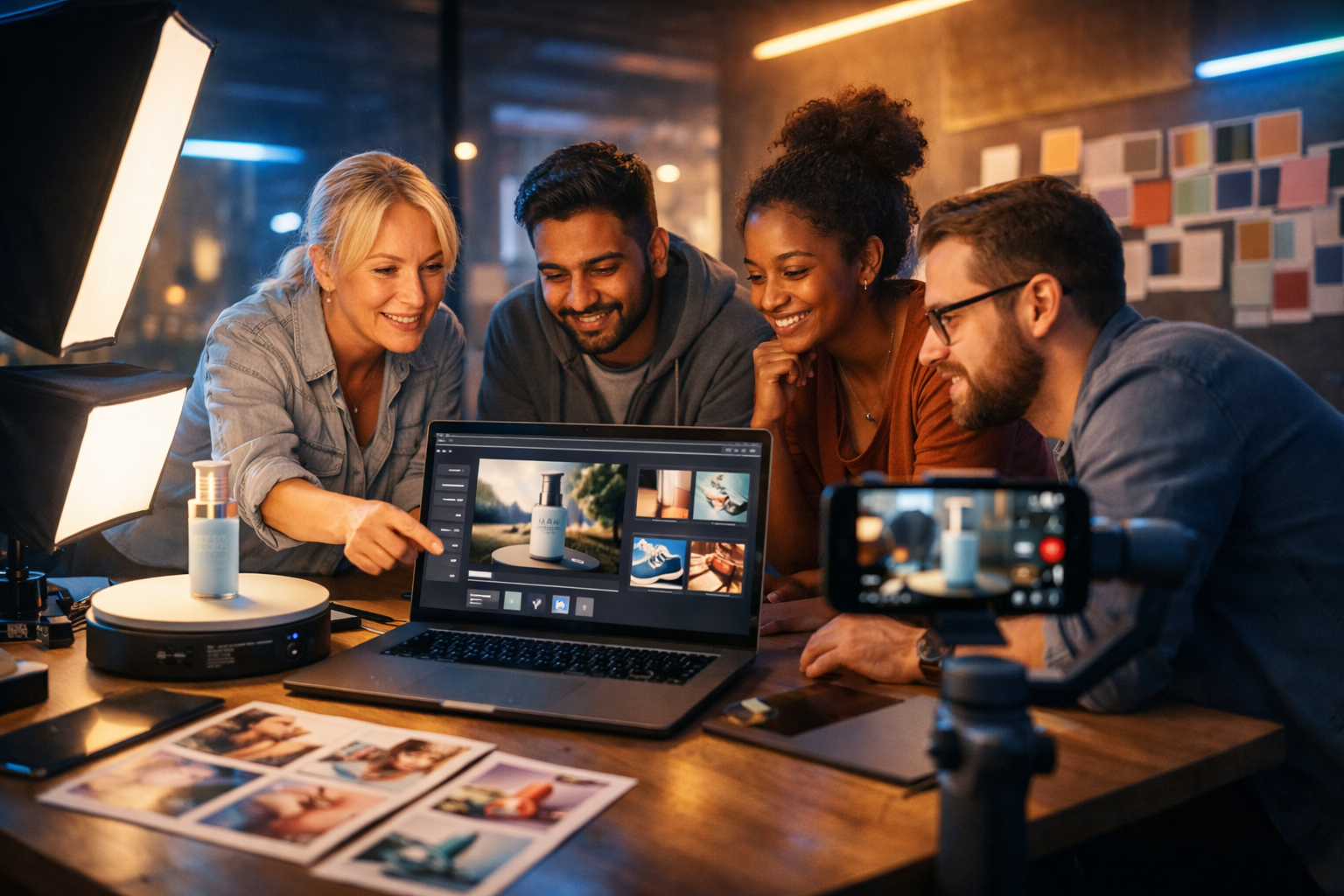
AI image generation is no longer a novelty in marketing—it is a core production capability. In 2026, the winners will be teams that can generate on-brand visuals quickly, personalise at scale, and prove they used AI responsibly. This guide breaks down the most important AI image generation trends and the best tools for marketing in 2026, with practical workflows, prompt examples, and a clear path for startups and small teams to compete with bigger budgets.
Why AI image generation matters more in 2026
Marketing content demands have exploded: more platforms, more formats, more testing, and shorter attention spans. AI image generation helps you produce creative variations for ads, social posts, landing pages, and email faster than traditional design pipelines—especially when paired with rapid iteration and data-driven testing.
But speed alone is not the advantage in 2026. The real advantage is repeatable, brand-safe creative systems: prompt frameworks, style consistency, compliant asset sourcing, and integration with the rest of your content workflow (copy, video, audio, and distribution).
AI image generation trends and best tools for marketing in 2026
Below are the trends shaping how marketers use generative images in 2026, plus the tool capabilities to prioritise when choosing a platform.
Trend 1: Brand-consistent “style systems” replace one-off prompts
In 2024–2025, many teams relied on ad-hoc prompting: a designer or marketer would “try a few prompts” until something looked right. In 2026, that approach is too slow and too inconsistent. High-performing teams build style systems—repeatable prompt templates and visual rules that match brand identity across channels.
- A defined palette and lighting direction (e.g., soft natural light + warm highlights for lifestyle, cool clean light for product hero shots).
- Composition rules (negative space for copy overlays, consistent angles, consistent aspect ratios per platform).
- A reusable “house style” prompt block (camera, lens, grain, background treatment).
What to look for in tools: easy iteration, reliable outputs, and the ability to generate sets of images that look like they belong together. If your platform also includes text, video, and audio generation, you can keep the creative direction consistent across formats.
Trend 2: Synthetic product photography becomes mainstream
Instead of organising costly shoots for every campaign, marketers increasingly generate product scenes: the product in new environments, seasonal settings, and lifestyle contexts. This trend is especially strong for DTC brands, SaaS (device mock-ups), and marketplaces that need fast visual variety.
Practical use cases: holiday scenes, location variations, colourway previews, “bundle” images, hero banners, and social carousels. The key is maintaining product accuracy—shape, colour, label placement—and avoiding misleading visuals.
- Generate a clean hero background for a real product cut-out.
- Create lifestyle backgrounds and composite the real product on top.
- Use consistent lighting so the composite looks realistic.
What to look for in tools: photorealistic rendering, control over backgrounds, and the ability to produce multiple angles and scenes quickly.
Trend 3: Personalisation at scale (without looking “AI”)
In 2026, personalisation moves beyond swapping copy. Marketers adapt imagery by audience, region, season, or funnel stage—without making each variant look like a different brand. AI image generation enables controlled variation: same product, same layout, but subtle shifts in context (setting, props, colour accents).
Example: an athletic apparel brand runs the same ad concept with location-specific scenery (urban, coastal, countryside) while keeping model styling and composition consistent.
What to look for in tools: predictable outputs and efficient batch creation. You want to spend time on strategy and review, not endless regeneration.
Trend 4: “Image-to-video” creative pipelines power short-form ads
Static images are increasingly treated as keyframes for short-form video. Teams generate a strong hero image first, then expand it into motion for reels, stories, and explainer snippets.
This is where all-in-one platforms are valuable: a single campaign concept can produce the stills, the voice-over, and the short video variants without switching tools or losing brand direction. Gen AI Last supports text, image, video, and audio generation in one place—useful when you want a consistent look and message across formats.
Explore our AI content tools to connect image generation with campaign copy, video creatives, and voice-overs.
Trend 5: Prompt engineering becomes “creative direction”
In 2026, the best prompts read more like creative briefs than keyword lists. They specify the subject, setting, composition, lighting, camera feel, and intended use (e.g., “space on the left for headline”). Teams are building prompt libraries for repeated campaign types: hero banners, UGC-style social posts, product feature callouts, and blog headers.
Prompt template you can reuse:
- Subject: product/person + key attribute (e.g., “matte black insulated bottle with condensation”).
- Setting: environment and props (e.g., “on a gym bench beside a towel and phone”).
- Composition: angle, focal length, negative space (e.g., “three-quarter view, 35mm, empty space top-right”).
- Lighting: mood and direction (e.g., “soft daylight window, gentle shadows”).
- Style constraints: photorealistic vs illustrative, grain, colour grade.
- Usage: “ad creative, clean background, no text”.
Trend 6: Compliance and disclosure become non-negotiable
As regulations and platform policies mature, marketers must prove responsible use—especially in sensitive verticals (health, finance, politics) and when depicting people. In 2026, “legal-safe creative” is a competitive advantage.
- Truth in advertising: don’t generate visuals that misrepresent product performance.
- Rights and IP: avoid prompts that imitate identifiable brands, copyrighted characters, or living artists’ signature styles.
- Model releases and likeness: don’t use real-person likeness without permission.
- Documentation: keep a record of prompts, versions, and approvals.
Build a review checklist for every campaign. It will save you time (and risk) later.
Best tools for marketing teams in 2026: what to prioritise
The “best” tool depends on your workflow, but in 2026 most marketers should evaluate platforms against the same core requirements. Rather than chasing hype, focus on capabilities that directly affect output quality, speed, and governance.
1) Creative control: composition, lighting, and consistency
Marketing visuals are judged in milliseconds. You need clean composition, believable lighting, and consistent styling across an entire campaign. Tools that produce great single images but struggle with coherence can cost you more in rework than they save.
- Strong photorealism for product and lifestyle.
- Reliable results with small prompt changes (for A/B variants).
- Flexible aspect ratios for web, social, and ads.
2) Speed to campaign: from idea to multi-format assets
Marketing is multi-format by default: ads, landing pages, email headers, thumbnails, and short videos. The best tool in 2026 is often the one that reduces tool switching and keeps your creative direction intact end-to-end.
With Gen AI Last, you can generate campaign copy (hooks, headlines, CTAs), create matching images, then produce a short video and voice-over—without leaving the platform. If you want to keep budgets predictable, view pricing from $10/month for full access to text, image, audio, and video generation.
3) Team workflow: iteration, approvals, and versioning
The tool should support how small teams actually work: quick iterations, clear naming, easy regeneration, and a straightforward path from concept to approved asset. Even if you do not have formal digital asset management, you can still use a lightweight system:
- Name each asset by campaign + concept + variant (e.g., “spring_sale-hero-variant03”).
- Store prompts alongside exports in a shared folder.
- Keep one “approved prompt” per campaign format.
4) Quality for marketing reality: hands, packaging, typography
By 2026, model quality is better, but common failure points still matter for marketers:
- Hands and object interactions in lifestyle scenes.
- Packaging accuracy (labels, proportions) for product imagery.
- Text in images (often distorted). Best practice: add typography later in your design tool or keep images text-free.
A strong workflow is to generate “clean plates” (no text), then overlay copy using your brand font in a design tool. Gen AI Last can generate the copy alongside the visuals so your message and imagery remain aligned.
Actionable 2026 workflow: from brief to on-brand image set in 30–60 minutes
Use this workflow to produce a campaign-ready set of images without losing consistency.
Step 1: Write a micro-brief (10 minutes)
- Goal: what action should the viewer take?
- Audience: who is it for, and what do they value?
- Offer: what’s the hook (discount, trial, benefit)?
- Visual idea: one clear concept (e.g., “calm desk setup showing time saved”).
- Brand rules: colour mood, realism level, do/don’t list.
If you want to speed this up, generate the first draft brief and headline options with our AI content tools, then refine it as a team.
Step 2: Build a “house style” prompt block (save it)
Create a reusable block you paste into every prompt. Example:
- “photorealistic, natural skin texture, soft natural light, clean modern composition, subtle film grain, shallow depth of field, high-end commercial photography, 16:9 wide, no text, no logos, no watermark”
Then add only what changes per campaign: product, setting, props, and composition.
Step 3: Generate 12–20 variations, then curate ruthlessly
Don’t stop at the first “good” image. Generate a set, pick the top 3–5, and look for:
- Clear subject separation (readable at thumbnail size).
- Space for copy overlays.
- No distracting artefacts (odd fingers, warped objects, strange reflections).
- Consistent colour and lighting across the set.
Step 4: Pair each image with one message angle (for testing)
In 2026, performance marketing is about systematic testing. Match each image to a distinct angle:
- Outcome: what result does the product deliver?
- Pain relief: what frustration does it remove?
- Social proof: what do others achieve?
- Curiosity: what makes it different?
Generate multiple headline/CTA options and keep typography off the generated image. This reduces quality issues and keeps branding clean.
Prompt examples marketers can use in 2026 (and why they work)
Adapt these examples to your product and brand. Each includes clear subject, setting, composition, and constraints.
Example 1: SaaS hero banner (clean, credible, not “AI-ish”)
Prompt: “A modern home office desk with a laptop angled slightly left showing a generic analytics dashboard UI (no readable text), a notebook, coffee mug, and a small plant. Soft natural window light, calm neutral tones, minimal composition with large negative space on the right for headline overlay. Photorealistic commercial photography, 35mm lens look, subtle film grain, shallow depth of field, 16:9 wide, no logos, no watermark, no text.”
Why it works: it’s believable, provides negative space, and avoids the biggest giveaway (garbled text).
Example 2: DTC product lifestyle (seasonal variation)
Prompt: “A premium skincare bottle placed on a stone bathroom counter beside a folded white towel and a small ceramic dish. Warm golden hour light streaming through frosted window, soft highlights on the bottle, clean high-end spa aesthetic. Three-quarter angle, shallow depth of field, realistic reflections, 16:9 wide, no text, no logos, no watermark.”
How to create variants: keep everything the same and only change the season (spring flowers, winter pine, summer citrus) to produce a cohesive series.
Example 3: UGC-style social creative (authentic, less polished)
Prompt: “A candid handheld smartphone photo style of a person holding a reusable water bottle while walking in a city park. Slight motion blur, natural daylight, casual outfit, realistic skin texture, documentary feel. Subject framed centre-left with space top-right for sticker-style copy overlay added later. Photorealistic, 16:9 wide, no text, no logos, no watermark.”
Why it works: performance ads often benefit from authenticity; controlled imperfection can increase trust.
How to choose the best tool for your team in 2026
Use this shortlist when evaluating platforms for AI image generation in marketing.
- Output quality: does it produce campaign-ready images or “almost there” drafts?
- Consistency: can you generate a coherent set for a launch (not just one good image)?
- Workflow: how quickly can you move from prompt to ad set to landing page assets?
- Multi-format support: can you create the copy, images, short videos, and voice-overs as one system?
- Cost predictability: is pricing simple enough for small teams to plan around?
If you want an affordable all-in-one option for 2026 marketing production, Gen AI Last includes text, image, video, and audio generation from $10/month. You can start creating for free and build your first prompt library and campaign set today.
Common pitfalls (and how to avoid them)
Pitfall 1: Chasing novelty instead of clarity
A visually wild image that confuses the offer will underperform. Start with a clear product story: what is it, who is it for, and why should they care?
Pitfall 2: Putting text inside generated images
Even in 2026, text can render imperfectly. Generate clean images and add copy later using your brand fonts. Use your AI text generator to create multiple headline options quickly, then apply them consistently.
Pitfall 3: Inconsistent style across channels
If your ads look one way, your landing page another, and your email a third, conversion suffers. Use a single style system, reuse approved prompts, and keep a campaign “lookbook” folder.
Pitfall 4: Ignoring governance until there is a problem
Set a lightweight review process now: prohibited prompt topics, approvals, and a record of final prompts and exports. It is far easier than retroactive clean-up.
What to do next: a 7-day plan to operationalise AI images in marketing
- Day 1: Define 3–5 brand visual rules (lighting, palette, realism level, backgrounds).
- Day 2: Create 2 prompt templates (hero banner + social lifestyle).
- Day 3: Generate 20 images per template and curate the top 5.
- Day 4: Generate matching copy angles (headlines + CTAs) for each image.
- Day 5: Turn the best image into a short video variant and add a voice-over for one concept.
- Day 6: Launch a small A/B test with 3–5 variants.
- Day 7: Document what worked (prompt + results) and lock your “approved” style blocks.
When you treat AI image generation as a system—not a one-off trick—you get compounding returns: faster launches, more testing, and stronger brand consistency. And with an all-in-one platform like Gen AI Last, you can connect images to the rest of your marketing outputs (copy, video, and audio) without stretching budget or headcount.
Ready to build your 2026 creative engine? Use our AI content tools to generate on-brand images and the campaign assets around them, then view pricing from $10/month when you’re ready to scale.
Ready to Create with Generative AI?
Join thousands of creators using Gen AI Last to generate text, images, audio, and video — all from one platform. Start your 7-day free trial today.
Start Free — Try 7 DaysQuick Links
Create AI content from $10/month
View Plans