AI Mood Board Generator for Creative Projects (2026 Guide)
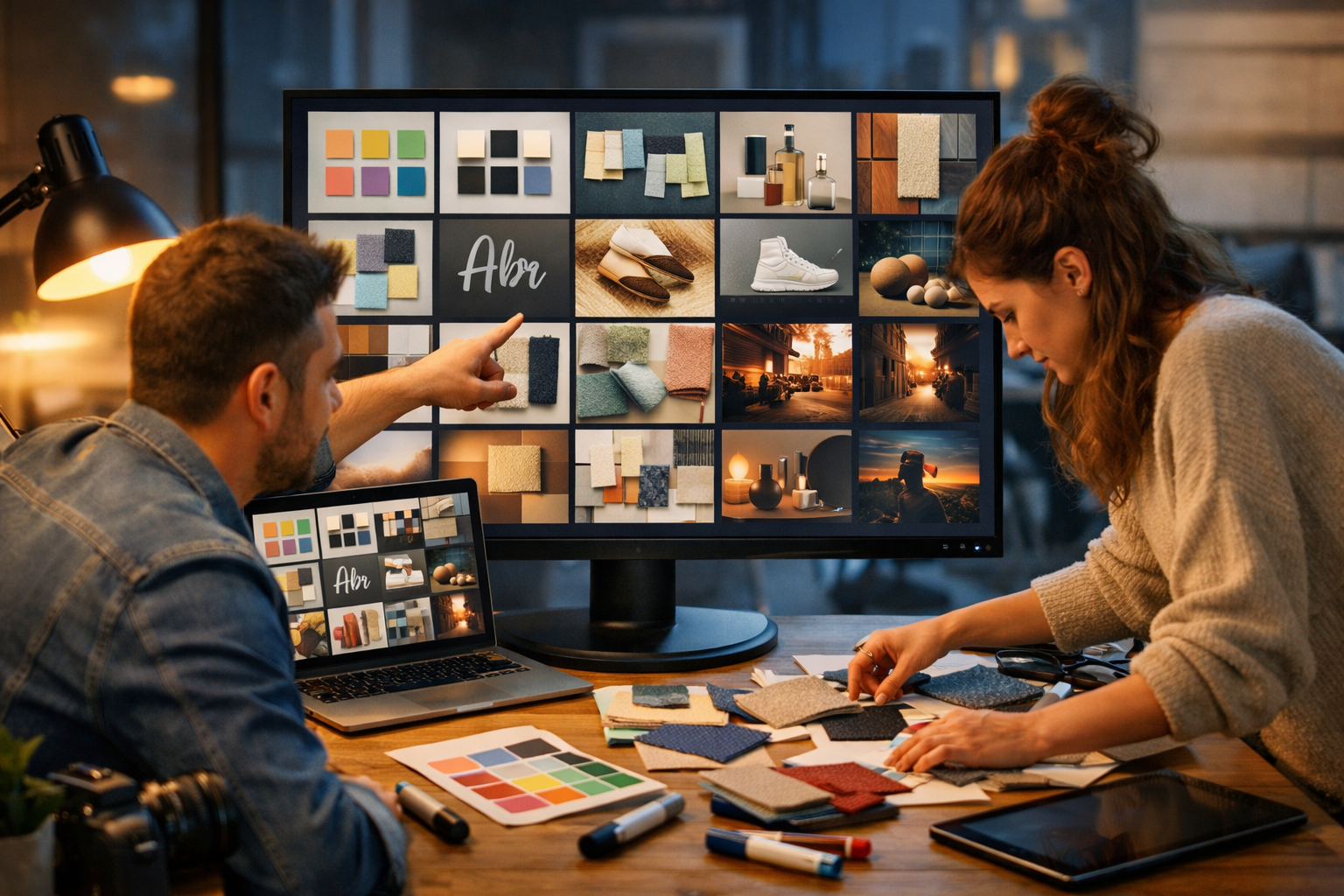
An AI mood board generator for creative projects helps you move from vague inspiration to a clear visual direction in minutes. Instead of trawling Pinterest, stock sites, and folders of references, you can generate cohesive concepts, explore multiple aesthetics, and quickly align stakeholders—then turn the winning board into finished copy, images, video, and audio assets.
What is an AI mood board generator (and why it matters)?
A mood board is a curated collection of visual references that communicates a creative direction—colour, lighting, composition, materials, typography style, and overall “feel”. An AI mood board generator uses prompts (and sometimes reference images) to create new, consistent visuals that fit the direction you describe.
For creative projects—branding, campaigns, product launches, interiors, fashion, film pitches, social content—mood boards are often the moment where ideas become tangible. AI makes that moment faster and more iterative, especially when you need to explore options under tight timelines.
Where AI adds value (beyond collecting references)
Traditional mood boards rely on what already exists. AI lets you generate what doesn’t exist yet: a hypothetical photoshoot style, a new product environment, a bespoke illustration approach, or a consistent set of cinematic frames. You can also test variants (seasonal palettes, different demographics, alt materials, different lighting) without scheduling a shoot or commissioning early-stage artwork.
- Rapid exploration: create 10–30 directions in an afternoon instead of over several days.
- Faster alignment: show stakeholders visual options early, reducing “guesswork” feedback later.
- Consistency: generate sets of images that share the same mood, palette, and lighting.
- Production efficiency: reuse the board as a blueprint for campaign assets across channels.
Why Gen AI Last works brilliantly for mood boards
Gen AI Last is an all-in-one platform for text, image, video, and audio generation—so your mood board is not a dead-end document. Once the look and feel is approved, you can immediately generate supporting copy, social graphics, short videos, voice-overs, and even background music in the same workflow.
You also get full access to all generation modes from $10/month, which is ideal for startups, freelancers, and small teams trying to keep concepting and content production affordable. Explore features via our AI content tools and compare plans on view pricing from $10/month.
A practical workflow: from brief to approved AI mood board
The best results come from treating an AI mood board as a structured process rather than a single prompt. Here’s a repeatable workflow you can use for most creative projects.
Step 1: Define the creative intent in one paragraph
Before you generate anything, write a short “intent statement”. This becomes your anchor when stakeholders request changes (and they will).
- Audience: who is this for and what should they feel?
- Brand personality: e.g., premium, playful, minimalist, rebellious.
- Context: where will the visuals appear (website, OOH, social reels, packaging)?
- Constraints: product colours, seasonal theme, must-include elements, legal/claim limits.
Example intent statement: “Launch visuals for a sustainable skincare brand aimed at urban professionals. Feel: calm, fresh, science-backed. Look: soft natural light, dewy textures, muted greens and warm neutrals, minimal props, premium packaging close-ups.”
Step 2: Choose 3–5 “style levers” to control consistency
AI output becomes more coherent when you specify the same levers across prompts. Pick a small set and keep them consistent across a batch.
- Lighting: golden hour, softbox studio, overcast daylight, neon night.
- Camera language: macro product, 35mm documentary, wide cinematic, top-down flat lay.
- Colour palette: 2–4 main tones plus accent.
- Texture/materials: linen, concrete, glass, brushed metal, paper grain.
- Composition: negative space, symmetrical, collage, dynamic angles.
Step 3: Generate “board tiles” as a set (not one image)
A usable mood board usually needs 9–20 tiles. Generate them as categories so you cover the project holistically:
- Hero scene (the main visual world)
- Close-ups (textures, details, materials)
- People or lifestyle (if relevant)
- Product context (use cases, environments)
- Graphic style (illustration approach, UI look, icon feel)
Step 4: Curate ruthlessly and label the direction
The “generator” is only half the job; the other half is curation. Reduce your set to a tight, readable story. Aim for 1 primary direction and 1–2 alternatives, each with a short label (e.g., “Clean Science Minimal”, “Botanical Warmth”, “Urban Night Lab”).
Step 5: Convert the approved board into production prompts
Once approved, extract a prompt formula from the board so every asset stays on-brand. In Gen AI Last, that means you can generate images for ads, social graphics, banners, and then expand into video and audio for a full campaign.
Prompt framework: the easiest way to get cohesive mood boards
Use a consistent prompt structure so each tile feels like it belongs to the same world.
- Subject: what’s in the image (product, room, person, object).
- Setting: studio, home, street, office, café, nature.
- Mood + palette: the emotional tone and core colours.
- Lighting: soft window light, rim light, neon, etc.
- Composition + lens feel: macro, wide, shallow depth of field.
- Materials + styling: props, textures, surfaces.
- Quality constraints: photorealistic, high detail, no text/logos.
Reusable prompt template:
“[Subject] in [setting], [mood adjectives], colour palette of [colours], [lighting], [composition/lens], styled with [materials/props], [visual style], high-detail, photorealistic, no text, no logos, 16:9.”
Five ready-to-use AI mood board directions (with example prompts)
Below are practical mood board “recipes” you can adapt for different creative projects. Each one includes guidance on what tiles to generate plus a sample prompt you can paste into Gen AI Last.
1) Premium minimal brand launch
Best for: skincare, fintech, boutique SaaS, premium food & drink.
- Tiles: hero product on clean surface, macro texture, lifestyle hands, packaging flat lay, website hero backdrop.
- Palette: warm neutrals, soft greys, one muted accent.
Prompt: “Minimal premium product scene, matte stone surface, warm neutral palette (sand, cream, soft grey) with muted sage accent, soft window light, lots of negative space, macro detail and shallow depth of field, styled with linen and frosted glass props, photorealistic, high-detail, no text, no logos, 16:9.”
2) Bold creator campaign for social
Best for: creator launches, streetwear, events, music releases.
- Tiles: neon portrait, dynamic motion blur, graphic collage-style frames, bold colour blocks, behind-the-scenes vibe.
- Palette: 2 saturated colours + black/white contrast.
Prompt: “High-energy campaign mood, urban night setting with neon accents, bold palette of electric blue and magenta with deep blacks, cinematic lighting, dynamic angles, slight motion blur, glossy textures, editorial street photography style, photorealistic, no text, no logos, 16:9.”
3) Cosy home/lifestyle content set
Best for: homewares, cafés, newsletters, wellness brands.
- Tiles: morning routine scene, flat lay on wooden table, cosy corner, hands holding product, natural textures.
- Palette: warm woods, oat, terracotta, muted greens.
Prompt: “Cosy lifestyle scene in a sunlit home kitchen, warm wood and oat colour palette with terracotta accents, soft natural light, top-down flat lay of everyday objects, tactile textures (ceramic, linen, paper), gentle film grain, photorealistic, no text, no logos, 16:9.”
4) Future-tech product narrative
Best for: AI tools, hardware, cybersecurity, innovation decks.
- Tiles: sleek device on reflective surface, abstract data-light visuals, modern office scenes, macro materials, “lab” environment.
- Palette: cool blues, graphite, silver, subtle cyan glow.
Prompt: “Futuristic tech mood board tile, sleek modern workspace with cool blue lighting, graphite and silver palette, subtle cyan rim glow, reflective surfaces, clean geometry, cinematic wide shot, high-detail photorealistic, no text, no logos, 16:9.”
5) Natural, sustainable, outdoors-led story
Best for: eco products, outdoor brands, organic food, ethical fashion.
- Tiles: product in nature, natural fibres, earthy still life, warm sunrise, authentic documentary lifestyle.
- Palette: forest green, clay, off-white, sunlit amber.
Prompt: “Sustainable brand aesthetic, product styled outdoors on natural stone, earthy palette (forest green, clay, off-white) with warm sunrise highlights, soft haze, documentary feel, natural fibres and recycled paper props, photorealistic, high-detail, no text, no logos, 16:9.”
Turning your mood board into real campaign assets (fast)
A common failure mode: the mood board looks great, but production still takes weeks. With Gen AI Last, you can bridge the gap by generating the assets that typically stall a small team.
1) Generate on-brand copy from the same direction
Once your board is approved, translate it into a “brand voice card” (3–5 bullets) and generate supporting text: landing page sections, ad variations, email subject lines, and social captions. Keep the words aligned with the mood (e.g., calm and minimal vs bold and punchy).
You can do this directly using our AI content tools so the writing matches the visuals you’ve chosen.
2) Generate a consistent image set for each channel
Use your prompt formula to create: a website hero, 2–3 banner variants, product/lifestyle images, and social graphics. The goal isn’t to generate “one perfect image” but a coherent set that looks like a campaign.
3) Convert the mood into short-form video
A strong mood board includes movement cues: pacing, transitions, camera distance, and lighting changes. Use that as a storyboard baseline to generate short product demos, explainers, or social reels. For example, a “future-tech” board might suggest sharp cuts and cool glows, while a “cosy home” board suggests slow pans and warm light.
4) Add audio that matches the emotional tone
Audio is part of the mood. Generate voice-overs for ads, narration for explainers, or background music that reinforces the direction (e.g., airy ambient for wellness, crisp electronic for tech). Keeping audio aligned reduces that jarring “stock music mismatch” feeling.
If you want to build this whole pipeline without stitching together multiple tools, check view pricing from $10/month—all plans include full access to text, image, video, and audio generation.
Common mistakes (and how to fix them)
Mistake 1: Prompts that are too vague
“Make it modern and nice” won’t create consistency. Fix it by specifying palette, lighting, and materials. Even two extra constraints (e.g., “soft daylight + warm neutrals”) can dramatically improve coherence.
Mistake 2: Mixing too many aesthetics in one board
If your board includes neon cyberpunk, rustic farmhouse, and minimalist editorial, stakeholders won’t know what they’re approving. Split into clearly named directions, then pick one.
Mistake 3: No rules for typography and graphic elements
Even if you’re focused on imagery, add 1–2 tiles that represent typographic style: bold sans, elegant serif, playful rounded, etc. If you can’t include actual font files yet, describe typographic qualities in your notes and later generate matching ad copy and layouts.
Mistake 4: Treating the mood board as the final deliverable
A mood board should reduce downstream work. After approval, immediately generate the first batch of production assets (hero image, 3 ad variations, email header, 10 caption options). That momentum prevents endless “concept limbo”.
Use cases: how different creatives benefit from AI mood boards
Brand designers
Create 2–3 visual territories for a new identity, then turn the chosen territory into a consistent set of mock visuals for presentations and early brand guidelines.
Marketing teams
Build mood boards for seasonal campaigns, then generate banners, social graphics, and short video concepts that all share the same lighting and palette.
Content creators
Develop a recognisable “channel look” (colour, framing, background props). A stable look improves retention because your content becomes instantly identifiable in the feed.
Product founders and startups
Move faster when you don’t have a full creative department. Use the mood board to align your landing page visuals, ad creative, and explainer video style—without paying for multiple separate tools.
A simple checklist for an “approval-ready” AI mood board
- One-sentence intent at the top of the board
- 9–20 curated tiles, not dozens of near-duplicates
- Consistent lighting and palette across most tiles
- At least one hero image that could become a banner or cover
- Detail tiles for textures, materials, close-ups
- Notes on voice and words (3–5 bullets)
- Next-step asset list (what you’ll generate after approval)
Get started: generate your first board, then ship the campaign
An AI mood board generator for creative projects is most valuable when it’s connected to execution. With Gen AI Last, you can generate the mood board visuals, write the campaign copy, produce short videos, and add voice-overs or music—without juggling multiple subscriptions.
If you’re ready to build your first direction set, start creating for free, generate 12–16 tiles using one of the prompt recipes above, and then turn the winning mood into your first set of real assets.
Ready to Create with Generative AI?
Join thousands of creators using Gen AI Last to generate text, images, audio, and video — all from one platform. Start your 7-day free trial today.
Start Free — Try 7 DaysQuick Links
Create AI content from $10/month
View Plans