AI Mood Board Generator for Creative Projects (2026 Guide)
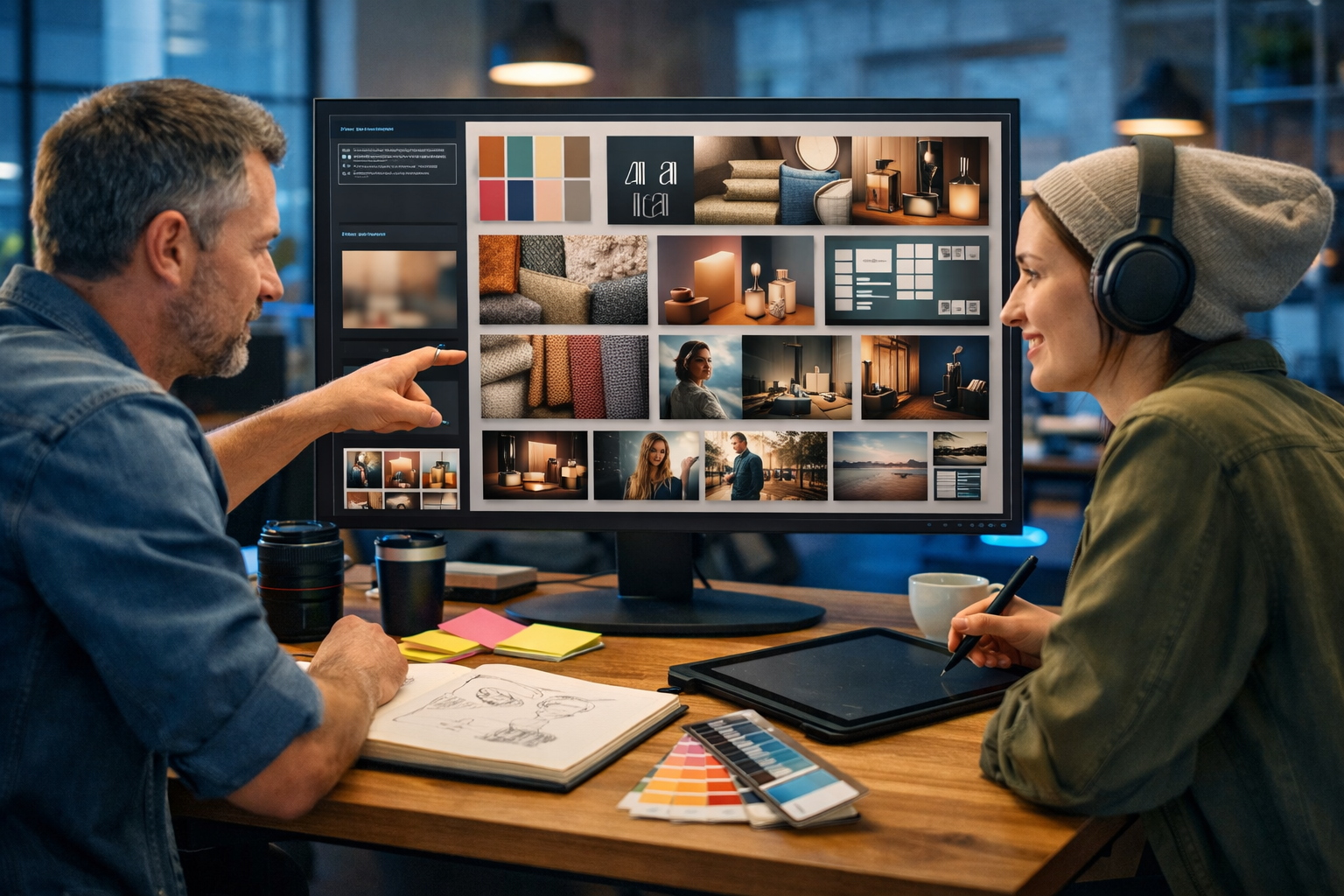
An AI mood board generator for creative projects can turn a messy idea—“warm, premium, modern but playful”—into a clear visual direction in minutes. Instead of hunting for references across dozens of tabs, you can generate tailored mood board imagery, refine it through prompt iterations, and align clients or teammates faster. This guide shows how to use AI mood boards practically, what to prompt, and how to translate a board into real deliverables using Gen AI Last.
What is an AI mood board generator (and why it matters)?
A mood board is a curated collection of visuals that communicates a creative direction—colour, tone, composition, typography vibe, subject matter, and overall “feel”. Traditionally it’s built from found references (Pinterest, magazines, stock libraries) and then manually organised.
An AI mood board generator accelerates that process by creating original reference images from a brief. Instead of searching for inspiration, you describe the direction and let AI generate options: style frames, product shots, textures, environments, character looks, UI aesthetics, packaging concepts, and more. You still curate and edit, but you start with a larger set of relevant, consistent candidates.
For creative projects—branding, campaigns, web design, product launches, video concepts, interior styling, social content—speed matters. Mood boards are where alignment is won or lost, and AI helps you reach alignment earlier with fewer meetings and fewer “that’s not what I meant” revisions.
Where AI mood boards fit in a modern creative workflow
Think of an AI mood board as the bridge between an abstract brief and production-ready assets. The strongest results come when you treat it as a structured process:
- Discovery: capture audience, goals, constraints, competitors, and must-have brand cues.
- Exploration: generate a wide range of visual directions quickly (3–6 distinct routes).
- Convergence: narrow down to 1–2 directions, then iterate for consistency and detail.
- Translation: convert the chosen direction into real content: ad creatives, landing pages, product photos, explainer videos, voice-overs, and copy.
Gen AI Last supports this end-to-end approach because it combines image generation with text, video, and audio in one platform—useful when a mood board needs to become a full campaign rather than a static collage. You can explore our AI content tools to see how each modality supports the same creative direction.
The 7 creative project types where AI mood boards shine
AI mood board generation is most valuable when you need quick variations that still feel cohesive. Here are common high-impact uses:
- Brand identity and rebrands: tone, photography style, colour mood, illustration direction, packaging cues.
- Marketing campaigns: seasonal looks, key visuals, art direction for paid social and banners.
- Product photography direction: lighting setups, backgrounds, props, compositions for consistent product shots.
- Web and UI concepts: layout inspiration, component style, micro-interaction vibe (expressed via style frames).
- Video storyboards and style frames: cinematic mood, camera angles, set design, wardrobe, colour grade.
- Editorial shoots: hair/makeup direction, locations, poses, styling references.
- Events and experiential: stage design, signage vibe, lighting looks, materials and textures.
How to create an AI mood board that clients actually approve
The difference between a “pretty board” and a “useful board” is clarity. Follow these steps to make AI-generated mood boards actionable and easy to sign off.
1) Start with a one-paragraph creative brief (not just keywords)
AI responds best to context. Before generating images, write a short brief covering audience, product, and emotional goal. Example:
- Audience: time-poor founders and small marketing teams.
- Goal: communicate “high quality, easy, affordable”.
- Feeling: confident, modern, calm, energetic accents.
- Constraints: minimalism, no clutter, avoids “too futuristic”.
Use Gen AI Last’s text generation to draft this quickly, then reuse it across image prompts, ad copy, and video scripts to keep everything consistent.
2) Generate 3–6 distinct directions first
Don’t iterate too early. Generate multiple routes that intentionally differ. For instance:
- Direction A: warm editorial photography, premium materials, soft natural light.
- Direction B: cool tech vibe, clean geometry, blue/grey palette, neon accents.
- Direction C: playful minimalism, bold colour blocks, simple icons, high contrast.
This makes stakeholder feedback easier: they can choose a lane instead of debating individual images.
3) Define your “board modules”
A useful mood board includes repeatable components. Aim to generate:
- Hero key visual (the campaign “poster” look)
- Lifestyle scene(s) showing people or context
- Texture/material close-ups (paper, fabric, glass, metal, grain)
- Product/packaging composition examples (if relevant)
- UI/graphic style frames (if digital)
- Colour mood frames (same scene, different grading)
With modules, you can rebuild the board later when requirements change, without losing the direction.
4) Add “do” and “don’t” notes to reduce revisions
Clients often say “I like it” and then change direction during production. Prevent that by explicitly stating what the board includes and excludes:
- Do: soft shadows, matte textures, shallow depth of field.
- Don’t: overly glossy 3D renders, busy backgrounds, heavy lens flares.
You can generate these notes with AI text tools based on the chosen direction and include them alongside the images.
Prompt formula: how to get consistent mood board images
The best prompts behave like mini art-direction documents. Use this simple structure and you’ll get more consistent, on-brief outputs:
- Subject: what’s in the frame (person, product, room, landscape, UI on a screen).
- Context: setting and purpose (studio shoot, agency desk, coffee shop concepting).
- Style: editorial, minimal, cinematic, documentary, glossy e-commerce.
- Palette: 3–5 colour cues (e.g., warm neutrals with deep green accents).
- Lighting: soft natural, golden hour, cool blue tech, neon accents.
- Composition: top-down flat lay, centred hero, negative space, grid.
- Camera/realism: lens feel, depth of field, photorealistic.
Example prompts you can copy and adapt
1) Brand direction (warm premium): “Photorealistic mood board style frame for a premium but approachable SaaS brand, warm neutral palette with terracotta accents, modern desk scene with notebook, minimal stationery, soft natural window light, shallow depth of field, matte textures, calm confident tone.”
2) Product photography direction: “Studio product shot concept, minimalist skincare bottle on textured stone surface, soft diffused lighting, gentle shadow falloff, beige and off-white palette with muted green accent, editorial e-commerce look, high detail, photorealistic.”
3) Video style frame (cool tech): “Cinematic style frame for an explainer video, modern co-working space at night, cool blue lighting with subtle neon accents, close-up of hands arranging printed mood board tiles, clean composition, film grain, high contrast, photorealistic.”
Once you land a direction, keep a “prompt backbone” and change only one variable at a time (e.g., setting or subject). That’s how you build a coherent board instead of a random assortment.
How to turn a mood board into deliverables with Gen AI Last
A mood board is only valuable if it speeds up execution. Gen AI Last makes that easier because your chosen direction can immediately become the assets you actually need.
From mood board to campaign copy
After selecting a direction, summarise it in 5–7 bullet points (tone, palette, message, audience). Feed that into AI text generation to create:
- Landing page headlines and subheads aligned to the visual tone
- Paid social primary text variants (short, medium, long)
- Email campaign sequences with consistent voice
- Product descriptions that match the brand “feel”
This is where a single platform helps: you avoid mismatches where visuals feel premium but copy reads generic. Explore our AI content tools to generate copy alongside visuals in the same workflow.
From mood board to social graphics and banners
Use your mood board prompts as the base for image generation, then request variations designed for specific placements: wide banners, square social posts, story backgrounds, or product feature composites. Keep the same lighting cues and palette language to maintain brand recognition across formats.
From mood board to video: style frames, then a complete reel
Video creation becomes easier when you already have style frames. Generate 6–10 frames that show the key scenes (opening hook, product moment, proof, CTA). Then produce a marketing video or short reel that follows the approved tone—cinematic, bright and playful, or clean and minimal.
If you’re aiming for consistency across multiple ads, keep a shared “shot list” derived from the mood board modules: close-up texture, medium lifestyle shot, hero product, UI overlay moment, ending frame with negative space for a CTA.
From mood board to audio: voice and music that match the vibe
Audio is often forgotten at the mood board stage, but it matters—especially for reels, product demos, and explainers. Once you’ve defined the tone (e.g., calm premium, energetic playful, documentary authentic), generate:
- Voice-over narration in a matching style (pace, warmth, confidence)
- Background music that supports the mood without overpowering it
The result: your final content feels unified—visuals, words, and sound all pointing in the same direction.
Best practices: make AI mood boards look intentional (not AI-random)
AI can generate a lot of options quickly, but curation is what makes it credible. Use these tactics to elevate your boards:
- Limit the palette: choose one primary palette and one accent palette. Avoid mixing both across every frame.
- Repeat 2–3 motifs: a material (matte paper), a lighting style (soft window light), and a compositional rule (negative space).
- Use “anchors”: pick 2–3 images that define the direction, then generate supporting images that echo them.
- Choose fewer, stronger images: 12 good tiles beat 40 inconsistent ones.
- Document decisions: write a short rationale: “This direction signals trust through calm lighting and tactile materials.”
Common mistakes (and how to avoid them)
If your AI mood board isn’t helping, it’s usually because one of these issues is present:
- Vague prompts: “modern, nice, aesthetic” gives generic outputs. Add subject, setting, lighting, and palette cues.
- No constraints: define what you don’t want (overly glossy, heavy sci-fi, busy patterns).
- Too much variation at once: change one variable per iteration to keep coherence.
- Forgetting the end deliverable: a board for packaging differs from a board for a TikTok reel—generate modules accordingly.
- Skipping stakeholder language: add 3–5 adjectives that decision-makers use (e.g., “trustworthy”, “premium”, “human”).
A practical 30-minute workflow (solo or small team)
If you need a repeatable routine, try this:
- 0–5 minutes: draft the one-paragraph brief and 5 adjectives describing the vibe.
- 5–15 minutes: generate 3 distinct directions (4–6 images each).
- 15–20 minutes: pick the strongest direction; generate 6 supporting modules (hero, lifestyle, texture, product, UI, colour grade).
- 20–25 minutes: write “do/don’t” notes and a 2-sentence rationale.
- 25–30 minutes: generate first-pass copy (headline, CTA, 3 social captions) that matches the chosen direction.
With Gen AI Last, you can do the entire loop—images plus text—in one place, then move straight into video and audio once the direction is approved.
Cost and access: why affordability matters for mood board iteration
Mood boards improve through iteration, and iteration is hard when tools are expensive or split across multiple subscriptions. Gen AI Last keeps experimentation realistic for startups, freelancers, and small teams because every plan includes full access to text, image, audio, and video generation from $10/month. If you want to compare options, view pricing from $10/month.
FAQ: AI mood board generator for creative projects
Will AI replace designers or creative directors?
No. AI speeds up exploration and provides starting points, but strong work still requires creative judgement: defining the problem, selecting a direction, ensuring brand fit, and translating the mood into usable assets.
Can I use AI mood boards for client presentations?
Yes—when you present them as conceptual direction and include a clear rationale plus “do/don’t” notes. Aim for coherence and avoid including too many unrelated styles in one board.
How do I keep outputs consistent across images, video and copy?
Use a shared brief and a single set of adjectives, palette cues, and lighting rules. Then reuse the same language in prompts across formats. An all-in-one platform helps reduce drift between tools.
Next step: build your first AI mood board in Gen AI Last
If you want an AI mood board generator for creative projects that doesn’t stop at images, start with Gen AI Last: generate mood board visuals, then convert the approved direction into campaign copy, social graphics, video style frames, and voice-over audio without switching platforms. You can start creating for free and move to a full plan whenever you’re ready.
Ready to Create with Generative AI?
Join thousands of creators using Gen AI Last to generate text, images, audio, and video — all from one platform. Start your 7-day free trial today.
Start Free — Try 7 DaysQuick Links
Create AI content from $10/month
View Plans