AI product photography: generate studio shots without a camera
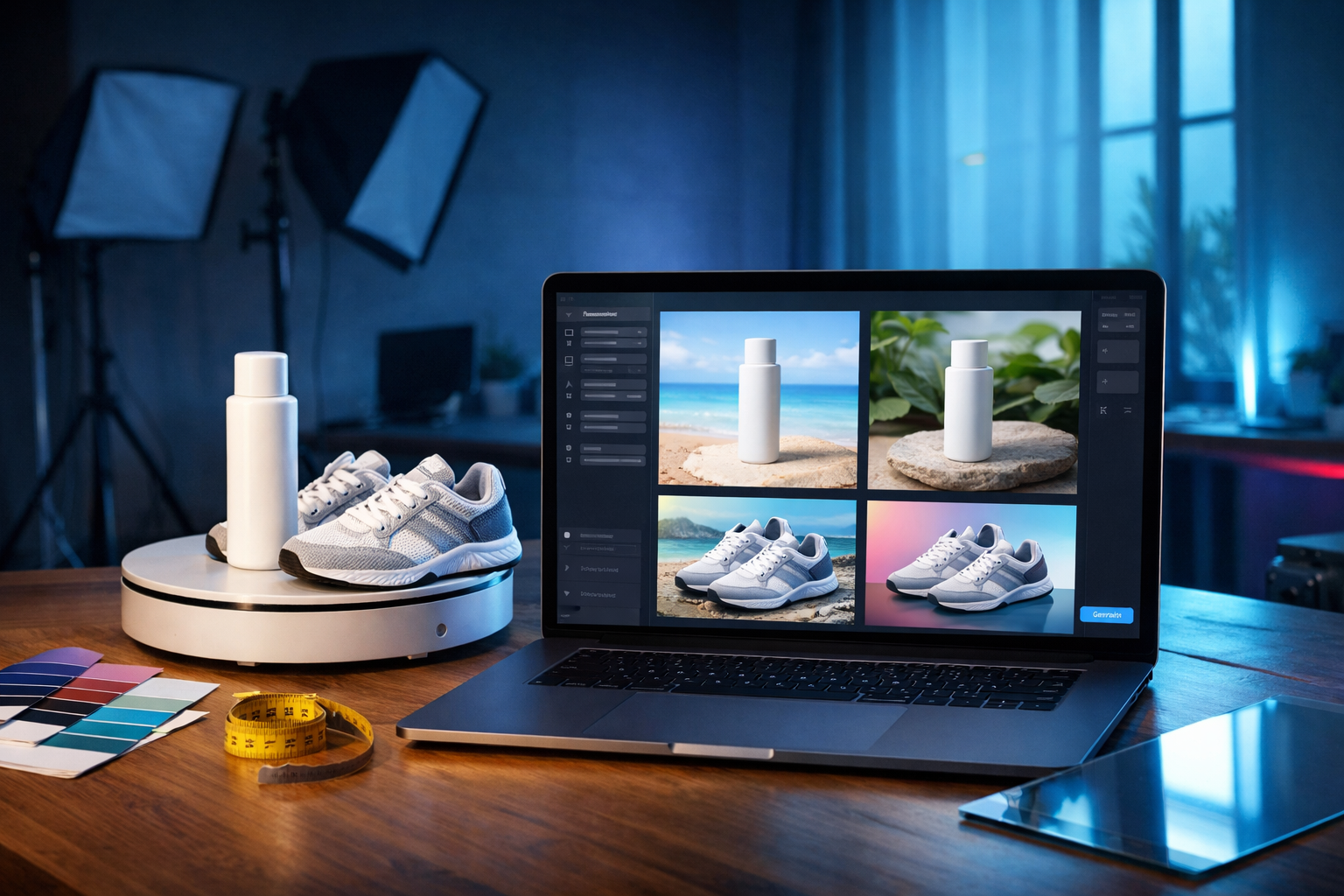
You can now create clean, high-end studio product images without booking a photographer, renting lights, or even owning a camera. With AI product photography, you describe the shot you need—angle, lighting, background, materials—and generate studio-style images in minutes, making it practical for small shops, marketers, and startups that need constant creative output.
What “AI product photography” really means (and what it doesn’t)
AI product photography is the process of generating product visuals—often “studio shots” on plain or styled backgrounds—using generative image models. Instead of capturing light bouncing off a real item with a lens, you create a synthetic image based on a prompt, reference images, or both.
It’s important to be clear about capability and limitations:
- AI can generate convincing hero shots, lifestyle scenes, variations (colours, angles), and ad creatives quickly.
- AI can struggle with strict accuracy: exact label text, small logos, precise packaging dielines, and regulatory claims.
- For marketplaces with strict photo rules (e.g., “real product only”), AI images may be allowed only for secondary images—always check policy.
The best results come from treating AI as a controllable studio: you direct art, lighting, and composition—and you validate for accuracy before publishing.
Why generate studio shots without a camera?
Traditional studio photography is brilliant, but it has friction: planning, shipping products, booking talent, post-production, and cost per variation. AI reduces that friction so you can iterate like a performance marketer.
- Speed: create a set of 10–30 variations for A/B testing in the time it takes to set up lights.
- Cost control: no studio day rate; ideal for early-stage brands and small teams.
- Consistency: lock in a brand “look” (background tone, shadows, lens style) for your catalogue.
- Scale: produce seasonal creatives (Valentine’s, summer, Black Friday) without re-shooting everything.
With Gen AI Last, you can keep the whole workflow in one place: generate images, write product descriptions, produce ad copy, and even create short promo videos and voice-overs. Explore our AI content tools to see the full suite.
Core types of AI product shots you can generate
When people search for “ai product photography generate studio shots without a camera”, they usually want one of these deliverables:
1) Clean e-commerce hero shots
Typically front-facing, centred, white or light-grey background, subtle shadow. These are designed to make the product easy to read at thumbnail size.
2) Premium studio shots
More cinematic lighting (softbox, rim light), gentle gradients, reflective acrylic surfaces, controlled highlights—common in beauty, tech, and jewellery.
3) Lifestyle scenes (without hiring a set)
Product in context: a coffee cup on a desk, skincare on a bathroom vanity, trainers on a gym floor. Great for ads and social.
4) Variant generation
Different colours, materials, or pack sizes—useful when you have only one sample but need a full range.
5) Campaign compositions
Bundles, gift sets, “what’s included” visuals, seasonal props, and offer layouts (without text baked into the image).
A practical workflow: from product idea to studio-ready images
Below is a reliable workflow you can repeat for any product category. The goal is to control realism, maintain brand consistency, and reduce “randomness”.
Step 1: Define your non-negotiables
Before prompting, write down what must be true in every image:
- Product type and material (matte plastic, brushed aluminium, glass)
- Primary colour (use a precise description, e.g., “deep forest green”)
- Background style (pure white, light grey gradient, warm beige)
- Lighting (high-key softbox, dramatic rim light, soft natural window light)
- Camera look (50mm lens, shallow depth of field, crisp studio sharpness)
Step 2: Build a “studio prompt” template
A good studio prompt is specific but not overly complicated. Use a consistent structure so you can swap in products easily.
Studio prompt template:
- Subject: what the product is, including material and finish
- Composition: centred/three-quarter, distance, angle
- Lighting: softbox direction, fill, rim, shadow softness
- Background: colour/gradient, surface type, reflection level
- Quality cues: ultra-detailed, photorealistic, crisp edges
- Exclusions: no text, no watermark, no distorted shapes
Step 3: Generate 12–20 variations quickly
Instead of hunting for “the one perfect prompt”, generate a batch of variations: change only one variable at a time (lighting angle, surface reflection, background tone). This makes it easy to pick a winning style and standardise it.
Step 4: Run a quality checklist (critical for e-commerce)
AI images can be convincing while still being “wrong”. Check:
- Geometry: are edges straight? any melted corners?
- Brand accuracy: label placement and colour correct? (avoid tiny text)
- Shadows: does the product appear grounded, not floating?
- Reflections: do they match the material (glass vs matte)?
- Consistency: does this match your other SKU images?
Step 5: Create supporting assets (copy, ads, video, audio)
Once the hero images are ready, produce the rest of the launch kit:
- SEO product description and bullet points
- Email announcement and abandoned cart sequence
- Paid social headlines and primary text
- Short product demo video and voice-over
Gen AI Last makes this seamless because it combines text, image, video, and audio generation in one subscription. You can view pricing from $10/month and keep production costs predictable.
Prompt recipes you can copy (studio shots without a camera)
Use these as starting points inside Gen AI Last’s image generation. Replace the bracketed sections with your product details. Keep “no text/no logo” if you don’t want the model to invent branding.
Recipe 1: Classic white-background hero shot
[Product] on pure white background, centred composition, eye-level angle, softbox lighting from front-left with gentle fill, natural soft shadow under product, crisp edges, ultra photorealistic studio product photography, 50mm lens look, high detail, clean, minimal, no text, no watermark, no extra objects
Recipe 2: Premium gradient studio with reflective acrylic
High-end studio shot of [Product] made of [material/finish], placed on glossy black acrylic surface with subtle reflection, smooth dark-to-grey gradient background, rim light from behind and soft key light from front-right, controlled highlights, cinematic product photography, sharp focus, realistic shadows, no text, no watermark
Recipe 3: Soft natural lifestyle (still feels “studio”)
Photorealistic lifestyle product photo of [Product] on a clean modern desk, soft natural window light, neutral tones, shallow depth of field, premium minimal props (not distracting), realistic contact shadow, editorial style, no text, no watermark, no distorted objects
Recipe 4: Colour-accurate catalogue series
Catalogue-style studio product photo of [Product] in [exact colour description], on light grey seamless background, consistent lighting setup, centred, identical framing, minimal shadow, ultra sharp, photorealistic, no text, no logo, no watermark
Recipe 5: “Floating” but believable (for ads)
Studio advertising shot of [Product] suspended mid-air, clean gradient background in [brand colour], dramatic softbox lighting, subtle motionless realism, soft shadow below to suggest depth, premium commercial photography, high detail, no text, no watermark
How to keep images consistent across your entire product line
Consistency is what makes AI images look “brand-led” rather than random. Aim to standardise four things:
- Lighting recipe: pick one (e.g., “softbox front-left + gentle fill”).
- Background system: white for marketplaces, gradient for premium PDPs, lifestyle for ads.
- Camera look: keep lens style consistent (e.g., 50mm, shallow DOF, crisp).
- Framing rules: centred, 10% padding, same angle for every SKU.
Operational tip: save your best prompt as a “house style” and only change the product descriptor line-by-line. This is how small teams scale creative without losing coherence.
Best practices for e-commerce compliance and trust
AI product photography can improve conversion, but you must protect customer trust. Use these guardrails:
- Do not invent features: avoid prompts like “premium metal nozzle” if your product is plastic.
- Avoid micro text: AI may generate illegible labels. Keep label areas simple, or present label text in the page copy instead.
- Use AI for secondary images when required: for strict marketplaces, keep AI for banners, bundles, and lifestyle images.
- Be careful with “before/after”: regulated categories (beauty, supplements) can trigger compliance issues.
When in doubt, use AI to generate the setting and mood, then rely on accurate written specifications and customer photos for validation.
Turn your AI images into a full marketing pack with Gen AI Last
The advantage of using Gen AI Last isn’t only that you can generate studio shots without a camera—it’s that you can immediately turn those shots into campaign assets.
Generate product descriptions that match the imagery
After you generate your hero image, create a consistent product description using AI Text Generation: concise benefit bullets, materials, care instructions, and SEO-friendly FAQs. This is especially useful when you’re launching multiple SKUs and need uniform tone.
Create ad creatives and social variations
Use AI Image Generation to output multiple backgrounds and compositions (square for Instagram, vertical for Stories, wide for banners). Then generate matching captions, hooks, and calls-to-action with AI Text Generation.
Build short product videos and voice-overs
If you need motion, AI Video Generation can help you produce simple promo clips or explainer-style visuals. Pair it with AI Audio Generation for voice-overs, narration, or background music—ideal for TikTok/Reels-style ads when you don’t have a presenter.
If you want to try the workflow end-to-end, start creating for free and build a complete product launch kit from one prompt.
Common mistakes (and how to fix them fast)
Most “AI photos look fake” complaints come down to a few correctable issues:
- Floating products: add “realistic contact shadow” and specify a surface (matte paper, acrylic, marble).
- Wrong material feel: include “matte”, “brushed”, “glossy”, and “micro-scratches” where appropriate.
- Over-stylised lighting: ask for “softbox lighting, high-key, commercial studio look”.
- Busy props: explicitly request “minimal props, not distracting, product is the hero”.
- Inconsistent series: reuse one template prompt; only change product descriptors.
Mini case examples: prompts by category
Here are quick category-specific examples you can adapt.
Skincare bottle (beauty)
Photorealistic studio product photo of a minimalist 50ml frosted glass skincare bottle with a matte white pump, centred on warm beige seamless background, softbox key light from left, gentle rim light, subtle shadow, premium cosmetic advertising style, no text, no watermark
Wireless earbuds (consumer tech)
High-end studio shot of matte black wireless earbuds case, three-quarter angle, dark grey gradient background, glossy acrylic surface with subtle reflection, crisp highlights, sharp focus, commercial product photography, no text, no watermark
Coffee beans bag (food packaging)
Studio hero shot of a matte kraft paper coffee bag with resealable zipper, centred on pure white background, soft natural shadow, high detail packaging photography, realistic folds and texture, no text, no logo, no watermark
FAQ: AI product photography for studio shots
Is AI product photography good enough for my product page?
For many brands, yes—especially for supplementary PDP images, bundles, and lifestyle scenes. For strict “true-to-life” requirements, combine AI with at least one real reference image or keep AI to marketing assets.
How do I stop AI from adding fake logos or text?
Add explicit exclusions such as “no text, no logo, no watermark” and keep prompts focused on materials, lighting, and form. If you need branding, apply it later in your design tool for accuracy.
What’s the fastest way to create a consistent catalogue?
Choose one lighting recipe and background, then reuse the same prompt structure for every SKU. Generate batches, pick the most consistent outputs, and repeat with only the product descriptor changed.
Next steps: create studio product photos in minutes
If you need professional-looking visuals but don’t have the budget or time for constant shoots, AI product photography is a practical upgrade. Start with one product, generate a clean hero shot plus 5–10 variations, then expand into lifestyle scenes and ad creatives.
Gen AI Last gives you everything in one place—image generation for studio shots, text generation for product copy, plus video and audio for ads—starting at an affordable price point for small teams. Explore our AI content tools or view pricing from $10/month to build your full product creative pipeline.
Ready to Create with Generative AI?
Join thousands of creators using Gen AI Last to generate text, images, audio, and video — all from one platform. Start your 7-day free trial today.
Start Free — Try 7 DaysQuick Links
Create AI content from $10/month
View Plans