AI video ads: create professional commercials without filming
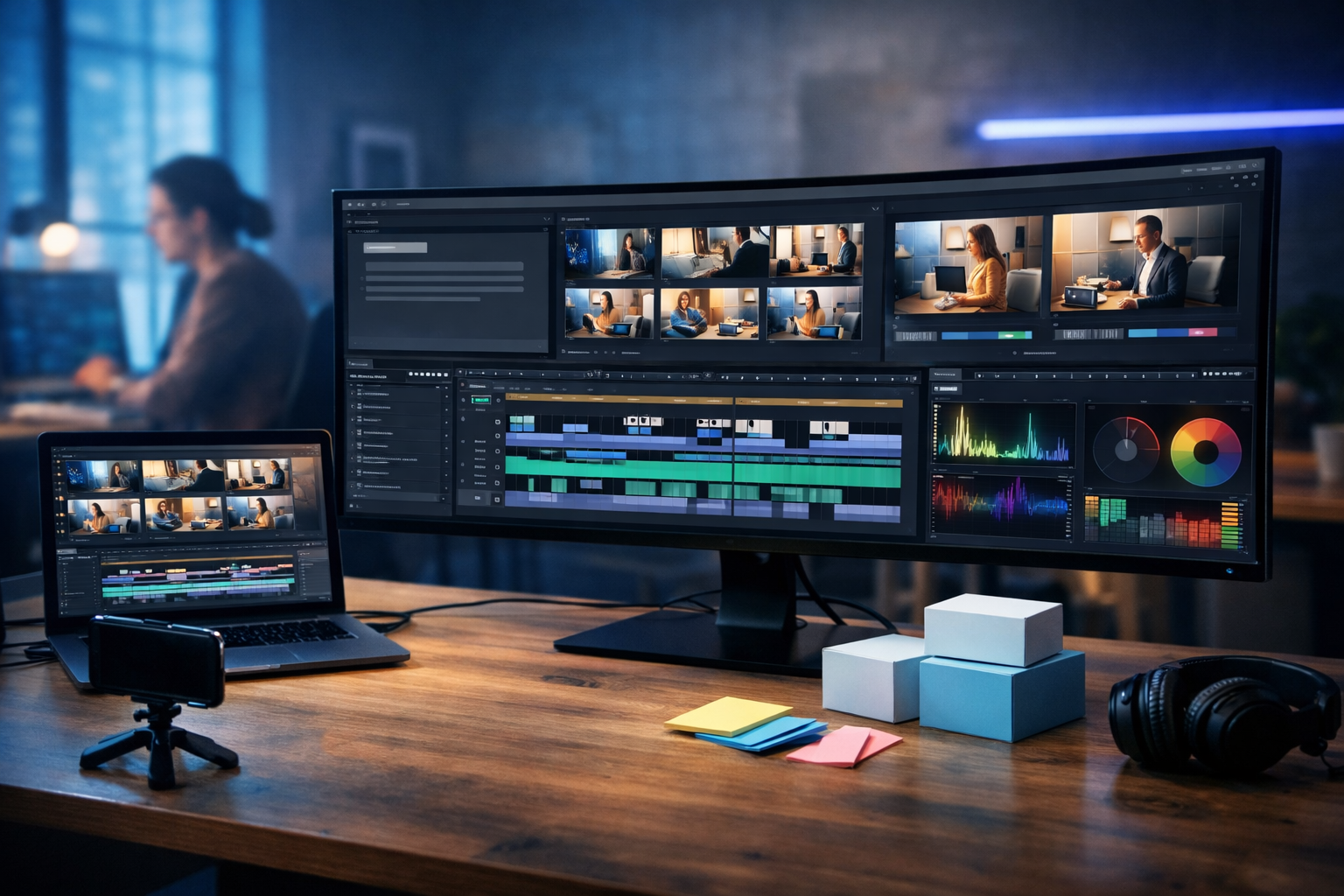
AI video ads let you create professional commercials without filming, hiring a crew, or booking a studio. With the right workflow, you can go from a simple prompt to a polished, brand-safe advert—complete with script, visuals, voice-over, music and multiple cut-downs for social—in hours rather than weeks.
What “AI video ads” really means in 2026
When people search for “ai video ads create professional commercials without filming”, they usually want two things: (1) a realistic way to produce ad creatives without cameras, actors, or locations; and (2) a repeatable process that doesn’t look cheap or “AI-ish”.
Modern AI ad production typically combines four components:
- Script and concept generation (hooks, benefits, CTAs, versions for different audiences)
- Visual generation (product scenes, backgrounds, lifestyle shots, graphic elements)
- Video generation and editing (shots, motion, pacing, captions, formatting)
- Audio generation (voice-over, background music, sound design)
Gen AI Last brings these pieces together in one place, so you can build commercials end-to-end. If you want to explore what’s included, see our AI content tools and the workflows below.
Why brands are replacing filming with AI for many commercials
Filming still matters for certain campaigns—celebrity endorsements, big TV spots, or complex demos. But for most small teams and performance marketers, the bottlenecks are predictable: budget, time, coordination, and creative fatigue. AI video ads remove or reduce those constraints.
- Speed: iterate five new concepts before lunch, not over five production meetings.
- Cost control: generate visuals and video without paying for locations, actors, or reshoots.
- Versioning: produce variations for different audiences, offers, and placements.
- Always-on creative: keep ads fresh when platforms favour novelty and testing.
- Small-team friendly: one marketer can do what used to require a designer, editor and producer.
The key is quality control: strong inputs, brand guardrails, and a structured workflow. The next sections show exactly how to do it.
A practical workflow: create a professional AI commercial without filming
Use this step-by-step process for most products and services. The examples assume you’re using Gen AI Last for text, images, video and audio in one platform.
Step 1: Start with a clear creative brief (don’t skip this)
AI output quality depends on clarity. Before generating anything, write a brief with these fields:
- Objective: sales, lead gen, app install, awareness
- Audience: who exactly, and what problem do they feel today?
- Offer: discount, free trial, bundle, consultation, limited drop
- Key proof: results, testimonials, numbers, guarantees, comparisons
- Brand voice: confident, playful, minimalist, premium, etc.
- Mandatory elements: logo placement (if added later), colours, disclaimers
- Format: 9:16 Reels, 1:1 feed, 16:9 YouTube, 6–15 seconds or 30 seconds
If you manage multiple clients or product lines, keep a template brief so you can spin up new campaigns quickly.
Step 2: Generate 10 hooks and 3 angles (then pick one)
Most ads fail in the first two seconds. Strong hooks are the difference between a scroll and a watch. Use AI text generation to create multiple hook styles, such as:
- Problem-first: “Still wasting hours on…?”
- Result-first: “Here’s how we cut costs by 27%…”
- Contrarian: “Stop doing X—do this instead.”
- Curiosity: “The 10-second fix nobody talks about…”
Then choose three angles to test (for example: speed, savings, quality). In Gen AI Last you can generate blog-style long copy, short social hooks, and direct-response scripts using the same product inputs, keeping messaging consistent across channels.
Step 3: Write a tight script built for editing
A “professional” commercial is usually simple: one main idea, clean pacing, and a clear next step. For short-form performance ads, aim for:
- 6–15 seconds: one hook + one benefit + one proof + CTA
- 20–30 seconds: hook + problem + solution + 2–3 benefits + proof + CTA
Example script (15 seconds) for a skincare product:
0–2s: “Dry, tired-looking skin by midday?”
2–7s: “Our peptide moisturiser locks in hydration for all-day comfort.”
7–11s: “Lightweight. No greasy finish. Dermatologically tested.”
11–15s: “Try it today—limited launch offer ends Sunday.”
Write the script in edit-friendly blocks. Each line should map to a shot, a text overlay, or a visual beat. This makes AI-generated videos feel intentional, not random.
Step 4: Plan a shot list you can generate (and keep it brand-safe)
Without filming, your “shots” become generated scenes. Plan them like a real production:
- Product beauty shots: clean backgrounds, controlled light, shallow depth of field
- Lifestyle scenes: the product in context (kitchen, gym bag, desk)
- Problem visuals: messy desk, cracked screen, long queues (metaphors work well)
- Proof: review cards, star ratings, before/after (only if you can substantiate)
- CTA scene: product + offer framing, clean and readable
If you can’t legally claim a result, don’t generate visuals that imply it. A professional advert is not just slick—it’s compliant and trustworthy.
Step 5: Generate the visuals (images) first for consistency
A reliable approach is to create key frames as images, then use them to guide your video generation style. In Gen AI Last, use AI image generation to create:
- Hero product image (your “packshot”)
- Two lifestyle scenes
- One background plate for text overlays
Tip: lock in a visual identity—lighting, lens feel, colour palette—before you generate video. That’s how you avoid the “every shot looks different” problem that makes AI ads feel amateur.
Step 6: Generate video scenes in short segments (then stitch)
Rather than generating one long clip, generate several short segments (2–4 seconds each) aligned to your script. This gives you editorial control and makes the final commercial feel paced like a real ad.
Structure your prompt for each segment with:
- Subject: product / person / environment
- Action: slow push-in, hand placing product, swipe transition feel
- Camera: handheld vs tripod, focal length, depth of field
- Lighting: soft natural, studio softbox, neon accent, golden hour
- Style constraints: photorealistic, clean, premium, minimal clutter
Then assemble segments into a final edit with consistent rhythm. If you’re producing for TikTok/Reels, keep scene changes frequent (every 1–2 seconds) and pair them with clear on-screen text.
Step 7: Add voice-over that sounds like a brand, not a robot
Voice-over is where “professional commercial” credibility is often won or lost. Use AI audio generation to create:
- Two voice options: one friendly and one authoritative
- Two speeds: standard and slightly faster for short-form
- Two reads: neutral and more energetic emphasis on the CTA
Practical direction to include in your narration prompt: “British English, warm but direct, clear consonants, small smile in voice, no dramatic acting, slight emphasis on key benefit and offer.”
Step 8: Generate background music and mix it correctly
Music sets perceived production value. Use AI to generate a track that fits the placement:
- Social ads: punchy, minimal, clear beat, avoids busy mids
- Explainers: unobtrusive, modern, low distraction
- Premium products: sparse, cinematic, lots of space
Mixing rule of thumb: keep voice-over clearly dominant. If you’re not an audio engineer, just remember: turn the music down further than you think you need to.
Step 9: Make cut-downs for every platform (without redoing everything)
A common mistake is producing one “perfect” ad and forcing it everywhere. Instead, create a master project and export variations:
- 9:16 (TikTok/Reels/Shorts): big captions, fast pacing
- 1:1 (Meta feed): slightly calmer, centred subject
- 16:9 (YouTube/CTV placements): more breathing room, cleaner lower thirds
Also create two lengths: a 6–10 second “hook-only” version and a 20–30 second version for warmer audiences.
3 ready-to-use prompt examples for AI video ads
Use these as starting points and swap in your product details. The goal is to make your prompts specific enough to produce consistent, commercial-ready results.
Prompt 1: Product beauty shot (premium look)
Video prompt: “Photorealistic 16:9 premium product commercial shot of a matte black bottle with minimal label (no readable text), placed on a glossy stone surface. Softbox studio lighting, gentle reflections, shallow depth of field, slow 3-second push-in camera move. Background: dark charcoal gradient with subtle bokeh. Style: high-end cosmetics advert, clean, minimal, no hands, no logos.”
Prompt 2: Lifestyle use-case (human context without filming)
Video prompt: “Photorealistic 9:16 lifestyle commercial scene in a bright home office. A person’s hands place a small wireless device next to a laptop; the person is out of focus, face not visible. Soft natural window light, warm tones, tidy desk, coffee mug, notebook. Subtle motion: hands move, slight camera handheld micro-movement, 3-second clip. Modern, realistic, brand-safe.”
Prompt 3: Problem-to-solution transition (scroll-stopping)
Video prompt: “Photorealistic 9:16 split-scene style advert. First half: messy desk, sticky notes, overflowing inbox vibe shown via abstract blurred UI shapes (no readable text). Second half: clean desk with one simple tool and calm lighting. Fast 2-second transition from chaotic to clean, brightening colour grade. Modern tech ad aesthetic, cool blue highlights, crisp focus, no logos.”
Quality checklist: what makes AI commercials look “professional”
Professionalism is a set of small decisions. Use this checklist before publishing.
- Consistent visual identity: same lighting style, palette, and level of realism across shots
- Readable overlays: high contrast, short phrases, safe margins for UI
- Pacing: remove dead time; aim for purposeful motion every second
- Proof is specific: numbers, guarantees, or clear differentiators (only if true)
- Audio clarity: voice-over clean; music supports, not competes
- Compliance: avoid misleading claims, ensure offer terms are accurate
Common pitfalls (and how to avoid them)
AI can save time, but it can also amplify bad strategy. These are the issues we see most often when teams try to create commercials without filming.
Pitfall 1: Generating “cool visuals” with no selling idea
If the viewer can’t repeat your offer after watching, the ad is decoration. Fix this by writing your single sentence value proposition first, then generate visuals that support it.
Pitfall 2: Over-promising results
AI makes it easy to create dramatic before/after content. Only use claims you can substantiate. When in doubt, shift to safer proof: ingredient quality, process, warranties, or real customer quotes (used with permission).
Pitfall 3: Inconsistent characters and products across shots
Viewers notice when a product shape changes between scenes. Keep a tight shot list, reuse key frames, and prioritise product-forward compositions that are easy to match visually.
Pitfall 4: One edit for every placement
Platforms behave differently. Build variations as part of your workflow, not as an afterthought.
How to test and improve AI video ads (simple performance loop)
Once you can produce ads quickly, the competitive edge becomes testing discipline. Use this lightweight loop:
- Test 3 hooks with the same body and CTA.
- Keep one winner and test 3 new bodies (benefit-led, proof-led, objection-handling).
- Rotate offers (discount vs bundle vs free trial) only after messaging stabilises.
- Refresh creatives weekly for scale (new first 2 seconds often matters most).
Gen AI Last makes this easier because you can generate new scripts, supporting images, voice-overs and video variations without switching tools—ideal for small teams running continuous creative testing.
Why Gen AI Last is practical for startups and small teams
Many teams try to patch together separate tools for copy, images, voice and video, then lose time moving assets around. Gen AI Last keeps your workflow streamlined: generate the script, design the key visuals, create the video segments, and add voice-over and music in one platform.
It’s also priced for real-world marketing budgets: all features (text, image, audio and video) are available from view pricing from $10/month, which is especially helpful when you need to produce multiple ad variations every week.
Frequently asked questions
Can AI video ads replace filming completely?
Not always. If your product requires a precise demonstration, regulated claims, or recognisable people, you may still want filmed footage. But AI can cover a large share of performance creative: hooks, lifestyle scenes, product beauty shots, abstract problem visuals, and animated explainers.
Will AI ads look “fake” to customers?
They can—if you generate generic visuals with inconsistent style. Use a consistent creative direction, keep edits tight, and prioritise clarity over novelty. When the message is strong and the design is clean, most viewers focus on the value, not the production method.
What’s the fastest way to start?
Start with a 10–15 second ad. Generate: (1) three hook scripts, (2) four visuals (one packshot, two lifestyle, one background), (3) three 3-second video segments, and (4) one voice-over. Then export 9:16 and 1:1 versions. You can start creating for free and scale once you find a winning angle.
Final takeaway: commercial quality comes from process, not a camera
If your goal is “ai video ads create professional commercials without filming”, the most important shift is thinking like a producer: start with a brief, write for the edit, generate consistent key frames, build short video segments, and finish with confident audio and platform-specific cut-downs.
When you’re ready to turn prompts into polished adverts—without juggling multiple subscriptions—explore our AI content tools and build your first batch of ad variations with Gen AI Last.
Ready to Create with Generative AI?
Join thousands of creators using Gen AI Last to generate text, images, audio, and video — all from one platform. Start your 7-day free trial today.
Start Free — Try 7 DaysQuick Links
Create AI content from $10/month
View Plans