AI Video Generator for Marketing: Create Ads Faster (2026)
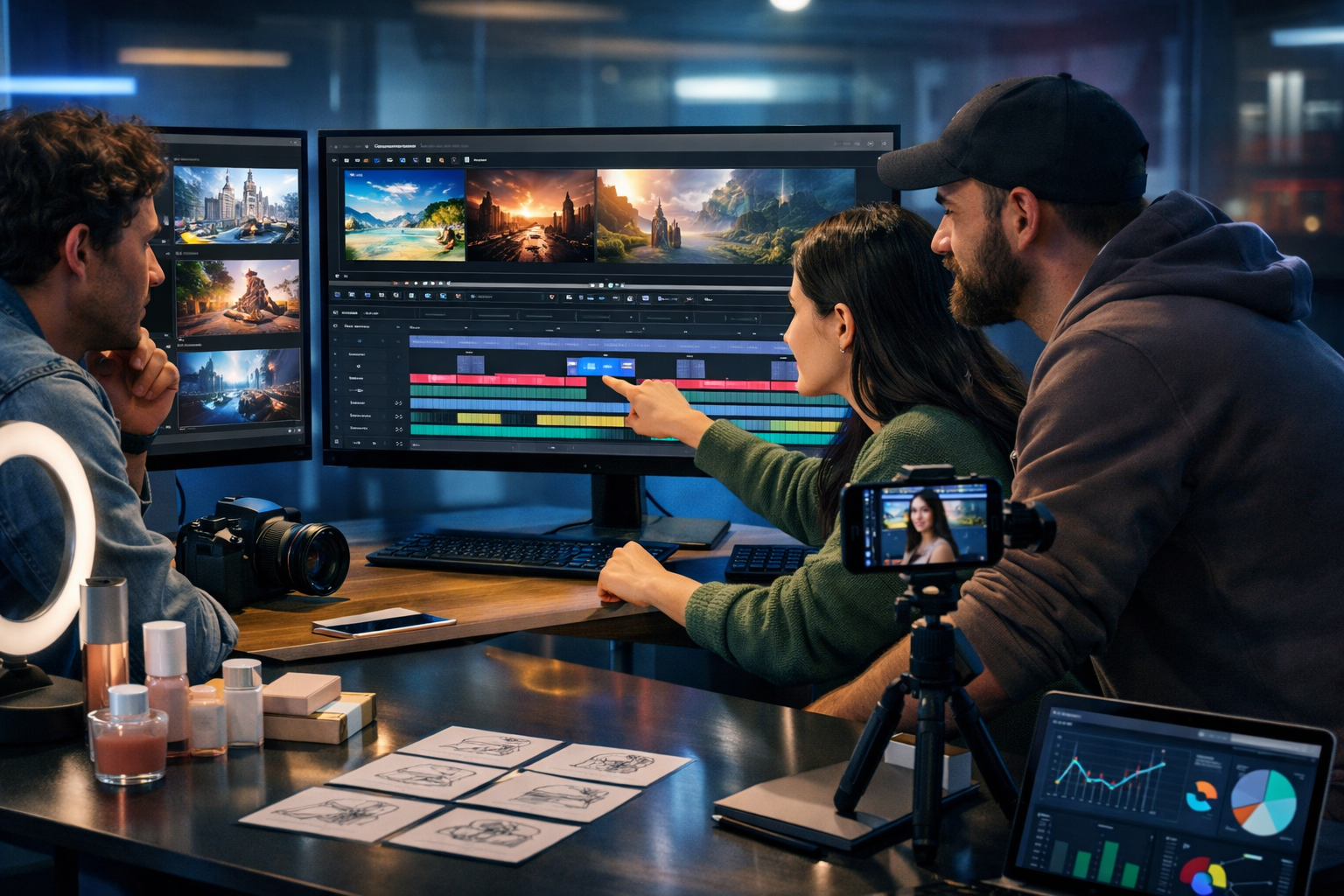
An ai video generator for marketing helps you turn a simple brief into scroll-stopping ads, product demos and social reels in hours rather than weeks. The real win is not just “making a video”: it’s creating a repeatable system for scripts, visuals, voice-overs and multiple versions tailored to each channel—without needing a full production team.
What an AI video generator for marketing actually does
Traditional video production is expensive because each step is specialised: copywriting, storyboarding, filming, editing, motion graphics and audio. An AI-driven workflow compresses those steps by generating marketing-ready assets from prompts, then letting you refine them quickly.
In practice, an ai video generator for marketing supports:
- Script and hook generation for specific audiences and offers.
- Scene ideas and storyboards mapped to your funnel (awareness → consideration → conversion).
- On-brand visuals (product imagery, backgrounds, lifestyle shots) for overlays and b-roll.
- Voice-overs and sound design to make videos feel “finished”.
- Rapid versioning: different lengths, angles and calls-to-action (CTAs) for testing.
Gen AI Last is designed for this end-to-end approach: generate the text (hooks, scripts, captions), images (marketing visuals), video (reels, explainers, demos) and audio (voice-overs, narration, background music) in one place. You can explore our AI content tools to build a full workflow rather than juggling multiple subscriptions.
Why marketers are switching to AI-generated video
The strongest business case is speed-to-test. Most campaigns fail because you ship one “hero” video and hope it works. Modern performance marketing rewards teams that can produce and test 10–30 variations quickly.
- More creative iterations: test multiple hooks, lengths and formats without blowing your budget.
- Lower production friction: no studio booking, no back-and-forth with freelancers for every small tweak.
- Better channel fit: tailor messages for TikTok/Reels, YouTube pre-roll, LinkedIn, landing pages and email.
- Consistent brand voice: keep tone and messaging aligned across campaigns.
Cost is another factor. With Gen AI Last, all plans include text, image, audio and video generation starting from $10/month—useful for startups and small teams who need professional output without enterprise tooling. You can view pricing from $10/month and pick the plan that fits your testing volume.
The 5-part workflow: from prompt to profitable video
Most people start with “make me a video about X” and get generic output. Better results come from a structured workflow. Here is a practical framework you can repeat for every product, campaign or funnel stage.
1) Define the conversion goal (and one audience)
Before you generate anything, decide what the video must achieve and who it is for. One video cannot persuade everyone.
- Goal: trial sign-up, booked demo, add-to-cart, email opt-in, app install.
- Audience: one segment with one main pain point (e.g., “solo e-commerce founders overwhelmed by content production”).
- Offer: a clear value exchange (discount, free consultation, free template, free trial).
Tip: write your objective in one sentence: “Get [audience] to take [action] by promising [outcome].” This sentence becomes your prompt anchor.
2) Generate a high-performing script (hooks first)
For short-form video, the first 1–2 seconds matter more than everything else. Ask Gen AI Last’s text generator for multiple hooks, then build scripts around the best ones.
Example prompt (script pack):
“Write 12 punchy hooks (max 10 words) for a 20-second Instagram Reel promoting an AI content platform for small marketing teams. Tone: confident, practical, not hypey. Then write 3 complete 20-second scripts using the best hooks. Include on-screen text suggestions and a clear CTA.”
What you want back: hooks that match real pains (“I stopped paying for 5 tools…”) and scripts that include structure: hook → problem → proof → payoff → CTA.
3) Create visuals that look on-brand (without a photoshoot)
Even when your video is mostly text overlays, strong visuals increase watch time. Use AI image generation to create consistent backgrounds, product scenes, or lifestyle shots that match your audience and platform.
- For SaaS: clean desk setups, founders working, UI-style abstract scenes, “before/after” productivity visuals.
- For e-commerce: product-in-hand, studio packshots, unboxing angles, seasonal settings.
- For agencies: team collaboration scenes, campaign dashboards, editing timelines, client meeting vibes.
Example prompt (visual set):
“Generate 8 photorealistic 9:16 images for a short-form marketing video: modern co-working space, laptop with content calendar (no readable text), smartphone on tripod, subtle neon accent lighting, diverse team. Leave negative space on the right for captions.”
Tip: request negative space so you can add captions and UI overlays cleanly without clutter.
4) Add voice-over and audio that sells (not just noise)
Audio is often what separates “cheap” from “credible”. Use AI audio to generate clear narration, then add background music that supports the pace of the edit.
- Voice-over: choose a tone that matches your brand (calm expert, upbeat creator, corporate clarity).
- Music: keep it subtle for explainers; go punchier for reels; avoid overpowering voice.
- Structure: use micro-pauses for on-screen text to land.
Example prompt (voice-over ready):
“Create a 25-second voice-over script in British English for a marketing video. Style: direct and helpful, short sentences, natural pacing. Include one number-based proof point and finish with a CTA to start a free trial.”
5) Generate the video and produce variations for testing
Once you have a script, visuals and audio direction, generate the base video and then create variations. Most winning campaigns come from iteration, not inspiration.
Prioritise these variations:
- Length: 6–10s, 15–20s, 30–45s.
- Hook angle: pain-led, outcome-led, curiosity-led, contrarian.
- CTA: “Start free”, “Get the template”, “See pricing”, “Book a demo”.
- Format: 9:16 for reels, 1:1 for feeds, 16:9 for YouTube/landing pages.
If you want to build this entire workflow in one platform, you can start creating for free and generate scripts, visuals, voice and videos in a single place.
Best marketing video types to generate with AI (with examples)
Different stages of the funnel need different video styles. Here are practical formats you can create quickly with an ai video generator for marketing, plus what to include so they perform.
Short-form social ads (Reels, TikTok, Shorts)
Best for: awareness and top-of-funnel acquisition. Aim for fast pacing and one clear takeaway.
- Must include: a hook in the first second, captions, one benefit, one CTA.
- Winning pattern: “Stop doing X” → “Do Y instead” → “Here’s how” → CTA.
Prompt idea: “Generate 5 reel concepts that show ‘before/after’ content production for a small team, with a punchy on-screen text line and a voice-over line for each scene.”
Product demos (SaaS and apps)
Best for: consideration. The goal is clarity, not flash. Show the problem, then show the workflow inside the product.
- Must include: a real use case, time-to-value (“in 2 minutes”), and proof (result or testimonial snippet).
- Structure: use case → steps → outcome → CTA to try or book.
Prompt idea: “Write a 45-second demo script showing how a marketer generates a campaign: blog outline, social captions, a banner image, then a short promo video. Keep it simple and benefit-led.”
Explainer videos for landing pages
Best for: conversion. Landing-page explainers reduce confusion and objections. They should be short, focused, and aligned with the page headline.
- Must include: what it is, who it’s for, what you get, and what to do next.
- Tip: mirror your landing page sections so the message feels consistent.
Customer testimonial-style ads (without heavy production)
Best for: trust-building. Even if you don’t have filmed testimonials yet, you can create testimonial-style storyboards and then swap in real quotes later.
- Must include: specific outcome, timeframe, and what changed.
- Ethics note: do not invent testimonials; use real customer quotes and anonymise only with permission.
How to choose the right AI video generator for marketing
Not all tools are built for marketers. Use these criteria to choose a platform that improves results rather than just creating content volume.
- End-to-end workflow: can you generate script, visuals, voice-over and video without switching tools?
- Brand consistency: can you keep tone, style and audience targeting consistent across variants?
- Speed of iteration: how quickly can you produce 10 variations for testing?
- Channel flexibility: does it support multiple aspect ratios and ad formats?
- Cost transparency: does pricing make sense for small teams running weekly tests?
Gen AI Last is positioned for marketers who want one subscription for the full stack—text, image, audio, and video—so your campaign workflow stays simple and affordable.
Practical prompts you can copy for better marketing videos
High-quality prompts are specific about audience, offer, length, format, tone, and deliverables. Use these as templates and replace the brackets.
Prompt 1: 10 ad angles for one offer
“Generate 10 distinct ad angles for [product] targeting [audience]. Goal: [conversion action]. Each angle must include: hook (max 8 words), core benefit, proof idea, CTA. Avoid generic claims.”
Prompt 2: 20-second reel script with scene plan
“Create a 20-second 9:16 reel script for [product]. Include: scene-by-scene plan (5–7 scenes), on-screen text for each scene, voice-over lines, b-roll suggestions, and one closing CTA. Tone: [tone].”
Prompt 3: UGC-style storyboard (creator feel)
“Write a UGC-style ad concept where a creator explains how they solved [pain] using [product]. Include natural spoken phrasing, quick cuts, and 3 pattern interrupts (e.g., ‘wait’, ‘here’s the trick’). 30 seconds max.”
Prompt 4: Multi-platform versioning
“Take this script and create versions for: TikTok 15s (9:16), Instagram Reel 30s (9:16), YouTube pre-roll 20s (16:9), and LinkedIn 45s (1:1). Keep core message consistent; adapt pacing and CTA.”
Common mistakes (and how to avoid them)
AI makes production easier, but it can also make it easier to ship the wrong thing faster. Avoid these issues to keep performance and trust high.
- Being vague: “make a promo video” produces generic output. Specify audience, offer, format, and length.
- No proof: add a number, timeframe, or concrete outcome (even a small one) to make claims credible.
- Too many messages: one video should sell one idea. Cut secondary features and focus.
- Ignoring platform behaviour: hooks and pacing differ on TikTok vs LinkedIn vs YouTube.
- Forgetting compliance: avoid misleading claims and ensure you have rights to any brand assets you use.
A simple weekly testing plan for AI-generated marketing videos
If you want consistent results, treat video like performance creative: ship, measure, learn, repeat. Here is a straightforward plan that fits a small team.
- Monday: generate 10 hooks + 3 scripts for one offer.
- Tuesday: generate supporting visuals and record/generate voice-over.
- Wednesday: create 6–12 video variations (different hooks, lengths, CTAs).
- Thursday: launch tests with equal budget split.
- Friday: review retention, CTR, CPA; keep winners, cut losers, note insights.
Because Gen AI Last includes text, image, audio and video in one subscription, you can run this weekly cycle without waiting on separate tools or freelancers for each asset type.
FAQ: AI video generator for marketing
Will AI-generated marketing videos actually convert?
They can—when you pair them with strong positioning, a clear offer, proof and consistent testing. AI helps you produce and iterate faster; conversion still comes from targeting, messaging and funnel fit.
Do I need design or editing skills?
You need basic judgement more than advanced skills: choosing the right hook, keeping pacing tight, and making the CTA obvious. Start with short formats, and build a library of prompts you can reuse.
What’s the most important thing to include in the prompt?
Audience + goal + length + platform format. When those four are clear, everything else (tone, scenes, captions) becomes easier to generate and refine.
Create your next marketing video in one place
If you’re looking for an ai video generator for marketing that also handles the supporting assets—scripts, visuals and voice-overs—Gen AI Last is built for exactly that. Explore our AI content tools, check view pricing from $10/month, or start creating for free and build a repeatable workflow for faster testing and better-performing campaigns.
Ready to Create with Generative AI?
Join thousands of creators using Gen AI Last to generate text, images, audio, and video — all from one platform. Start your 7-day free trial today.
Start Free — Try 7 DaysQuick Links
Create AI content from $10/month
View Plans