AI video testimonials: create social proof without interviews
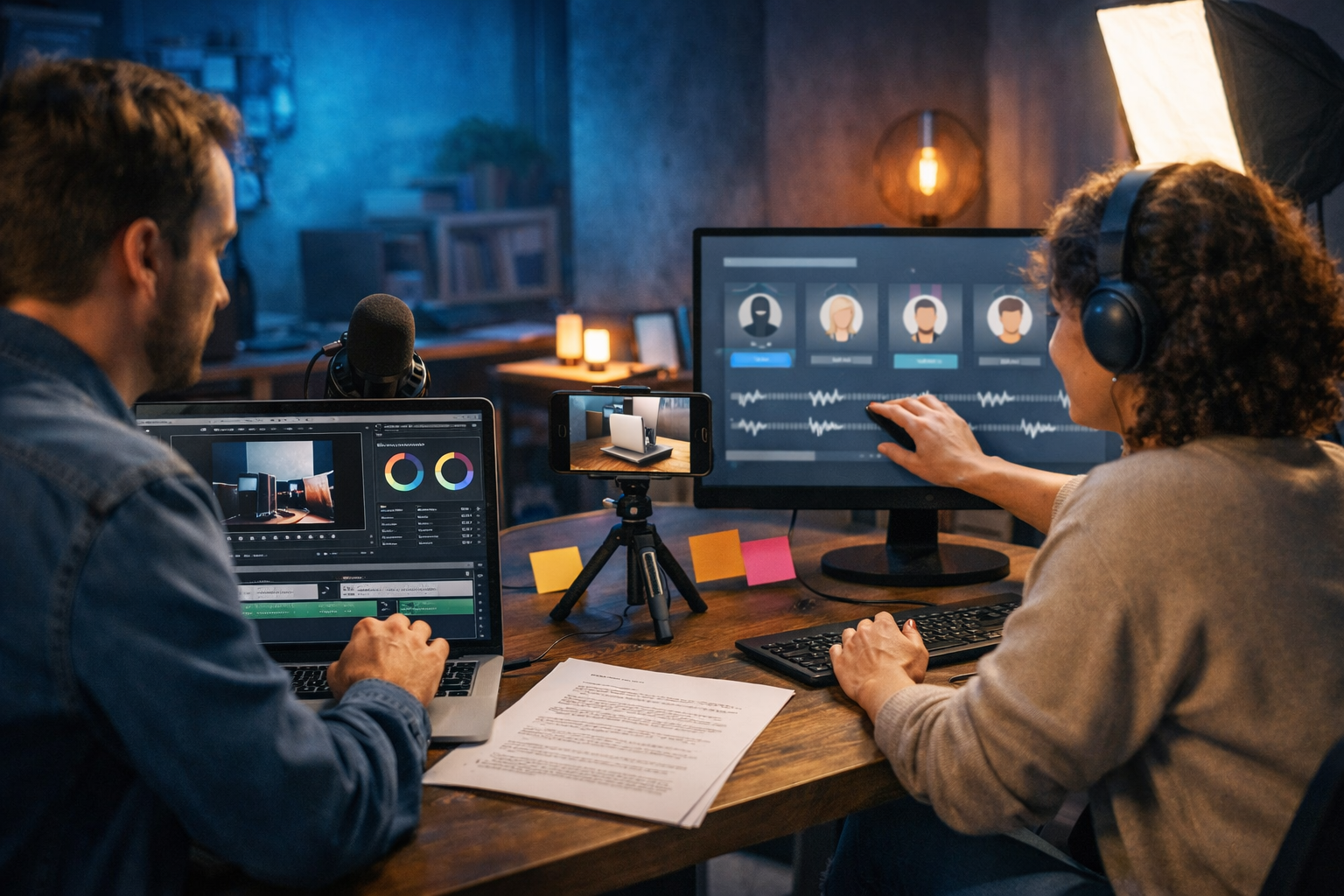
Social proof sells—but customer interviews take time, coordination, and permission. AI video testimonials can bridge the gap by turning existing customer signals (reviews, support wins, usage data, survey results) into polished testimonial-style videos you can publish quickly, without scheduling calls. The key is doing it credibly and ethically: using real evidence, avoiding impersonation, and disclosing what’s recreated or simulated.
What “AI video testimonials without interviews” actually means
The phrase can sound risky, so let’s be precise. You are not “inventing customers” or faking endorsements. You’re creating testimonial-style videos without a live recorded interview by repackaging real proof you already have into a short, high-converting video format.
- Turning verified written reviews into on-screen story beats.
- Summarising survey responses into a structured “before/after” narrative.
- Using anonymised support outcomes (e.g., time saved, issues resolved) as evidence.
- Creating b-roll-led videos with AI voice-over rather than filming a customer.
When done properly, this is closer to a case-study explainer than a traditional talking-head testimonial—and it can be just as persuasive, especially for startups with small customer bases.
Why testimonial videos outperform text reviews (and why interviews aren’t required)
Text reviews are useful, but video consistently improves attention and comprehension because it combines voice, pacing, visuals, and emotion. Interviews are one route to video; they’re not the only route.
- Higher clarity: a 30–60 second video can explain the customer’s problem and the outcome faster than a paragraph.
- Better distribution: reels and short-form video fit social platforms and paid ads more naturally than screenshots of reviews.
- Stronger recall: viewers remember a narrative with visuals (product shots, dashboards, “before/after” cues) more than a static quote.
- Lower production friction: no scheduling, no release forms for camera footage, no reshoots.
If you can demonstrate a credible outcome and tie it to real customer evidence, you can create social proof without ever pressing “record” on an interview call.
The ethical line: how to avoid fake testimonials and stay compliant
This topic lives or dies on trust. The goal is to amplify real experiences, not fabricate them. Follow these practical guardrails:
- Use verifiable sources: public reviews, post-purchase surveys, customer emails (with permission), or internal usage metrics.
- Don’t impersonate a real person: avoid using a synthetic voice “as” a named customer unless you have explicit consent and the script is approved.
- Disclose when content is recreated: a simple line in the caption or end card can clarify: “Based on verified customer feedback.”
- Avoid absolute claims: “will double revenue” is risky; “helped reduce time-to-reporting by 35%” (if true) is stronger and safer.
- Respect privacy: anonymise identifiable details unless you have written approval.
If you’re unsure, treat your AI testimonial as a mini case-study: focus on the problem, process, and measurable result, and keep your evidence trail.
A practical workflow to create AI video testimonials in under a day
You can build a repeatable pipeline that produces consistent, platform-ready social proof. Gen AI Last helps because you can generate the script, visuals, voice-over, and the final video from simple prompts using our AI content tools.
Step 1: Collect your “interview-free” proof assets
Start with what you already have. Aim for 3–5 inputs per testimonial video.
- Two strong review quotes (or a longer review you can summarise).
- One measurable outcome (time saved, tickets reduced, conversion uplift, cost avoided).
- One “before” pain point (what was broken or frustrating).
- One “after” workflow (what changed with your product).
If you don’t have metrics yet, use “soft metrics” responsibly: “fewer manual steps”, “faster onboarding”, “clearer reporting”. Then prioritise collecting a number in the next month.
Step 2: Generate a testimonial script that sounds human
The strongest scripts follow a simple arc: Problem → Friction → Solution → Outcome → Recommendation. Keep it tight: 80–140 words for a 30–45 second reel.
Prompt example (paste into Gen AI Last text generation): “Create a 35-second testimonial-style script for a [product type] aimed at [audience]. Base it on these verified review notes: [paste quotes/notes]. Include one metric: [metric]. Use a friendly, specific tone. Avoid exaggerated claims. End with a short recommendation line. Don’t mention interviews.”
Pro tip: ask for two versions—one conversational, one more corporate—then test both in ads or organic reels.
Step 3: Create visuals: b-roll beats talking heads
Without interviews, your visuals do the credibility work. You have three reliable options:
- Product b-roll: screen recordings, dashboard zooms, feature highlights.
- Context b-roll: a team collaborating, a freelancer working, a café work session—scenes matching your target customer’s life.
- Abstract proof visuals: charts, checklists, “before/after” sequences (keep them general and non-deceptive).
With Gen AI Last’s image generation, you can produce consistent b-roll-style stills to animate or sequence into short clips—useful when you lack footage or want brand-consistent scenes.
Step 4: Add AI voice-over (and get the tone right)
Voice-over is the fastest way to make a testimonial feel “real” without a face on camera. Use Gen AI Last audio generation to create narration that matches your brand.
- Choose a persona: calm and professional for B2B; upbeat for DTC; reassuring for healthcare/finance (with careful claims).
- Vary pacing: one sentence per beat; leave micro-pauses around the outcome line.
- Keep it specific: “cut reporting from 2 hours to 20 minutes” sounds believable; “changed everything” does not.
If you are paraphrasing a review rather than quoting it, avoid quotation marks and use language like “Customers report…” to stay transparent.
Step 5: Assemble the video and optimise for each platform
Gen AI Last’s video generation can turn your script + visuals into a ready-to-post video (reel, explainer, ad). Keep these specs in mind:
- Length: 20–45 seconds for reels; 45–75 seconds for landing page sections.
- Hook: the first 1–2 seconds must call out the pain (“We were drowning in manual reporting…”).
- Outcome on screen: show the metric as a visual beat (not a claim buried in narration).
- Call to action: one clear next step (trial, demo, pricing page).
Because all features are included from one low monthly fee, small teams can iterate quickly. If you want to keep costs predictable, view pricing from $10/month.
3 formats that work best for “no interview” AI video testimonials
1) The review-to-story reel (fastest to produce)
Take one strong review and build a micro narrative around it. Structure:
- Hook: the pain point
- What they tried before
- Why your product helped
- Result (metric if available)
- Recommendation
Best for: Instagram Reels, TikTok, YouTube Shorts, paid social.
2) The anonymised mini case-study (highest trust)
If you have real outcomes but can’t name the client, create: “A UK-based agency” or “A 5-person ecommerce team”. Show the workflow change with screens and b-roll. Add a disclosure in the caption: “Anonymised case-study based on verified customer results.”
Best for: landing pages, LinkedIn, sales enablement.
3) The objections-and-answers testimonial (great for conversions)
Instead of telling a story, you neutralise buying anxiety using real feedback patterns:
- “Is it hard to set up?” → “We were live in a day.”
- “Will it work for small teams?” → “We cut admin time even with 3 people.”
- “Is support responsive?” → “Tickets resolved in under 2 hours.”
Best for: retargeting ads, product pages, email embeds.
Script templates you can copy (and adapt in Gen AI Last)
Template A: 35-second reel (problem → outcome)
Scene 1 (0–3s): “We were spending [pain] every single week.”
Scene 2 (3–10s): “Between [tool/spreadsheet/process], things kept slipping and it was hard to see what was working.”
Scene 3 (10–22s): “After switching to [product], we finally had [key benefit]. Setup was straightforward, and the team actually used it.”
Scene 4 (22–30s): “In [timeframe], we [metric/outcome].”
Scene 5 (30–35s): “If you’re dealing with [pain], I’d recommend trying it.”
Template B: Anonymised case-study (45–60 seconds)
“A [industry] team with [team size] needed to [goal] but kept running into [constraint]. They used to [old process]. We introduced [solution], focusing first on [feature/workflow]. Within [timeframe], they achieved [metric], and reduced [secondary metric] by [amount]. The biggest difference: [one concrete change].”
Template C: Objection handler (20–30 seconds)
“We had three worries: [objection 1], [objection 2], and [objection 3]. In reality, [answer 1]. [Answer 2]. And when we needed help, [answer 3]. If you’re on the fence, it’s worth a try.”
How to make AI testimonials feel credible (not “AI-ish”)
Audiences can sense generic marketing language. Use these tactics to increase authenticity:
- Use “messy” details: “Fridays were chaos” feels real; “We sought optimisation” feels corporate.
- Choose one metric, not five: one strong number beats a pile of vague wins.
- Show the work: include quick shots of onboarding, settings, templates, dashboards—anything that signals reality.
- Keep claims bounded: specify timeframe, context, and what changed.
- Match voice to audience: founders don’t speak like procurement teams; creatives don’t speak like accountants.
If you’re building multiple videos, create a style guide: pacing, colour palette, shot list, caption format, and disclosure wording. Consistency increases trust.
Where to use AI video testimonials for maximum impact
Once you have 3–5 strong videos, distribute them in places that influence decisions:
- Landing pages: place one above the fold and one near pricing/CTA.
- Paid ads: run a hook-first version for cold traffic and an objection handler for retargeting.
- Sales outreach: include a 30-second clip in follow-ups (“Here’s what a similar team achieved”).
- Email sequences: add a testimonial video between feature emails to reduce scepticism.
- App onboarding: show a quick “what success looks like” testimonial during activation steps.
Because Gen AI Last combines text, image, audio, and video generation in one place, it’s easy to tailor each variant for platform specs without redoing the entire creative process. If you want to try the workflow end-to-end, start creating for free.
Common mistakes (and how to fix them)
- Mistake: Writing a “testimonial” that reads like a brochure. Fix: add a clear before/after and one concrete detail.
- Mistake: Using synthetic voices to impersonate named customers. Fix: anonymise, use a narrator voice, or obtain explicit approval.
- Mistake: Overclaiming results with no evidence. Fix: base outcomes on data, specify timeframe, and keep statements grounded.
- Mistake: Too many messages in one video. Fix: one pain, one solution, one outcome, one CTA.
- Mistake: No distribution plan. Fix: map each video to a funnel stage: awareness, consideration, conversion.
A simple 7-day plan to launch your first AI testimonial set
- Day 1: Gather 10 reviews/survey responses and pick 3 themes.
- Day 2: Generate 3 scripts (one per theme) and tighten to 30–45 seconds.
- Day 3: Create a shot list: product b-roll + 4–6 supporting visuals per video.
- Day 4: Produce visuals (screens + AI images) and record AI voice-overs.
- Day 5: Assemble videos, add captions/subtitles, and create 2 hook variants each.
- Day 6: Publish organically, send to your list, and add one to a landing page.
- Day 7: Review retention and click data, then iterate the best hook.
You’ll finish the week with a small library of social proof assets you can reuse across ads, sales, and onboarding.
Final takeaway: social proof is a system, not a one-off video
AI video testimonials can create social proof without interviews by converting real customer evidence into short, clear narratives—fast. The win isn’t just saving time; it’s building a repeatable process that turns feedback into assets every month. With Gen AI Last, you can generate the script, visuals, voice-over, and finished video in one workflow, on a budget that works for startups and small teams.
If you want to produce your first set this week, explore our AI content tools and choose a plan that fits your pace—view pricing from $10/month.
Ready to Create with Generative AI?
Join thousands of creators using Gen AI Last to generate text, images, audio, and video — all from one platform. Start your 7-day free trial today.
Start Free — Try 7 DaysQuick Links
Create AI content from $10/month
View Plans