AI Voice Over Comparison Natural vs Synthetic (2026 Guide)
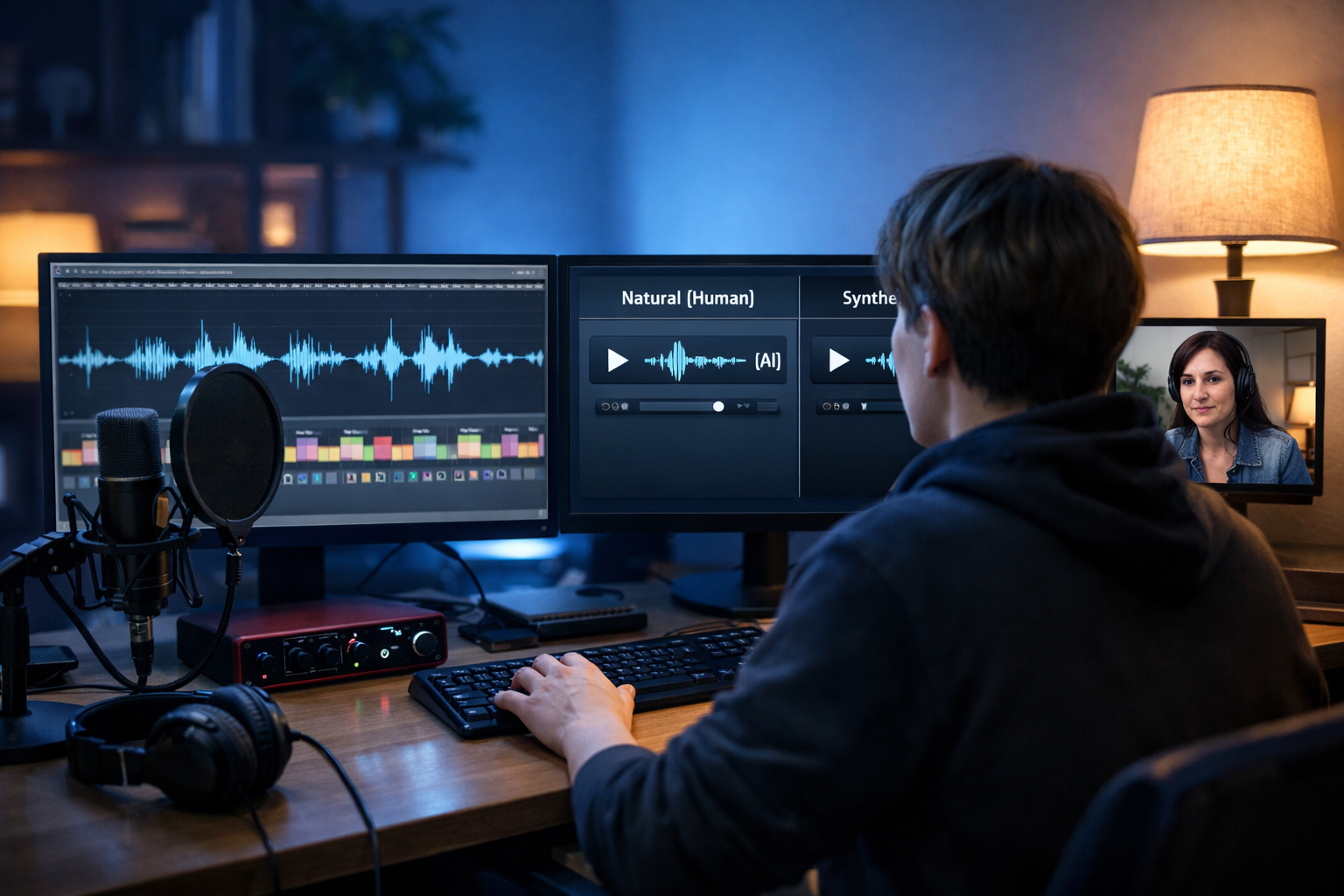
Choosing a voice-over used to mean booking a studio and hoping the first take landed. Today, AI can deliver narration in minutes—but the big decision remains: do you aim for a “natural” human-like sound, or lean into a more clearly “synthetic” style? This AI voice over comparison (natural vs synthetic) breaks down what each approach is best at, how to test quality quickly, and how to choose the right voice for marketing videos, product demos, podcasts, and training content.
What “natural” vs “synthetic” really means in AI voice-overs
In day-to-day conversation, “natural” usually means “sounds like a real person”. “Synthetic” often means “robotic”. In practice, the distinction is more about creative intent and audience expectations than a simple quality judgement.
- Natural (human-like) AI voice-over: prioritises realistic prosody (rhythm), believable pacing, subtle emotion, and conversational phrasing. It’s designed to disappear into the content, so the listener focuses on the message.
- Synthetic (stylised) AI voice-over: leans into a clean, precise, sometimes intentionally “digital” sound. It can be clearer in noisy environments, more consistent across large volumes, and occasionally better for technical or system-style narration.
The best choice depends on where the audio will be used, how critical trust and authenticity are, and how much control you need over pronunciation and pacing.
Why voice choice matters more than ever
Audio is often the fastest route to perceived credibility. A voice that feels off—even slightly—can reduce watch time, harm ad performance, or make training content harder to follow. Conversely, the right voice can lift retention and clarity without extra production time.
With an all-in-one platform like our AI content tools, you can generate the script, produce the voice-over, create supporting visuals, and assemble video assets—so voice selection becomes a strategic creative decision rather than an operational bottleneck.
AI voice over comparison: natural vs synthetic across key criteria
1) Authenticity and trust
Natural-style AI is usually the safer default for brand marketing, testimonials-style narration, founder stories, and customer education. When the voice feels human, audiences tend to attribute more warmth and intent to the message.
Synthetic-style AI can still be trustworthy, but it often reads as “system voice”. That’s not bad—if your content benefits from neutrality (e.g., compliance reminders, safety instructions, app onboarding, IVR-style prompts).
2) Clarity and intelligibility
Synthetic voices often win on consistency: crisp consonants, stable volume, and fewer “breathy” artefacts. Natural voices can be excellent too, but if you choose a very expressive model, clarity can dip on fast lines or dense technical terms.
- If your audience listens on mobile in noisy environments, prioritise clarity over subtle emotion.
- If your content is story-driven, prioritise natural phrasing and emotional contour.
3) Pronunciation and brand terminology
This is where many teams feel pain: product names, acronyms, and industry terms. A synthetic voice may pronounce consistently, but not always correctly. A natural voice may sound great but still stumble on new vocabulary.
Practical tip: create a “pronunciation test script” (we include one below) and run it through your top 2–3 voice options before you commit to a full series.
4) Emotional range and persuasion
If you need a voice to persuade—ads, landing-page videos, Kickstarter-style explainers—natural delivery usually performs better. Humans are tuned to subtle variations: micro-pauses, emphasis, and the way a speaker “smiles” through certain phrases.
Synthetic delivery can still be effective for direct-response formats when you want a clean, factual tone. It can also reduce the risk of sounding “try-hard” in conservative industries.
5) Consistency at scale
When producing dozens (or hundreds) of assets—weekly product updates, knowledge-base narration, multilingual variants—consistency matters. Synthetic voices often maintain a steady pace and tone, making batch production easier.
If your brand wants consistent voice, consider creating a reusable script template with stable punctuation and stage directions (e.g., “pause”, “smile”, “lower tone”) and keep those conventions consistent across episodes.
6) Audience perception and disclosure
Audiences are increasingly aware of AI audio. Depending on your sector, you may want to disclose that narration is AI-generated, especially in sensitive contexts (health, finance, political content). Even where it’s not required, transparency can protect trust if listeners notice synthetic cues.
Best use cases: when to choose natural vs synthetic
Choose a natural human-like AI voice when you need:
- Marketing persuasion: ads, brand videos, product launch reels
- Relationship and warmth: onboarding sequences, founder messages, community updates
- Storytelling: case studies, documentaries, long-form YouTube explainers
- Podcast-style narration: where a conversational cadence matters
Choose a more synthetic (clean/stylised) AI voice when you need:
- High-volume production: frequent updates, large training libraries
- Neutral system tone: UI prompts, tutorials, compliance reminders
- Maximum intelligibility: technical content, safety instructions
- Consistent delivery across variants: product SKUs, regional versions, A/B tests
A quick quality checklist (use this before you publish)
Whether you prefer natural or synthetic, run every voice-over through the same checks. This saves you from re-recording once the video is edited and scheduled.
- Breathing and mouth noise: does it sound oddly “wet”, hissy, or overly breathy?
- Prosody: do emphasis and pauses land where a human would naturally place them?
- Names and acronyms: are brand terms consistent across the whole piece?
- Numbers: times, dates, prices, and ranges (e.g., “10–12”) are common failure points.
- Pacing: can a listener follow without rewinding? If not, shorten sentences and add punctuation.
- Endings: many AI voices sound strongest in the middle; check the final call-to-action for awkward intonation.
Practical scripts to test: natural vs synthetic side-by-side
Copy and paste these short scripts into your audio generator. Produce two versions: one with your most “natural” voice option and one with a more “synthetic/neutral” voice option. Listen on both headphones and phone speaker.
Test script A: brand and persuasion
“If you’ve been juggling content creation, design, and editing, you’re not alone. This week, we’re launching a faster way to go from idea to publish-ready assets—without a big agency budget. Stay with me for sixty seconds and I’ll show you exactly how it works.”
Test script B: technical clarity
“Set the resolution to 1920 by 1080. Export as H.264, high profile, with a constant frame rate at 30 frames per second. Keep audio at 48 kilohertz, and normalise to minus fourteen LUFS for consistent playback.”
Test script C: pronunciation stress test
“We support API access, SSO, and GDPR-friendly data handling. Compare the Basic plan at ten pounds per month with annual billing at one hundred pounds per year. For Q2, we’re prioritising onboarding for SMEs in the UK and EU.”
How to make any AI voice sound more natural (without advanced editing)
You can often improve perceived naturalness more through writing than through audio settings. Use these tactics before you hit generate.
- Write for the ear: shorter sentences, fewer subordinate clauses, and simpler punctuation.
- Add intentional pauses: commas and full stops are your timing controls. Break long sentences into two.
- Use contractions: “you’ll”, “we’re”, “it’s” often sounds more conversational than formal phrasing.
- Front-load the subject: avoid sentences where the key point arrives at the end.
- Mark emphasis with structure: instead of ALL CAPS, rephrase: “Here’s the key point:” then a short line.
Gen AI Last helps here because you can generate multiple script variants quickly using AI Text Generation, then immediately test them as audio using AI Audio Generation—so you’re iterating on what listeners actually hear, not just what reads well on-screen.
How to embrace a synthetic voice on purpose (and make it feel premium)
If you choose a more synthetic voice, lean into its strengths instead of trying to disguise it.
- Keep it concise: synthetic voices excel in tight, information-dense lines.
- Use consistent formatting: repeatable patterns (Problem → Step → Result) sound polished.
- Pair with clean visuals: minimal motion graphics, clear UI captures, and steady pacing.
- Avoid forced humour: it can land flat. Choose confident, direct wording instead.
Cost, speed, and workflow: what changes for small teams
For startups and small marketing teams, the difference between natural and synthetic is often less about the voice model and more about revision speed. Human voice-over is powerful, but revisions can be slow and expensive. AI voice-over makes iteration cheap, so you can test more angles and refine faster.
With Gen AI Last, all plans include text, image, audio, and video generation—so you can keep production in one place and avoid stitching together multiple tools. If you’re comparing options, view pricing from $10/month to see how it fits a lean content budget.
A simple decision framework (pick the right voice in 5 minutes)
- Define the job: persuade (choose natural) or instruct (synthetic often works).
- Choose the listening context: headphones vs phone speaker vs in-car playback.
- Run the three test scripts: brand, technical, pronunciation.
- Check your “uncanny triggers”: odd pauses, misread numbers, or unnatural emphasis.
- Lock a voice for a series: consistency beats perfection across multi-episode content.
Pairing voice with video: what improves performance
Voice-over rarely stands alone. The most effective assets align audio pacing with on-screen information density.
- Fast voice + dense visuals can overwhelm. Slow down the script or reduce on-screen text.
- Neutral synthetic voice pairs well with product UI demos, captions, and step-by-step overlays.
- Natural voice pairs well with founder shots, customer stories, and lifestyle visuals.
If you’re building reels, explainers, or product demos, using one workflow for script → voice → visuals is a major advantage. You can generate the narration with AI Audio Generation, create supporting scenes with AI Image Generation, and assemble clips with AI Video Generation using our AI content tools.
Common mistakes in AI voice-overs (and how to fix them)
Mistake 1: Writing like a blog, not a voice script
Fix: reduce sentence length, add signposts (“Next…”, “Here’s why…”), and read it aloud once before generating.
Mistake 2: Forcing emotion into a synthetic voice
Fix: keep the copy factual and confident; let visuals carry excitement (cuts, b-roll, product shots).
Mistake 3: Ignoring loudness and pacing
Fix: ensure consistent loudness across episodes; if the platform provides normalisation, use it. If not, keep a consistent script structure and avoid abrupt sentence fragments.
Mistake 4: Publishing without a phone-speaker check
Fix: always do a final listen on the device most of your audience uses. Clear on studio monitors doesn’t guarantee clear on mobile.
Putting it into practice with Gen AI Last (example workflow)
Here’s a lightweight workflow a small team can run weekly:
- Generate two script options (punchy vs detailed) using AI Text Generation.
- Create two voice-over versions: one natural, one synthetic, using AI Audio Generation.
- Build visuals: product mockups, b-roll-style images, or social graphics with AI Image Generation.
- Assemble a video (explainer or reel) using AI Video Generation and match cut points to sentence breaks.
- A/B test the two voice styles on social for 48 hours, then standardise the winner for the next batch.
If you want to try this workflow immediately, start creating for free and generate both versions in one session.
FAQ: AI voice over comparison (natural vs synthetic)
Is a natural AI voice always better?
No. Natural voices tend to win for persuasion and storytelling, but synthetic voices can be clearer, more consistent, and better suited to system-style or technical narration.
How can I tell if my voice-over sounds “too AI”?
Listen for odd emphasis, unnatural pauses, or numbers that don’t sound right. Always do a phone-speaker test and run a pronunciation stress script with your brand terms.
What’s the fastest way to improve results?
Rewrite the script for speaking: shorter sentences, more punctuation for timing, and clearer signposting. Then generate two versions (natural and synthetic) and choose based on the use case.
Conclusion: choose the voice style that matches the job
In an AI voice over comparison, natural vs synthetic isn’t about which is “real” or “fake”—it’s about matching tone to purpose. Use natural human-like delivery when trust and persuasion matter most; use a clean synthetic style when clarity, consistency, and scale matter more. Test both with short scripts, listen on real devices, and standardise what works for your audience.
When you’re ready to produce scripts, narration, visuals, and videos in one workflow, explore our AI content tools and view pricing from $10/month.
Ready to Create with Generative AI?
Join thousands of creators using Gen AI Last to generate text, images, audio, and video — all from one platform. Start your 7-day free trial today.
Start Free — Try 7 DaysQuick Links
Create AI content from $10/month
View Plans