Best AI Image Generation Tools for Product Marketing (2026)
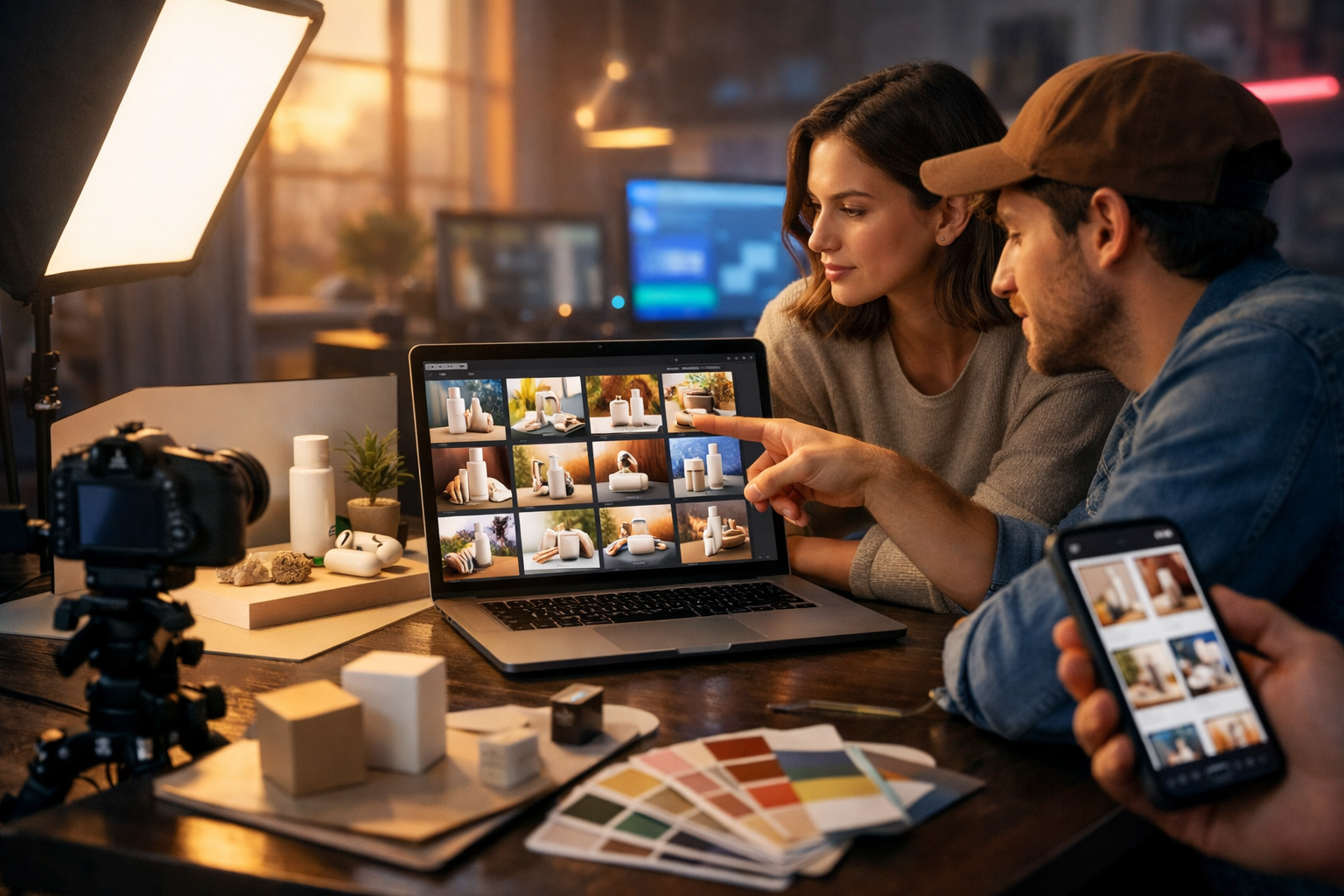
Winning product marketing is visual: your hero image, ad creative, lifestyle shots and social graphics decide whether people stop scrolling, click and buy. The best AI image generation tools for product marketing help you create those visuals faster—without sacrificing brand consistency—so you can test more concepts, localise campaigns and keep creative costs under control.
What “best” means for AI product marketing images
Before comparing tools, define what you need. “Best” depends on whether you’re creating ecommerce packshots, lifestyle scenes for ads, UGC-style visuals for social, or on-brand banners for landing pages. For product marketing, the top capabilities typically include:
- High realism (materials, reflections, shadows) for believable product shots.
- Consistent branding (colours, lighting style, composition) across a campaign.
- Fast iteration for A/B tests (new angles, backgrounds, props, crops).
- Control tools (reference images, inpainting/outpainting, aspect ratios).
- Commercial usage clarity and predictable pricing for teams.
A practical approach is to pick one primary generator for 80% of work, and a secondary “specialist” for edge cases (e.g., ultra-realistic packshots, heavy compositing, or stylised brand art).
Best AI image generation tools for product marketing: quick comparison
Below is a tool-by-tool breakdown of what each platform is best at, what to watch out for, and how product marketers typically use it.
1) Gen AI Last (best all-in-one for small teams)
Gen AI Last is designed for marketers who need more than images. You can generate product copy, ad headlines, social captions and email campaigns, then create matching visuals—plus turn those visuals into short videos and voice-overs for ads. That “single workflow” advantage matters when you’re shipping campaigns weekly.
- Best for: end-to-end product marketing assets (images + copy + video + audio) on a startup budget.
- Strengths: rapid creative iteration, consistent campaign production, simple prompt-to-asset flow.
- Typical use cases: lifestyle images for ads, social graphics, banners, product mock-ups, concept visuals before a photoshoot.
If you want to centralise your workflow, explore our AI content tools and keep everything (text, image, video, audio) under one roof.
2) Midjourney (best for high-impact lifestyle and brand imagery)
Midjourney is well known for cinematic, aesthetically strong outputs. For product marketing, it shines when you need aspirational lifestyle scenes (e.g., “premium skincare on marble in a sunlit bathroom”) or bold creative concepts for campaigns.
- Best for: premium lifestyle imagery, concepting, moodboard-style campaign exploration.
- Watch out for: product accuracy can drift (logos, exact product geometry). You may need post-production or reference workflows.
- Pro tip: generate several lighting/composition variants, then pick one and iterate using the same style cues to maintain cohesion.
3) Adobe Firefly (best for brand-safe workflows and design teams)
Adobe Firefly integrates tightly with Creative Cloud. It’s a strong option for teams already living in Photoshop/Illustrator who want generative fill, background extensions and quick variations while staying close to existing design files.
- Best for: production design workflows, resizing banners, extending backgrounds, compositing.
- Strengths: editing control and integration; practical for campaign rollouts across formats.
- Ideal scenario: you have a real product photo and want AI to create scene variants, props, or extra negative space for text (added later in your design tool).
4) DALL·E (best for promptable variety and quick concepts)
DALL·E-style generators are great when you need breadth: lots of different interpretations from a single brief. For product marketing, that can accelerate early-stage ideation for ads, landing pages and seasonal campaigns.
- Best for: concept art, scene exploration, multiple directions fast.
- Watch out for: product fidelity and legible packaging details can be inconsistent.
- Pro tip: use it as your “creative director”: generate concepts, then recreate the winner with a more controlled workflow.
5) Stable Diffusion (best for control, customisation and scale)
Stable Diffusion (including many hosted variants) is powerful if you need deep control: custom models, brand style fine-tuning, and repeatable outputs at scale. This is attractive for ecommerce teams producing large volumes of category imagery.
- Best for: custom brand style, high-volume creative pipelines, technical teams.
- Strengths: control options and community tooling; can be optimised for specific product categories.
- Watch out for: setup complexity and quality variance across models/workflows.
6) Canva AI (best for quick social and template-based assets)
Canva is often the fastest route from “idea” to “posted”. If your priority is churning out social posts, story formats and simple ads with brand templates, its AI features can complement your design system.
- Best for: social graphics, simple ad variants, template-driven teams.
- Strengths: speed, resizing, collaboration, on-brand templates.
- Limitations: not always the best for hyper-realistic product rendering.
How to choose the right tool for your product type
Different products break AI in different ways. Use this quick decision guide:
- Reflective products (jewellery, watches, chrome): prioritise realism and shadow control. Use reference images and plan for touch-ups.
- Soft goods (fashion, cushions, plush): focus on fabric texture and drape; lifestyle scenes can outperform studio packshots for ads.
- Food and beverages: lighting and styling matter most; generate multiple set designs (countertops, props, hands) to find what looks appetising.
- Tech gadgets: keep geometry consistent; use “clean studio product photography” prompts and avoid busy backgrounds.
- Skincare and beauty: lean into premium materials (glass, glossy labels), bathroom/vanity settings, and soft natural light.
5 high-converting image types you can generate for product marketing
AI image generation becomes valuable when you tie it directly to assets that move revenue. These are the most common “winners” for ecommerce and product-led brands:
1) Lifestyle hero images for ads
Create aspirational scenes that show the product in context. Test multiple environments (kitchen vs office vs gym) and different lighting moods (bright clean vs warm cosy vs cool premium).
2) PDP support images (benefit-led visuals)
Generate clean compositions with props that reinforce benefits: hydration (water droplets), durability (outdoor settings), speed (motion blur), calm (soft linens). Keep backgrounds simple so the product remains the focal point.
3) Seasonal and promotional variants
Swap the setting without reshooting: holiday gift wrap, summer picnic, back-to-school desk, Black Friday neon accents. This is where AI saves the most time.
4) Social-first UGC-style scenes
UGC-style visuals can outperform polished studio shots. Generate “hand holding product” or “bathroom shelf selfie angle” scenes and match the casual, real-world feel of your audience’s feeds.
5) Packaging and mock-ups
Mock-ups help you validate packaging directions, bundles and limited editions. Use them in pre-launch waitlists, investor decks and retailer pitches.
Prompt framework: product marketing images that look real
Most weak outputs come from vague prompts. Use this framework and you’ll immediately improve realism and consistency:
- Subject: product type, material, colour, size cues.
- Scene: location and purpose (kitchen counter, gym locker room, modern desk).
- Props: 2–5 items that support the benefit (not random clutter).
- Lighting: soft natural light, studio softbox, golden hour, cool tech glow.
- Camera: focal length, depth of field, angle (top-down, 45°, eye-level).
- Quality cues: photorealistic, high detail, realistic shadows, accurate reflections.
- Negative constraints: no text, no logos, no watermarks, no extra products.
Ready-to-use prompts (copy, paste, customise)
Replace the bracketed fields with your product details. Keep the “no text/logos” constraint if you plan to add typography later in a design tool.
Prompt 1: Premium lifestyle hero (beauty/skincare)
“Photorealistic product marketing image of a [glass skincare bottle, frosted finish, matte white cap] on a [light stone vanity] in a [bright modern bathroom]. Soft natural window light, subtle water droplets, clean reflections, shallow depth of field, 50mm lens look. Minimal props: folded white towel, small green plant, round mirror bokeh. High-end editorial style, realistic shadows. 16:9 wide. No text, no logos, no watermark.”
Prompt 2: Tech gadget studio shot (ecommerce clean)
“Ultra-clean studio product photo of [wireless earbuds in charging case, black] on a seamless [light grey] background. Softbox lighting from both sides, crisp shadow under the product, accurate reflections, high detail. Camera at 45-degree angle, sharp focus, 85mm lens look. 16:9 wide composition with generous negative space. No text, no logos, no watermark.”
Prompt 3: UGC-style hand shot (social ads)
“Casual smartphone-style photo of a [hand holding a reusable water bottle, matte pastel blue] in a [co-working space café]. Soft natural light, realistic skin texture, slight motion blur like a real candid shot. Background: laptop, coffee cup, notebooks, soft bokeh. Lifestyle authenticity, not overly polished. 16:9 wide. No text, no logos, no watermark.”
Prompt 4: Seasonal campaign variant (giftable)
“Photorealistic gift-themed product marketing scene: [product] placed on a [warm wooden table] with tasteful holiday props (neutral wrapping paper, ribbon, pine sprig, soft fairy lights bokeh). Warm golden-hour lighting, cosy premium feel, shallow depth of field, 35mm lens look. 16:9 wide with space for later text overlay. No text, no logos, no watermark.”
Prompt 5: Benefit-led PDP image (ingredients/materials)
“Photorealistic close-up product marketing shot of [product] with supporting ingredients/materials arranged neatly: [e.g., shea butter, aloe leaf, water droplets]. Clean background, soft studio lighting, high detail textures, realistic shadows and reflections. 16:9 wide. No text, no logos, no watermark.”
A practical workflow: from prompt to campaign assets in one afternoon
Here’s a repeatable workflow product marketers use to turn AI images into real conversions:
- Start with the offer and audience. Define one message (e.g., “sensitive skin friendly”, “48-hour battery”, “leak-proof”).
- Create 10–20 concept images. Vary settings and lighting, keep the product consistent.
- Pick 3 winners and produce variants. Create crops for 1:1, 4:5, 9:16; adjust background clutter and focal point.
- Generate matching copy. Write 5 headline options, 5 primary text options, and 3 CTA angles.
- Turn the best image into a short video. Animate simple movement, add a product demo sequence, then add voice-over for clarity.
- Launch A/B tests. Test one variable at a time: image setting, headline, or offer.
With Gen AI Last, you can generate the image variants and the supporting copy in the same place, then extend into video and audio for full-funnel creative. If you’re cost-conscious, view pricing from $10/month for full access to text, image, video and audio generation.
How to keep AI product images consistent (the brand problem)
Consistency is where many teams struggle: the first image looks great, the next five look like different brands. Use these guardrails:
- Create a “visual style recipe”. Write down 1–2 lighting styles, 1–2 backgrounds, and 1 camera look (e.g., “soft natural window light, minimal Scandinavian interior, 50mm shallow depth of field”).
- Reuse successful prompt fragments. Treat them like brand assets. When something works, copy it into a campaign prompt library.
- Lock composition rules. Decide where the product sits (centre, left third) and how much negative space you need for later typography.
- Standardise colour palettes. If your brand uses warm neutrals, avoid cool neon scenes unless it’s a deliberate campaign theme.
- Do quick post-production. Even 2–3 minutes of exposure/contrast and colour matching per image can make a set look cohesive.
Common pitfalls (and how to fix them)
If your AI-generated product marketing visuals aren’t converting, it’s often one of these issues:
- Too much “AI polish”. Fix by adding realism cues: “slight film grain”, “imperfect reflections”, “subtle smudges”, “candid framing”.
- Product looks different every time. Fix by using a reference image workflow, or simplifying the product description to essential identifiers (material, colour, silhouette).
- Busy scenes steal attention. Fix by reducing props and adding “minimal composition” and “clean negative space”.
- Wrong aspect ratio for placements. Fix by generating in 16:9 for banners, then create dedicated 4:5 and 9:16 variants for social placements.
- Inconsistent lighting across a carousel. Fix by explicitly stating lighting direction and softness in every prompt.
Turning images into conversions: what to test
AI makes it easy to create dozens of options. The key is testing the right variables:
- Context: kitchen vs office vs outdoors (match your audience’s reality).
- Human presence: hands-only vs full person vs no person (often hands improve trust).
- Angle: top-down for “routine” products, 45° for premium, straight-on for clarity.
- Benefit prop: one key prop that communicates the claim (don’t overdo it).
- Lighting mood: bright clean (utility) vs warm cosy (comfort) vs cool high-tech (performance).
Pair every image test with a copy test. A strong workflow is: generate 5 images × 5 hooks = 25 combinations, then scale the winners.
Why an all-in-one platform helps product marketers ship faster
The hidden cost of “best-of-breed” stacks is context switching: exporting images, rewriting copy elsewhere, finding a voice-over tool, then stitching everything into a video editor. For lean teams, that friction slows experimentation.
Gen AI Last is built to reduce that overhead. You can:
- Generate product descriptions, ad copy, emails and social captions.
- Create matching marketing visuals and product imagery.
- Produce short marketing videos, demos and explainer clips.
- Add voice-overs, narration or background audio for ads.
If you want to streamline your next launch, you can start creating for free and build a complete set of campaign assets from a single brief.
FAQ: best AI image generation tools for product marketing
Can AI replace product photography?
For some use cases—concepting, lifestyle scenes, seasonal variants and early-stage creative testing—AI can reduce the need for frequent photoshoots. For exact packshots, regulated claims, or when product details must be perfectly accurate, real photography (or a hybrid workflow) is still the safest choice.
How do I avoid incorrect logos and label text?
Use prompts that explicitly request “no text” and add branding later in a design tool, or use a workflow that composites your real label onto the generated scene. This is especially important for ecommerce compliance and brand consistency.
What’s the quickest way to produce a full set of ad creatives?
Pick one core scene concept, then generate controlled variations: background colour, prop set, and crop format. Pair each visual with multiple hooks. All-in-one platforms help because you generate the image and the matching copy in one session.
Conclusion: the best tool is the one that lets you test more
The best AI image generation tools for product marketing aren’t just about pretty pictures—they’re about speed, consistency and iteration. Choose a toolset that matches your product type, build a prompt library that reflects your brand, and focus on producing testable creative variants. When you can generate images, write copy, and turn winners into video ads quickly, your marketing becomes compounding rather than reactive.
Ready to Create with Generative AI?
Join thousands of creators using Gen AI Last to generate text, images, audio, and video — all from one platform. Start your 7-day free trial today.
Start Free — Try 7 DaysQuick Links
Create AI content from $10/month
View Plans