Best AI Image Generator for Marketing Materials 2026
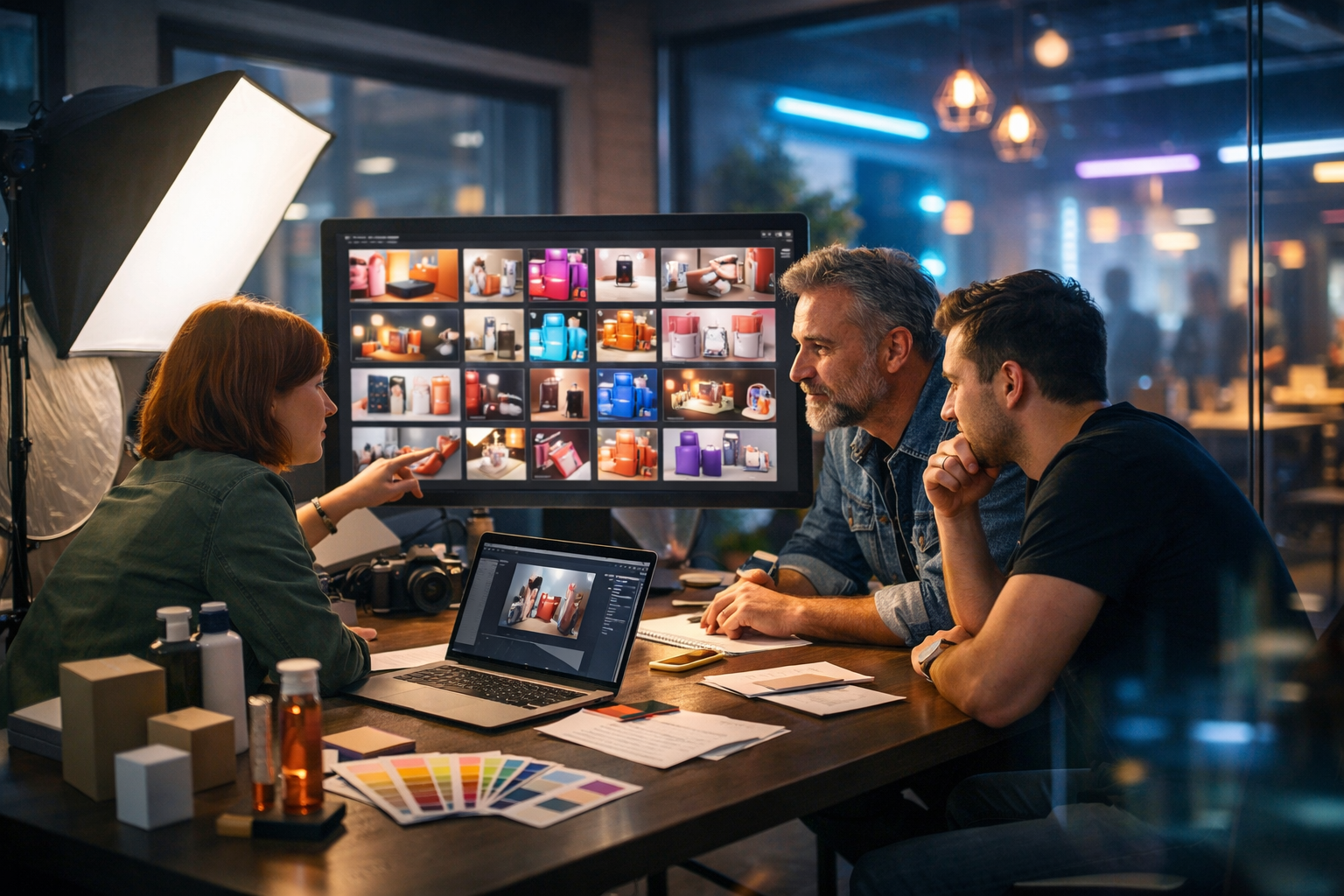
Choosing the best AI image generator for marketing materials 2026 isn’t about chasing the newest model name—it’s about reliably producing on-brand, conversion-focused visuals at speed, with workflows that your team can repeat. In 2026, marketers need image generation that connects with real campaign goals: higher click-through rates, consistent brand recognition, faster iteration, and multi-channel output for ads, landing pages, email, and social.
What “best” means in 2026 for marketing image generation
AI image generation has matured. You can now create near-studio-quality product scenes, lifestyle imagery, and social graphics from a prompt—but the winners for marketing are the tools that help you operate at scale. “Best” in 2026 typically means:
- Brand consistency: repeatable colours, lighting style, and composition across a campaign.
- Prompt-to-output speed: fast exploration of multiple concepts for A/B testing.
- Commercial usability: outputs suited for ads, banners, thumbnails, and product pages.
- Multi-format production: assets for Instagram, LinkedIn, YouTube thumbnails, web hero sections, and email headers.
- Team-friendly workflow: predictable results for non-designers, plus enough control for designers.
- Cost-efficiency: pricing that doesn’t punish experimentation.
This is exactly why many small teams prefer an all-in-one platform: you generate images, then immediately generate ad copy, product descriptions, video variants, and voice-over from the same concept. Gen AI Last is designed for that full marketing pipeline—image, text, video, and audio—starting at a price that’s realistic for startups.
The core features to look for (and why they matter for conversions)
If your goal is performance marketing—not just pretty pictures—evaluate an AI image generator through a practical, campaign-oriented lens.
1) Marketing-ready composition and subject clarity
Top-performing ads often share a few visual traits: a clear subject, a simple background, and a strong visual hierarchy (product first, benefit second). In 2026, the best tools help you create:
- Clean product hero shots (including lifestyle scenes) with controlled depth of field.
- Consistent lighting across a set (crucial for carousels and collections).
- Enough realism to feel credible, without uncanny artefacts.
Actionable tip: define a repeatable “house style” prompt for each product line (e.g., cosmetics = soft natural light, neutral bathroom set; SaaS = cool blue tech vibe, abstract UI shapes). Then generate 10–20 variants and pick the top performers for testing.
2) Controls for variation (without losing brand identity)
Marketing teams rarely need a single image. You need a family of images: different angles, different seasonal themes, different placements (wide hero vs square social), all recognisably yours.
Look for workflows that support:
- Style consistency across multiple outputs.
- Prompt templating so the team can reuse proven prompts.
- Rapid iteration for seasonal or audience-specific creative.
Actionable tip: lock your brand “constants” (colour palette, lighting, camera lens feel, background materials) and only vary the “variables” (props, setting, mood, season).
3) Output quality for real marketing placements
A great image in a gallery view can fail on a phone screen. In 2026, your generator should produce images that survive compression, cropping, and small-screen viewing.
Checklist for marketing placements:
- Crisp edges around products (important for cut-outs and overlays).
- Clean backgrounds that allow text overlays later (even if you add text in a separate design tool).
- Natural skin tones and hands (common failure points that hurt trust).
4) Multi-modal workflow: image + copy + video + audio
A marketing image doesn’t live alone. The highest-leverage workflow is: generate the visual concept, then generate supporting assets—headline options, CTA lines, email variants, short-form video, and voice-over—without switching tools.
With Gen AI Last you can produce the entire creative set in one place using our AI content tools: AI images for ads and banners, AI text for landing pages and email, AI video for social reels and product demos, and AI audio for narration or background music.
Why Gen AI Last is a top choice for marketing teams in 2026
If you’re specifically searching for the best AI image generator for marketing materials 2026, Gen AI Last stands out for one reason: it’s built for marketing output, not just image experimentation. You can generate polished visuals and immediately turn them into campaign assets across channels.
All-in-one content production (the real productivity multiplier)
Most teams don’t have a designer available for every iteration. Gen AI Last reduces friction by keeping everything in one workflow:
- AI Image Generation for marketing visuals, product photos, social graphics, banners.
- AI Text Generation for blog posts, product descriptions, email campaigns, social media copy.
- AI Video Generation for marketing videos, product demos, social reels, explainer videos.
- AI Audio Generation for voice-overs, podcast audio, background music, narration.
That means your “best image” can instantly become a full ad concept: generate the hero image, generate five headline options, generate a 15-second vertical video variant, then add a voice-over—without juggling subscriptions.
Affordable pricing that encourages experimentation
In performance marketing, iteration is everything. If you can’t afford to test 20 variations, you’ll underperform the brands that can. Gen AI Last keeps it simple: full access to text, image, audio, and video generation from $10/month. You can view pricing from $10/month and choose monthly, 6 months, or yearly depending on your cadence.
A practical 2026 workflow: from prompt to campaign assets
Below is a repeatable workflow you can use weekly. It’s designed for small teams that need to ship creative fast while keeping quality high.
Step 1: Define the “campaign brief” in 60 seconds
Before prompting, write a micro-brief. This prevents random outputs and keeps your visuals aligned with business goals.
- Offer: What are you selling and what’s the hook?
- Audience: Who is the visual for (role, age, context)?
- Channel: Meta ads, LinkedIn, email header, website hero?
- Brand feel: Minimal, premium, playful, eco, tech?
Step 2: Use a prompt structure that marketers can standardise
High-performing prompts tend to follow a consistent structure. Use this template and save it as your default:
- Subject (product/person) + action (if any)
- Setting (studio, home, office, outdoor)
- Lighting (soft natural, golden hour, cool tech, neon accents)
- Camera (lens feel, depth of field, angle)
- Brand constants (palette, materials, mood)
- Negative constraints (no text, no logos, clean background)
Example prompt (e-commerce hero): “Photorealistic premium skincare bottle on a white marble countertop, soft natural window light, subtle steam in background, minimal props (linen towel, small green plant), 50mm lens look, shallow depth of field, neutral palette with sage accents, clean space for headline overlay, no text, no logos, no watermark, 16:9.”
Step 3: Generate in batches for A/B tests
In 2026, the best marketers don’t choose one creative—they choose a set and let performance data decide.
- Generate 10 variations with the same “brand constants”.
- Pick 3 that are clearly distinct (different angles or props, same brand feel).
- Use those 3 for your first A/B/C test.
- Create 5 more variations of the winner (micro-iterations).
Actionable tip: vary one thing at a time (background colour, prop, lighting temperature). This makes it easier to learn what is driving results.
Step 4: Turn the winning image into a full creative package in Gen AI Last
Once you have a strong visual concept, expand it into channel assets:
- Ad copy: Generate multiple headline and primary text options matched to the image concept.
- Email header + body: Create an email campaign that aligns with the same offer and tone.
- Landing page sections: Draft benefit bullets and FAQs that match the promise of the visual.
- Short video variant: Generate a quick product demo or animated concept for Reels/TikTok/Shorts.
- Voice-over: Add a calm, branded narration for explainer-style creatives.
If you want to try this workflow immediately, you can start creating for free and build a complete campaign set from one prompt.
Marketing use cases where AI image generation wins in 2026
Here are the most valuable, repeatable use cases where AI images typically outperform “manual only” workflows on speed and iteration.
Paid social ads (Meta, TikTok, LinkedIn)
Winning ad accounts refresh creatives constantly. AI images help you maintain a steady flow of new angles without rebuilding everything from scratch.
- Seasonal sets (summer, back-to-school, Black Friday) while keeping the same product framing.
- Audience-specific scenes (home office, gym bag, kitchen counter) aligned to personas.
- Concept testing (premium vs playful) before committing to a full shoot.
E-commerce product visuals and category banners
If you’re selling multiple SKUs, consistent visuals lift perceived brand quality. AI helps create coherent category imagery and hero banners quickly.
Actionable tip: standardise camera angle and lighting across your category headers. This improves store “polish” even if products vary widely.
Blog and SEO visuals (feature images, in-article illustrations)
Blogs need original images to stand out and support E-E-A-T. AI can create contextual images that match the topic precisely—without relying on overused stock photos.
Pairing image + text generation is especially efficient: draft the article, define the visual angles needed (hero, 2 supporting images), then generate them in a consistent style using the same brand constants.
Event marketing: posters, banners, speaker promos
Even if you add final typography in a design tool, AI can provide the background concept: a stage scene, abstract tech visuals, or thematic imagery that fits your event mood.
Prompt packs: copy-paste templates for common marketing materials
Use these as starting points and replace the bracketed sections. Keep “no text, no logos” to avoid unusable outputs when you need clean overlays.
1) Social ad lifestyle image (consumer product)
Prompt: “Photorealistic lifestyle scene of [PRODUCT] being used by [PERSONA] in a [SETTING: kitchen/home office/gym], soft natural light, candid realistic hands, clean background with space for headline overlay, brand colour accents: [COLOURS], 35mm lens look, shallow depth of field, premium editorial photography style, no text, no logos, no watermark, 16:9.”
2) SaaS banner / website hero (abstract but credible)
Prompt: “Photorealistic modern workspace desk with laptop and subtle abstract holographic UI shapes floating (no readable text), cool blue tech lighting with soft neon rim light, minimalist composition, brand colours: [COLOURS], clean negative space on the right for headline overlay, high-end corporate feel, 16:9 wide, no logos, no watermarks.”
3) Email header image (simple, fast-loading look)
Prompt: “Minimal photorealistic product flat-lay of [PRODUCT] on [BACKGROUND MATERIAL: matte paper/stone/wood], soft diffused studio lighting, gentle shadow, one small prop [PROP], brand colour accent [COLOUR], large clean space for text overlay, no text, no logos, 16:9 wide.”
4) Black Friday / seasonal promo background
Prompt: “Photorealistic premium promotional background for [SEASONAL EVENT], studio scene with [PRODUCT] on pedestal, dramatic lighting, tasteful bokeh lights, subtle confetti/particles, brand colours [COLOURS], strong contrast, large empty space for offer overlay, no text, no logos, 16:9 wide.”
Quality control: how to avoid the most common marketing failures
AI imagery can fail in ways that hurt trust or compliance. Build a simple QA checklist before anything goes live.
Your 60-second checklist
- Brand fit: colours, mood, and style match your existing assets.
- Product accuracy: key details aren’t misleading (shape, count, accessories).
- Human realism: hands, eyes, jewellery, and hair look natural.
- Background cleanliness: no accidental symbols, confusing objects, or clutter.
- Overlay space: room for your headline/CTA without covering the subject.
Actionable tip: create a “do not use” folder of common failure modes (weird hands, distorted packaging, strange shadows). Sharing it internally helps non-designers self-correct quickly.
How to choose the best AI image generator for your team (quick decision guide)
Use this decision guide to match a tool to your actual working style.
If you are a solo founder or small business
- Prioritise speed, ease of prompting, and cost.
- Choose a platform that also generates copy so you can launch campaigns end-to-end.
Gen AI Last is a strong fit here because it removes tool switching and keeps pricing accessible. You can generate images, then immediately create the ad copy and landing page sections that match the visual concept.
If you are a marketing team with a designer
- Prioritise consistency, control, and repeatable prompt systems.
- Focus on batch generation for testing, then refine winners.
An all-in-one platform still helps because designers can spend time on final polish while marketers produce drafts, variations, and supporting copy.
If your priority is multi-channel content volume
- Choose a tool that supports image plus video and audio.
- Build a library of “campaign prompt templates” so every launch starts fast.
This is where Gen AI Last’s combination of image, text, video, and audio becomes particularly practical for 2026 marketing demands.
Frequently asked questions
What types of marketing materials can an AI image generator produce in 2026?
Common outputs include paid ad creatives, social graphics, blog feature images, email headers, website banners, product hero images, promotional backgrounds, and concept visuals for campaigns. The best results come from using consistent prompt templates and generating variations for testing.
How do I keep AI-generated marketing visuals on-brand?
Define brand constants (palette, lighting style, props, composition rules) and reuse them in every prompt. Only change one variable at a time when testing. Save winning prompt structures and share them with your team.
Is an all-in-one tool better than a standalone image generator?
For many teams, yes—because the image is only one part of the campaign. If you can generate the image, the copy, the video variant, and the voice-over in one platform, you ship faster and maintain stronger concept consistency across channels.
Conclusion: the best AI image generator for marketing materials 2026 is the one you can ship with
In 2026, “best” is measured by how quickly you can go from idea to tested creative—without losing brand consistency. Look for marketing-ready composition, repeatable variation, output suited for real placements, and (ideally) a multi-modal workflow that turns one concept into an entire campaign.
Gen AI Last helps you do exactly that: generate image assets for ads and banners, then generate the supporting copy, videos, and audio from the same creative direction—all with full access plans starting at $10/month. Explore our AI content tools, view pricing from $10/month, or start creating for free to build your next campaign set in one place.
Ready to Create with Generative AI?
Join thousands of creators using Gen AI Last to generate text, images, audio, and video — all from one platform. Start your 7-day free trial today.
Start Free — Try 7 DaysQuick Links
Create AI content from $10/month
View Plans