Best AI Image Generator for Social Media Campaigns (2026)
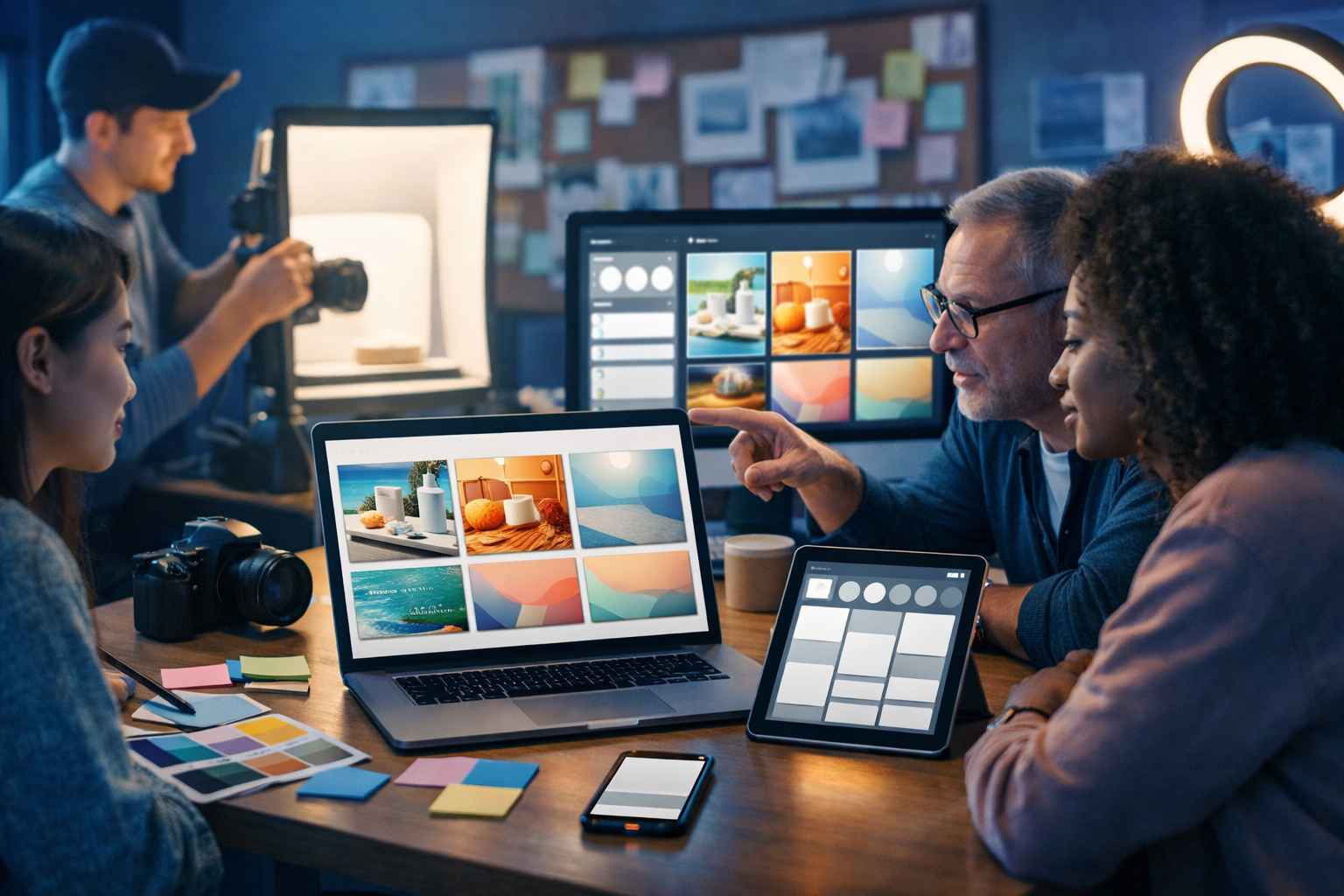
If you’re searching for the best AI image generator for social media campaigns, the real goal isn’t “one great image” — it’s producing dozens of on-brand visuals quickly, in the right formats, with a workflow your team can repeat every week. This guide explains what to look for, how to evaluate tools, and how to build a complete campaign pipeline using Gen AI Last.
What “best” means for social media campaign creatives
Social media imagery is judged in milliseconds. The best AI image generator for social media campaigns is the one that helps you deliver scroll-stopping creative while keeping brand consistency across posts, stories, ads and reels thumbnails. That means your evaluation should focus on repeatability, speed, format flexibility, and creative control — not only artistic quality.
Here’s the practical definition of “best” for campaign work:
- Consistent style across a series (your visuals look like one campaign, not random one-offs).
- Fast iteration (generate options, pick winners, refine without starting over).
- Multiple aspect ratios (1:1 feed, 9:16 stories/reels, 16:9 YouTube/LinkedIn).
- Marketing-friendly realism (products and people look credible, lighting is coherent).
- Workflow integration (copy, images, video and audio in one place when possible).
The key features to look for in an AI image generator for campaigns
Before comparing tools, decide what your team actually needs. Social content isn’t just “an image”; it’s a set of deliverables that must match brand, message, audience and platform constraints. Use this checklist to evaluate any generator.
1) Brand consistency and reusable styles
Campaigns live or die by coherence. You want your summer launch set to look related: similar colour temperature, composition, background language, and mood. The best AI image generator for social media campaigns supports repeatable prompting (and ideally the ability to keep a stable style across variations).
Actionable tip: build a “brand style prompt block” you paste into every request (examples below), then adjust only the offer, product, or scene.
2) Control over composition, product focus, and realism
Marketing images need clear focal points. If you’re promoting an app, the phone screen must be readable (without generating fake brand UI). If you’re selling skincare, you need believable textures and lighting. Look for tools that produce clean compositions and can follow constraints like “centre subject, negative space on the right for text overlay”.
Actionable tip: explicitly request “negative space for overlay” and “single hero subject” to reduce clutter and make ads more legible on mobile.
3) Output formats and platform readiness
A campaign rarely uses one aspect ratio. You’ll likely need:
- 1:1 for Instagram feed and many ad placements
- 4:5 for higher feed real estate
- 9:16 for stories, reels and TikTok
- 16:9 for YouTube thumbnails, LinkedIn, web headers
Even if you generate in one format, you want outputs that crop cleanly into others without losing the subject. That usually means prompting for wider framing or requesting “subject centred with safe margins”.
4) Volume, speed, and cost predictability
Campaigns require volume: multiple concepts, multiple variants per concept, multiple platforms. If cost or limits make you hesitate to iterate, quality drops. Gen AI Last is designed for small teams that need an all-in-one toolset for a predictable price — you get text, image, audio, and video generation under one subscription. You can explore view pricing from $10/month to see what fits your cadence.
5) End-to-end campaign workflow (not just images)
The fastest campaigns are built when your visuals are created alongside the copy, the hooks, the captions, and the video/audio assets. With Gen AI Last, you can generate the image, then immediately generate matching captions, ad copy, email snippets, and even turn the concept into short-form video with voice-over. See our AI content tools to understand how teams consolidate their workflow.
How to choose the best AI image generator for social media campaigns (a practical scoring model)
Instead of “which tool is most popular”, score tools against the realities of campaign work. Use this simple model (score 1–5 per category):
- Consistency: can you produce a 12-post set that looks like one campaign?
- Prompt controllability: does it follow composition instructions (negative space, hero subject, background style)?
- Platform fit: do outputs crop cleanly for 1:1, 4:5, 9:16?
- Iteration speed: how quickly can you test 20 options and refine 3 winners?
- Workflow breadth: can the same platform help you write captions, produce video versions, and generate voice-over?
- Value: does pricing allow frequent experimentation without “creative rationing”?
If you’re a startup or small team, “workflow breadth” and “value” often matter more than niche, ultra-advanced features — because the bottleneck is shipping content consistently.
Why Gen AI Last is a strong choice for social media campaign image generation
Gen AI Last isn’t only an AI image generator. It’s an all-in-one content creation platform that helps you move from a brief to published assets without bouncing between tools. For social media campaigns, that matters because images and copy must match tightly.
- AI Image Generation: create marketing visuals, product photos, social graphics, and banners from simple prompts.
- AI Text Generation: generate captions, hooks, ad copy, hashtags, landing page sections, and email follow-ups that match the visual concept.
- AI Video Generation: turn campaign concepts into short marketing videos, product demos, social reels, and explainers.
- AI Audio Generation: produce voice-overs, narration, podcast snippets, or background music for video creatives.
- Accessible pricing: full access starts at $10/month, which is practical for founders and lean marketing teams.
If you want to test the workflow quickly, you can start creating for free and build a mini campaign in under an hour.
A repeatable workflow: from campaign brief to a month of posts
Below is a proven workflow you can use regardless of industry. The goal is to produce a consistent set of images that map to offers, audiences, and funnel stages (awareness, consideration, conversion).
Step 1: Define the campaign “creative system”
Before generating anything, decide these six constraints:
- Primary offer: what’s the single thing you want people to do/buy?
- Audience segment: who is this for (job role, pain point, desire)?
- Visual style: photorealistic lifestyle, studio product, minimal flat-lay, or bold neon.
- Brand palette: 2–3 colours and a preferred lighting mood (warm, neutral, cool).
- Layout rule: where the negative space sits for text overlays.
- Content pillars: e.g., education, proof, offer, behind-the-scenes.
This “system” is what creates consistency even when you’re generating dozens of variations.
Step 2: Create a brand prompt block (copy/paste template)
Use a reusable block to keep style stable. Here are three examples you can adapt (swap colours and mood):
- Clean modern lifestyle: “photorealistic, soft natural light, shallow depth of field, clean modern aesthetic, neutral background with subtle accent colour, premium commercial photography, realistic skin tones, natural textures, centred hero subject, negative space on the right, high detail, no text, no logos”.
- Bold tech vibe: “photorealistic, cool blue lighting with neon accents, modern UI-inspired shapes in background bokeh, crisp high contrast, futuristic but credible, centred subject with safe margins for cropping, negative space at top, no text, no watermarks”.
- Studio product banner: “photorealistic studio lighting, softbox reflections, clean gradient backdrop in brand colours, product as the only hero object, subtle shadow, high-end e-commerce style, ample negative space for headline overlay, no text, no logo”.
Step 3: Generate 3–5 concepts, then expand into variations
For campaign work, quantity matters early. Generate a small set of distinct concepts first (different scenes or metaphors), then expand only the winners into variants (different crops, props, angles, and seasonal cues).
Example concepts for a SaaS campaign:
- Founder at laptop in a home office, focus on calm productivity.
- Modern agency desk with mood board and devices showing blank social frames.
- Abstract “workflow” visual: organised cards, arrows, and clean UI-like shapes.
- Studio shot of a phone on a stand with ring light reflections (creator economy vibe).
Step 4: Generate the captions, hooks, and ad variants next to the visuals
This is where an all-in-one platform saves time. In Gen AI Last, generate your image concepts, then use AI text generation to produce:
- 3 hook options (short, punchy first line for the caption)
- 1 long caption (story-driven or educational)
- 1 short caption (for ads or minimalist posts)
- CTA variations (comment, save, DM, click-through)
- Hashtags tailored to your niche and region
Keeping image and copy in the same workflow reduces mismatch (e.g., a “calm minimal” visual paired with overly hype language).
Step 5: Repurpose top-performing images into video and audio creatives
Most campaigns now need motion: reels, TikTok, YouTube Shorts, and story sequences. Rather than creating a separate creative universe, repurpose your strongest visual concept into:
- Short reel script (5–20 seconds)
- Video asset (product demo, explainer, animated slideshow style)
- Voice-over (clear, brand-matched tone)
- Background music (subtle, platform-appropriate)
Gen AI Last supports AI video and AI audio generation, so your campaign doesn’t stall when you move from static to motion.
Prompt examples: social media campaign images that convert
Use these prompt patterns to generate campaign-ready visuals. Replace bracketed items with your details. Keep “no text, no logos” to avoid unusable artefacts.
Example 1: Product lifestyle (Instagram feed + ads)
Prompt: “Photorealistic lifestyle photo of [product] on a clean kitchen counter, morning sunlight, warm golden hour glow, subtle steam and natural textures, premium commercial photography, shallow depth of field, centred hero product with safe margins for cropping, negative space on the left for overlay, brand palette accents in [colour 1] and [colour 2], no text, no logos, no watermark.”
Example 2: Creator economy (stories + reels cover)
Prompt: “Photorealistic scene in a home studio: smartphone on tripod, ring light, laptop open with blank social media frames, creator’s hands arranging props, cool neutral lighting with soft shadows, clean background, modern minimal aesthetic, strong depth and focus on the phone, negative space at top for headline overlay, no text, no logos, no watermark.”
Example 3: SaaS / B2B (LinkedIn + website banners)
Prompt: “Photorealistic modern office desk with laptop and tablet displaying abstract blank dashboard shapes (no readable text), organised sticky notes and colour swatches, professional hands pointing at a campaign plan, cool blue tech lighting with subtle neon accents, premium editorial style, centred composition with wide negative space on the right, 16:9, no text, no logos, no watermark.”
Common mistakes when using AI images for social campaigns (and how to fix them)
AI images can look impressive but still underperform if they’re not built for platform realities. Avoid these pitfalls:
Mistake 1: Inconsistent style from post to post
Fix: keep a campaign prompt template and reuse it. Change one variable at a time (scene, prop, season) instead of rewriting from scratch.
Mistake 2: Too much detail for mobile screens
Fix: request “single hero subject”, “clean background”, and “negative space” so the image reads instantly in a feed.
Mistake 3: Not designing for cropping
Fix: prompt for “safe margins” and generate wider compositions, then crop for 1:1, 4:5, and 9:16 variants.
Mistake 4: Visuals and copy feel disconnected
Fix: create caption variants immediately after choosing the visual direction. In Gen AI Last, generating copy and creatives in one place helps you keep message alignment.
Mistake 5: Treating AI as “set and forget”
Fix: run lightweight tests. Publish 3 variants (same offer, different creative angle), then double down on the winner with new iterations.
A simple 7-day social media campaign plan using Gen AI Last
Here’s a practical plan you can use for a product launch, feature release, or seasonal promotion.
- Day 1 (Awareness): generate a bold hero visual + short curiosity caption.
- Day 2 (Problem): generate an image illustrating the pain point + educational carousel copy (or a thread-style caption).
- Day 3 (Solution): create a clean product-focused visual + feature bullets.
- Day 4 (Proof): generate “customer scenario” lifestyle imagery + testimonial-style caption (use real quotes where possible).
- Day 5 (Behind the scenes): create an “in the studio/office” image + founder story caption.
- Day 6 (Offer): generate a banner-style image with strong negative space + direct CTA caption.
- Day 7 (Reminder): repurpose the best-performing visual into a short video + voice-over summarising the offer.
Because Gen AI Last includes image, text, video, and audio generation, you can run this entire sequence without stitching together four different subscriptions. If you’re cost-conscious, view pricing from $10/month and choose the cadence that matches your posting schedule.
FAQ: Best AI image generator for social media campaigns
How do I keep AI-generated campaign images consistent?
Use a standard prompt block (lighting, lens look, palette, composition rules) and only change the campaign variable (scene/offer/product). Save your best prompts and reuse them across the campaign.
Should I generate images with text overlays?
Usually no. Ask for negative space and add text in your design tool so typography stays crisp and compliant. Prompts should include “no text, no logos”.
What formats should I prioritise?
If you’re posting across multiple platforms, prioritise compositions that crop well. Generate a wide, clean master image and crop to 1:1, 4:5, and 9:16. Always check safe margins around the subject.
Can one tool really handle a full campaign?
It can if it covers the core deliverables: images plus the copy that sells them, and the ability to repurpose into video and voice-over for short-form content. Gen AI Last is built for that end-to-end workflow — explore our AI content tools and then start creating for free to test a campaign pack.
Conclusion: the best AI image generator is the one that ships campaigns
The best AI image generator for social media campaigns is the one that consistently produces on-brand, platform-ready visuals at the speed your marketing needs — while fitting into a workflow that includes captions, ads, and repurposed video. Gen AI Last helps you do all of that in one place: generate campaign images, write conversion-focused copy, and expand into video and audio when it’s time to scale distribution. If you want to validate the process quickly, start creating for free and build your first 7-day campaign pack today.
Ready to Create with Generative AI?
Join thousands of creators using Gen AI Last to generate text, images, audio, and video — all from one platform. Start your 7-day free trial today.
Start Free — Try 7 DaysQuick Links
Create AI content from $10/month
View Plans