How to Create a Podcast Using AI: Complete Guide (2026)
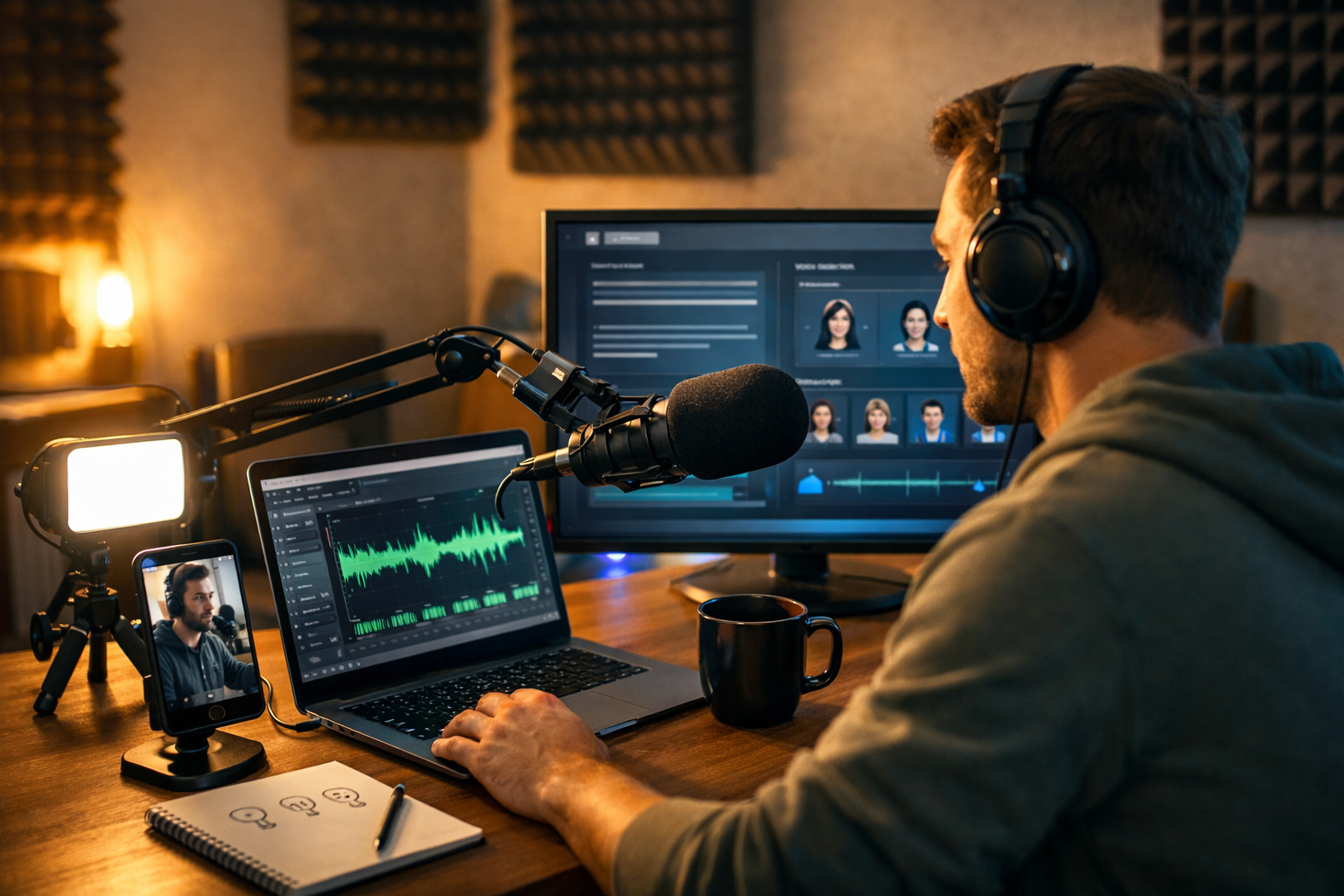
Podcasting no longer requires a studio, a production team, or hours of editing. With the right AI workflow, you can research topics, write scripts, generate professional narration, add music, create cover art, produce promo clips, and publish consistently—often in a single afternoon. This how to create a podcast using AI complete guide walks you step-by-step from concept to launch, using practical prompts and a repeatable process you can run inside Gen AI Last.
Why use AI to create a podcast?
AI doesn’t replace good ideas or clear messaging—it removes bottlenecks. The biggest barriers for new podcasters are planning, scripting, voice recording confidence, editing time, and marketing. AI helps you move faster while keeping quality high, especially if you’re a solo founder, marketer, coach, or small team.
- Speed: go from outline to finished episode far quicker than traditional production.
- Consistency: maintain a steady release schedule using repeatable templates.
- Cost control: avoid expensive studios and freelancers while you validate your concept.
- Multiformat output: turn one episode into show notes, social posts, thumbnails, and video clips.
Gen AI Last is designed for exactly this kind of end-to-end workflow: text for scripts and show notes, audio for narration and music, images for cover art and social graphics, and video for reels and promos—available in one place. You can explore our AI content tools to see how each part fits together.
Step 1: Define your podcast concept (the 5 decisions that matter)
Before you generate anything, lock down the fundamentals. Most podcasts fail because the concept is too broad or the value is unclear.
- Audience: Who is this for, specifically (role, industry, level)?
- Promise: What result will listeners get each episode?
- Format: Solo, interview, co-hosted, narrative, or Q&A.
- Length: 8–12 minutes (tight), 20–30 (standard), 45+ (deep dives).
- Cadence: Weekly is ideal; fortnightly works if your episodes are high value.
AI prompt you can use (concept generator): “Act as a podcast producer. I’m targeting [audience]. My expertise is [topic]. Suggest 10 podcast concepts with a clear audience promise, ideal episode length, and 5 pilot episode titles for each. Keep them differentiated and realistic for a solo creator.”
Choose a concept that you can sustain for 20+ episodes. If you can’t list 20 titles quickly, narrow your niche.
Step 2: Build a repeatable episode template (structure beats inspiration)
A consistent structure makes scripting, recording, and editing dramatically easier. Here’s a proven template for most educational podcasts:
- Hook (0:00–0:20): the pain point + what they’ll learn.
- Credibility (0:20–0:40): why you’re worth listening to.
- Agenda (0:40–1:00): 3–5 bullet points.
- Main content (1:00–end): sections with examples.
- CTA (final 20–40 seconds): subscribe, download, join list, try your product.
AI prompt (episode template): “Create a reusable podcast episode framework for a [format] show about [topic]. Include time stamps, pacing notes, and cues for sound design (music sting, pause, emphasis). Keep it suitable for 12–18 minutes.”
Step 3: Plan your first 10 episodes with AI (and avoid generic topics)
Your first 10 episodes set expectations and help podcast platforms understand your niche. Aim for specific, searchable topics with clear benefits.
- Replace “Marketing tips” with “5 landing page fixes that lift conversions in 30 minutes”.
- Replace “Fitness” with “Beginner strength training for desk workers: 3 routines”.
- Replace “AI news” with “AI tools for small agencies: what to automate this month”.
AI prompt (episode slate): “Generate 10 episode ideas for a podcast about [topic] for [audience]. Each title should be specific, outcome-focused, and under 65 characters. Add a one-sentence summary, 5 key talking points, and a suggested call-to-action.”
Step 4: Write a podcast script using AI (sound human, not robotic)
AI scripts work best when you give the model your voice and constraints. Don’t ask for “a script about X”—provide context, tone, and real examples. If you plan to use AI narration, the script needs to be extra clear and conversational.
A practical scripting workflow
- Outline first: 5–7 sections max.
- Draft in spoken language: short sentences, contractions, simple words.
- Add “breath marks”: stage directions like [pause] or [smile].
- Include one story: a mistake, a lesson, or a real example.
- Read aloud once: remove tongue-twisters and long clauses.
AI prompt (script in your voice): “Write a 12–15 minute podcast script titled ‘[title]’ for [audience]. Tone: [friendly/direct/witty]. Use short sentences and natural speech. Include: hook, agenda, 3 main sections, one real-world example, and a closing CTA to [action]. Add stage directions in brackets for pauses and emphasis. Avoid clichés and generic advice.”
Inside Gen AI Last, you can generate the outline, the full script, and alternative versions (shorter/longer, more formal, more energetic) using AI text generation—then move straight into audio without switching platforms.
Step 5: Create podcast narration with AI audio (or enhance your own voice)
AI audio is a game changer for creators who dislike recording, need multiple voices, or want consistent quality. There are two common approaches:
- Full AI narration: you generate the voice-over from your script.
- Hybrid: you record your own voice for authenticity, then use AI for intro/outro, ads, or character voices.
How to make AI narration sound natural
- Write for the ear: swap “however” for “but”, reduce jargon, break long sentences.
- Add pronunciation notes: spell out acronyms once (e.g., “CRM” as “C-R-M”).
- Use pacing cues: [pause], [slow], [smile], [emphasise].
- Keep paragraphs short: improves rhythm and reduces monotone delivery.
Example script tweak: Instead of “In today’s episode, we will be discussing three core strategies…”, try “Today, I’ll share three strategies you can use right away.”
Gen AI Last includes AI audio generation for voice-overs and narration as part of all plans, so you can produce podcast-ready audio without separate subscriptions. To keep it budget-friendly, you can view pricing from $10/month.
Step 6: Add intro/outro music and background beds (without overpowering speech)
Music makes your show feel “real”, but it must stay subtle. Aim for a short intro sting (5–10 seconds), a matching outro (10–20 seconds), and optional low background bed under transitions.
Simple rules for good podcast sound design
- Keep music quieter than voice: narration should always be dominant.
- Use consistent branding: same theme each episode builds recognition.
- Avoid busy tracks: steady rhythms and minimal instruments work best.
AI prompt (music brief): “Generate a 10-second podcast intro music track. Mood: modern, optimistic, tech-savvy. Instruments: light synth, soft percussion. Tempo: medium. Leave space for voice-over. No vocals.”
Step 7: Create cover art and promo graphics with AI images
Podcast cover art is a discovery asset. Platforms display it small, so it needs bold contrast, a simple layout, and a recognisable style. Even if you later add typography in a design tool, AI images can give you strong backgrounds, concepts, and visual identity.
Cover art checklist
- One focal point: face, microphone, icon, or strong shape.
- High contrast: readable at thumbnail size.
- Consistent style: use the same palette across episode graphics.
- Square safe: design for 3000×3000px, but test at very small sizes.
With Gen AI Last image generation, you can create a few cover art directions (minimal, photographic, illustrated) and then standardise on one style for long-term brand cohesion.
Step 8: Turn your episode into video clips using AI video
Even if your show is audio-first, short video clips are how you grow. You can publish 15–60 second snippets on LinkedIn, Instagram Reels, TikTok, and YouTube Shorts to drive listeners to the full episode.
What to clip
- A strong opinion or counterintuitive point.
- A step-by-step mini framework (3 points works well).
- A quick story with a lesson and a punchline.
Gen AI Last’s video generation can help you create promo assets such as animated audiograms, simple explainer-style visuals, or branded reels that match your cover art aesthetic—especially useful if you don’t record on camera.
Step 9: Write show notes, titles, and SEO descriptions with AI text
Show notes are not busywork—they’re your search footprint. They also give listeners links, tools mentioned, and a quick skim of the episode.
Show notes template (AI-friendly)
- Episode summary: 2–3 sentences.
- Key takeaways: 5–7 bullets.
- Resources: tools, links, references.
- Timestamps: improves usability.
- CTA: newsletter, product, booking link, community.
AI prompt (show notes): “Create SEO-friendly podcast show notes for this episode script. Include: a compelling summary, key takeaways, a list of resources mentioned (leave placeholders if needed), timestamps based on a 14-minute runtime, and a short closing CTA. Write in British English.”
You can also reuse the same content as a blog post, email newsletter, and LinkedIn carousel copy using the same AI text workflow—ideal for small teams who need reach without extra production time.
Step 10: Publish your podcast (what you actually need)
To publish, you typically need a podcast hosting provider (they create your RSS feed) and listings on platforms like Apple Podcasts, Spotify, and YouTube Music. AI helps you create the assets; hosting distributes them.
Publishing checklist
- Final audio file: consistent volume, clean intro/outro.
- Cover art: square, high resolution, clear brand.
- Episode title: specific and benefit-led.
- Description: include keywords naturally and a CTA.
- Trailer (optional): 30–60 seconds explaining who it’s for and why to subscribe.
A smart launch tactic: release 3 episodes on day one. That gives new listeners enough content to binge and improves early retention.
Step 11: Promote every episode with an AI content pack
The easiest way to stay consistent is to create a standard “promo pack” for every episode. AI makes this repeatable.
The AI promo pack (recommended)
- 1 newsletter email (short intro + 3 takeaways + link)
- 3 LinkedIn posts (story, framework, contrarian take)
- 5 short social captions for reels/shorts
- 2 quote graphics (image generation)
- 1 short promo video (video generation)
AI prompt (promo pack): “Based on this episode script, create a promotion pack: one newsletter email (120–180 words), three LinkedIn posts (each 120–220 words, different angles), five short captions (under 140 characters), and two ideas for quote graphics. Keep the tone consistent and include a clear CTA to listen.”
Because Gen AI Last combines text, image, audio, and video generation, you can build this entire pack in one workflow instead of juggling multiple tools and brand styles.
Common mistakes when creating a podcast using AI (and how to avoid them)
- Overly generic scripts: fix by adding personal examples, opinions, and specific steps.
- Monotone narration: fix by rewriting for speech and adding pauses/emphasis cues.
- Too much music: keep it subtle; voice should dominate.
- No clear CTA: decide one action per episode (subscribe, download, book, join).
- Inconsistent publishing: batch-produce 3–5 episodes ahead of time.
A simple end-to-end workflow you can repeat weekly
- Monday: pick topic + outline (AI text).
- Tuesday: draft script + tighten for speech (AI text).
- Wednesday: generate narration + intro/outro music (AI audio).
- Thursday: create cover/promo visuals + short clips (AI image + AI video).
- Friday: publish + distribute promo pack (AI text).
If you prefer batching, do steps 1–3 for four episodes in one sitting, then record/generate audio in another block. Batching is the fastest route to consistency.
FAQ: how to create a podcast using AI
Is it legal to use AI voices in a podcast?
It can be, but you must follow the licensing terms of the tool you use and avoid cloning real people’s voices without permission. If you’re using AI narration, be transparent where appropriate and ensure your content meets platform policies.
Will listeners accept AI narration?
Many will if the delivery is natural and the content is genuinely useful. Educational and business podcasts often perform well with AI narration, especially when the scripting is tight and the pacing is human.
What’s the fastest way to start?
Create a trailer plus three short episodes (10–12 minutes), publish them together, and then promote with a consistent weekly cadence. Use AI to produce show notes and a promo pack for each release.
Create your first AI-powered episode with Gen AI Last
The biggest advantage of Gen AI Last is that you can build the entire podcast pipeline—scripts, narration, music, artwork, and promotional videos—in one affordable platform. If you want to test your concept quickly without a big upfront spend, you can start creating for free and turn your first prompt into a publish-ready episode.
Once you’ve validated your format, upgrade anytime and keep everything under one roof with full access to text, image, audio, and video generation—ideal for startups and small teams that need professional output without agency costs.
Ready to Create with Generative AI?
Join thousands of creators using Gen AI Last to generate text, images, audio, and video — all from one platform. Start your 7-day free trial today.
Start Free — Try 7 DaysQuick Links
Create AI content from $10/month
View Plans