How to Create AI Animated Videos for Marketing (Step-by-Step)
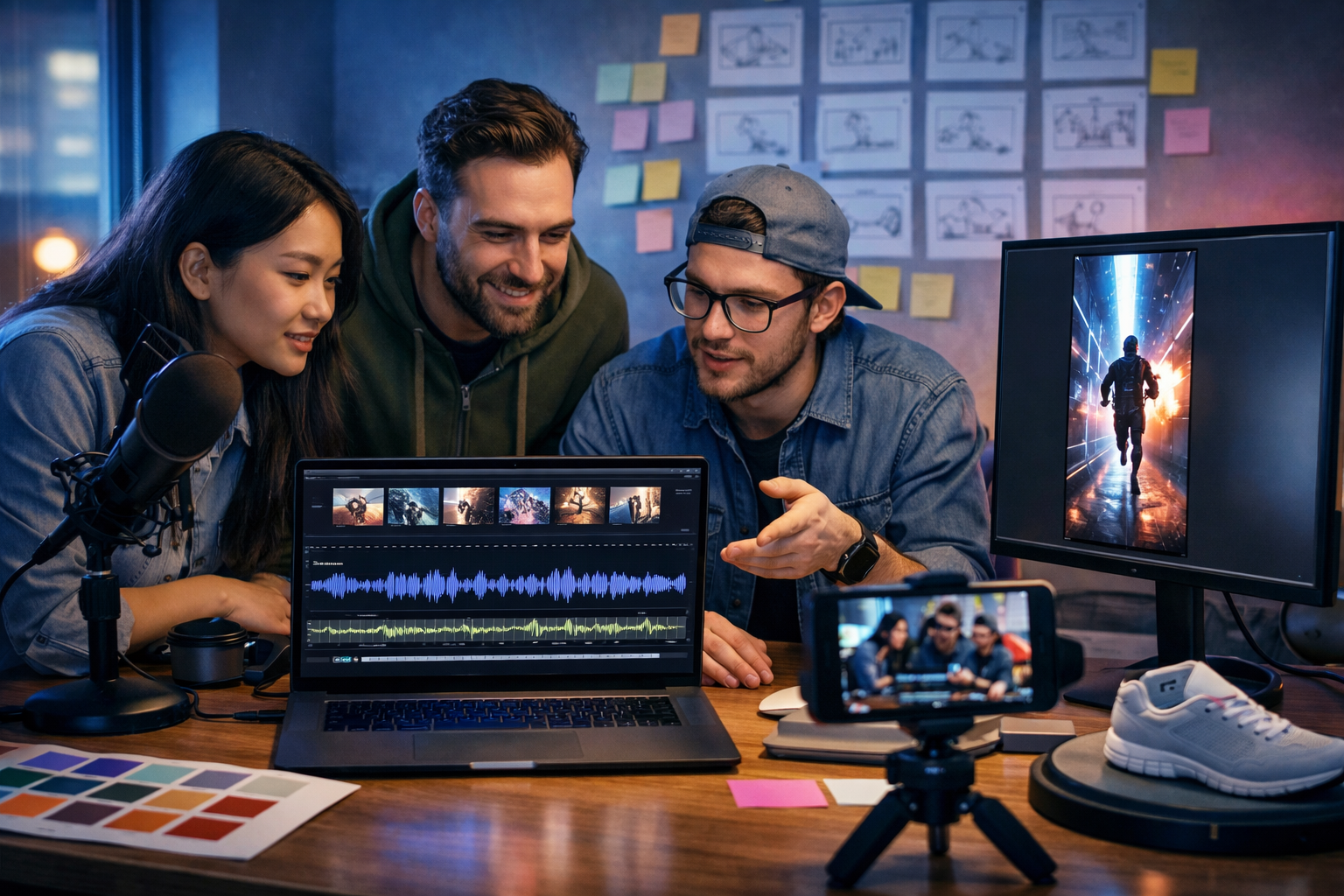
AI animation has made it possible for small teams to produce marketing videos that look polished, consistent, and on-brand—without a full studio, big budgets, or weeks of editing. In this guide, you’ll learn how to create AI animated videos for marketing using a repeatable workflow: define the goal, write a conversion-focused script, generate visuals, add voice and music, then package everything for ads, social reels, landing pages, and email.
What counts as an “AI animated” marketing video?
An AI animated marketing video is any video where AI helps generate or animate parts of the final asset—such as scenes, characters, backgrounds, motion graphics-style sequences, product visualisations, or transitions. This could be an explainer video, a social reel, a product demo, or a short ad where visuals are created from prompts and then assembled with voice-over, captions, music, and brand styling.
With an all-in-one platform like Gen AI Last, you can create the script, visuals, voice-over, and video from one place using our AI content tools, then iterate quickly for different audiences and channels.
Why AI animated videos work for marketing
Animation is ideal for marketing because it can simplify complex ideas, show “invisible” services, and stay consistent with brand style. AI adds speed and scale—letting you test more hooks, angles, and creative variations.
- Faster production: generate scenes, b-roll style visuals, and variations in minutes.
- More experiments: test multiple offers, hooks, and CTAs without reshooting.
- Consistent brand look: reuse a style guide, colour palette, and character prompts.
- Better performance on social: short, captioned, high-contrast animated clips tend to retain attention.
Step 1: Start with one clear marketing objective
Before you generate anything, decide what the video must achieve. “Brand awareness” is too vague; you want a measurable outcome tied to a funnel stage.
- Awareness: introduce a problem and your category (15–30 seconds).
- Consideration: explain how you work, outcomes, and differentiators (30–60 seconds).
- Conversion: offer + proof + clear CTA (10–30 seconds).
- Retention: onboarding, feature tips, updates (20–60 seconds).
Define your target viewer (job role, pain point), the single message, and one CTA (e.g., “Start free trial”, “Book a demo”, “Download the checklist”). This clarity will make your prompts and scenes sharper.
Step 2: Choose the right video format for each channel
AI makes it easy to repurpose, but you still need to design for the platform. Decide format first so you don’t waste time rebuilding layouts later.
Recommended formats
- Short vertical reel (9:16): TikTok, Instagram Reels, YouTube Shorts. Best for hooks, fast cuts, captions.
- Square (1:1): feeds, some paid placements. Balanced for mobile.
- Landscape (16:9): YouTube, websites, landing pages, product pages, webinars.
If you’re new to video, start with one 20–30 second vertical version, then adapt to 16:9 for your website once you’ve validated the message.
Step 3: Write a conversion-focused script (the part most teams skip)
Your script is the engine. Fancy visuals can’t save a vague message. Use AI text generation to draft quickly, then edit like a marketer: clear benefits, concrete proof, and a direct CTA.
A reliable structure for AI animated marketing videos is:
- Hook (0–3s): call out the pain or the outcome.
- Problem (3–8s): show the cost of the status quo.
- Solution (8–18s): introduce your product/service and what it does.
- Proof (18–24s): result, metric, testimonial snippet, or credibility point.
- CTA (24–30s): one action, one reason to do it now.
Example script (30 seconds) for a SaaS tool
Hook: “Still spending hours turning ideas into content?”
Problem: “Between writing, design, video, and voice-over, campaigns stall—and consistency disappears.”
Solution: “With Gen AI Last, you can generate text, images, video, and audio from one prompt—then refine everything to match your brand.”
Proof: “Perfect for startups and small teams who need more output without more headcount.”
CTA: “Try it today and publish your next video this afternoon.”
Tip: keep sentences short for voice-over and on-screen captions. If a line can’t be read in under 1.5–2 seconds, split it.
Step 4: Turn the script into a storyboard (so your prompts stay consistent)
A storyboard is simply a list of scenes with: (1) what we see, (2) what we hear, (3) on-screen text, and (4) duration. It prevents “random” AI visuals that don’t support the message.
- Scene count: 6–10 scenes for a 30-second video.
- Duration: 2–4 seconds per scene (faster for reels).
- Visual rule: one idea per scene (avoid clutter).
Storyboard example (8 scenes)
- 1 (0–3s): Animated clock + messy tabs. On-screen: “Content taking forever?” VO: Hook.
- 2 (3–6s): Small team overwhelmed. On-screen: “Writing + design + video…” VO: Problem.
- 3 (6–10s): Clean dashboard vibe. On-screen: “One prompt.” VO: Introduce solution.
- 4 (10–14s): Text drafts appear, then refine. On-screen: “Blogs, ads, emails.”
- 5 (14–18s): Image generation frames (product, banners). On-screen: “Visuals that match your brand.”
- 6 (18–22s): Video scenes assemble into a reel. On-screen: “Animated marketing videos.”
- 7 (22–26s): Voice waveform + captions. On-screen: “Voice + subtitles included.”
- 8 (26–30s): Strong CTA card. On-screen: “Start today.” VO: CTA.
Step 5: Generate on-brand visuals (images first, then motion)
Many marketing animations are built from strong stills plus motion: pans, zooms, transitions, overlays, and animated UI-style elements. Start by generating consistent scene images, then animate them.
Use Gen AI Last’s AI Image Generation to create: backgrounds, character scenes, product mock-ups, social-style frames, and icon-like elements. Keep a consistent “visual recipe” across prompts:
- Style: 3D render, cinematic photoreal, flat vector, clay, collage—pick one.
- Palette: specify 2–4 colours that match your brand.
- Camera: wide shot vs close-up; repeat angles for consistency.
- Subject: always describe the main object clearly (product, person, UI).
Prompt formula you can reuse
[Scene subject], [environment], [brand colours], [lighting], [camera framing], [style], high detail, 16:9 or 9:16, no text, no logos
Example: “Startup marketer at a laptop planning a campaign, modern home office, teal and charcoal accents, soft natural light, medium shot, cinematic photoreal, shallow depth of field, 9:16, no text, no logos.”
Step 6: Create the animation with AI video generation
Once your storyboard and visuals are ready, use AI Video Generation to create animated scenes. Depending on your creative direction, you can:
- Generate scene clips from prompts that match your storyboard.
- Animate still images using subtle motion (parallax, dolly-in, tilt).
- Create product demo-style sequences with UI-like movement and transitions.
Keep motion simple for marketing: smooth camera moves, clean cuts, and clear focal points. Overly complex animation can reduce comprehension—especially on mobile.
Practical tips for better AI animation results
- Lock the character/look early: reuse prompt details (clothing, age, environment) to reduce “scene drift”.
- Use short clips: 2–4 seconds per generated segment is easier to control.
- Design for captions: leave negative space where subtitles will sit.
- Prioritise readability: high contrast, uncluttered compositions, clear subject.
Step 7: Add voice-over, music, and narration (audio sells the message)
Audio is often the difference between “looks nice” and “converts”. Use AI Audio Generation to create voice-overs and background music that fit your brand personality (friendly, premium, bold, calm).
- Voice-over: choose a tone that matches your market (B2B tends to prefer clear and confident; consumer can be more playful).
- Music: keep it subtle under speech; avoid busy tracks during key points.
- Pacing: aim for ~130–160 words per minute for most marketing VO.
If your video will autoplay muted (common on social feeds), captions are essential—but voice-over still matters for viewers who turn sound on, and for platforms where audio drives engagement.
Step 8: Add captions and on-screen text the right way
Captions improve watch time and accessibility, and they make your message understandable without audio. Keep captions large, high-contrast, and positioned consistently.
- One line per beat: match captions to sentence rhythm.
- Highlight keywords: emphasise one or two important words per line.
- Safe margins: avoid placing text where platform UI sits (bottom and right areas).
Also add short on-screen headline text that mirrors the hook and CTA. Think: “Cut content time in half” or “Launch campaigns faster”.
Step 9: Build a repeatable production workflow in Gen AI Last
The real advantage of AI for marketing is repeatability. Instead of treating each video as a one-off, create a simple “creative system” you can run weekly.
- Brief: objective, audience, offer, CTA, channel, length.
- Script: generate draft with AI Text Generation; edit for clarity and proof.
- Storyboard: 6–10 scenes with durations and on-screen text.
- Visual kit: create a consistent style prompt and palette using AI Image Generation.
- Video scenes: generate/animate clips with AI Video Generation.
- Audio: voice-over + background music via AI Audio Generation.
- Packaging: captions, crop to formats, export, publish, measure.
Because Gen AI Last includes text, image, video, and audio generation in every plan, it’s straightforward to keep your entire pipeline in one place. If you want an affordable setup for a small team, view pricing from $10/month.
Step 10: Optimise for performance (and make variants)
Most marketing wins come from iteration. Create 3–5 variants of the same core video by changing only one element at a time:
- Hook variants: different first line or first visual (problem vs outcome vs surprising stat).
- Audience variants: tailor one scene to a niche (e.g., “for estate agents”, “for Shopify stores”).
- Offer variants: “Book a demo” vs “Start free” vs “Get the template”.
- Length variants: 15 seconds vs 30 seconds.
Track: thumb-stopping rate (first 3 seconds), average watch time, click-through rate, and conversion rate. Your best creative is the one that moves the business metric—not the one that looks most impressive.
Common mistakes when creating AI animated marketing videos
- Starting with visuals instead of strategy: you end up with pretty scenes and no message.
- Too much text on screen: mobile viewers won’t read paragraphs.
- No proof: add a metric, quote, result, or specific claim you can support.
- Inconsistent style: mixed palettes and character drift reduce trust.
- Weak CTA: “Learn more” is rarely enough—be specific and benefit-led.
Three ready-to-use AI animated video concepts (with prompts)
Use these as templates and adapt to your niche.
1) The “Before vs After” reel (15–20 seconds)
- Scenes: chaotic workflow → simple AI workflow → result dashboard → CTA.
- Visual prompt idea: “Split-screen: left messy desk with scattered notes and multiple tabs, right clean minimal setup with organised dashboard look, modern agency, cool blue lighting, cinematic photoreal, 9:16, no text.”
2) The “Explainer with icons and motion” (30–45 seconds)
- Scenes: problem statement → 3-step solution → use case examples → proof → CTA.
- Visual prompt idea: “Minimal 3D icons representing planning, creating, publishing, arranged on a clean gradient background in brand colours, soft studio lighting, smooth shadows, 16:9, no text.”
3) The “Product demo-style animation” (20–30 seconds)
- Scenes: type prompt → assets appear (text, image, voice, video) → final video preview → CTA.
- Visual prompt idea: “Hands typing on laptop, floating UI panels showing generated blog text, image thumbnails, audio waveform, and a video preview window, modern co-working space, neon accents, shallow depth of field, photoreal, 16:9, no text, no logos.”
Publishing checklist (so your video is actually marketing)
- Does the first 2 seconds clearly signal the problem or outcome?
- Is the offer stated plainly (what, for whom, why now)?
- Are captions readable on a phone screen?
- Is there one clear CTA and a matching landing page?
- Have you exported in the correct aspect ratios for each channel?
- Have you created at least 2 hook variants to test?
Create your first AI animated marketing video in one platform
If you want to produce more video content without adding tools (or headcount), Gen AI Last is built for the full workflow: draft scripts with AI text, generate on-brand visuals, animate scenes, and add voice-over and music—then iterate quickly based on performance.
You can explore the full toolkit via our AI content tools or start creating for free and build your first storyboard-to-video draft today.
FAQ: how to create AI animated videos for marketing
How long should an AI animated marketing video be?
For most social ads and reels, aim for 15–30 seconds. For explainers on landing pages, 45–90 seconds can work if it’s tightly scripted and clearly structured.
Do I need voice-over, or are captions enough?
Use both where possible. Captions handle mute autoplay and accessibility, while voice-over improves persuasion and clarity for engaged viewers.
How do I keep AI animation consistent across scenes?
Reuse a fixed style recipe (palette, lighting, camera framing) and keep scene prompts tightly aligned to your storyboard. Generate short clips and iterate until you have a consistent set before final assembly.
Is AI animation affordable for small businesses?
Yes—especially when one platform covers the whole pipeline. Gen AI Last includes text, image, video, and audio generation in every plan; you can view pricing from $10/month to compare options for your team.
Ready to Create with Generative AI?
Join thousands of creators using Gen AI Last to generate text, images, audio, and video — all from one platform. Start your 7-day free trial today.
Start Free — Try 7 DaysQuick Links
Create AI content from $10/month
View Plans