How to Create Faceless YouTube Videos With AI (Step-by-Step)
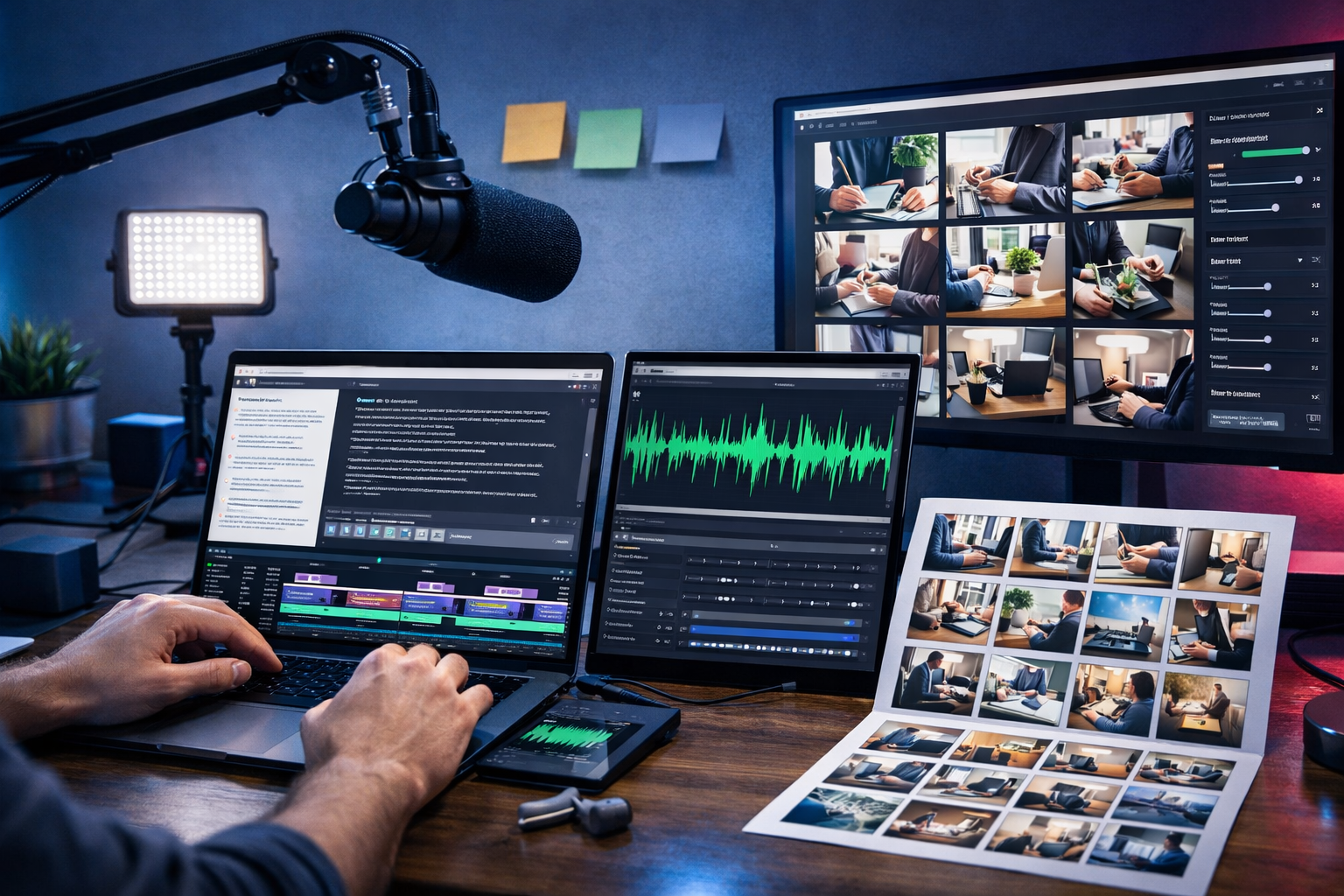
Faceless YouTube channels are booming because they’re scalable: you can publish consistently without being on camera, build multiple formats, and test niches quickly. With AI, you can now generate scripts, voice-overs, visuals, and even complete video drafts from a single prompt—cutting production time from days to hours. This guide explains exactly how to create faceless YouTube videos with AI, using a repeatable workflow that prioritises quality, compliance, and long-term channel growth.
What are faceless YouTube videos (and why AI helps)
A faceless YouTube video is any video where the creator’s face is not shown. Instead, the viewer experience is built using narration, on-screen text, b-roll clips, screen recordings, animations, images, or AI-generated scenes. Popular formats include explainer videos, listicles, documentary-style narration, product round-ups, recipe walkthroughs, meditation channels, and software tutorials.
AI makes this model more accessible because it can:
- Turn a topic into a structured outline and full script.
- Generate voice-overs in different styles and accents.
- Create images, scenes, and graphics for visual pacing.
- Generate video drafts for Shorts, Reels, and longer explainers.
- Repurpose one script into multiple platform-ready assets.
Gen AI Last combines text, image, audio, and video generation in one place, which matters because the real speed gains come from a single workflow rather than juggling multiple tools. You can explore our AI content tools to build an end-to-end faceless production pipeline.
Before you start: choose a niche that suits faceless content
The best faceless niches share two traits: they don’t require personal credibility on camera, and they benefit from clear structure (steps, lists, stories, frameworks). Strong options include:
- Personal finance basics (budgeting, saving, credit scores, investing concepts).
- Tech explainers (AI tools, apps, productivity setups, cybersecurity basics).
- Education (history summaries, language tips, science explainers).
- Health & fitness (low-risk content like habit-building, mobility, meal prep—avoid medical claims).
- Motivation and mindset (quote-based narratives with original commentary).
- Software tutorials (screen recordings plus narration).
Tip: Pick a niche where you can realistically publish 2–3 videos per week for 90 days. Consistency beats perfection early on.
The AI workflow: how to create faceless YouTube videos with AI
Below is a practical workflow you can repeat for each video. You can use Gen AI Last for the core creation steps (script, images, voice, video) and then do a final check for accuracy, originality, and platform policies.
Step 1: Turn an idea into a strong YouTube topic
A faceless channel lives or dies on topic selection. A good topic is specific, searchable, and promises a clear outcome. Instead of “Productivity tips”, aim for “7 productivity systems that work for people who hate to-do lists”.
Use AI to generate topic variants and choose one with a clear hook. Example prompt you can adapt in Gen AI Last:
- Prompt: “Generate 20 YouTube video ideas for a faceless channel about beginner investing in the UK. Each idea must be 8–14 words, include a curiosity hook, and avoid financial advice. Group into 4 content pillars.”
Then shortlist 3 ideas and sanity-check them: can you explain it clearly in 6–10 minutes? Are there visuals you can show (charts, examples, b-roll)? Can you add a unique angle?
Step 2: Generate a script built for retention (not just words)
Most AI scripts fail because they read like articles. YouTube needs rhythm: pattern breaks, short sentences, and constant progression. Structure your script like this:
- Hook (0–15s): confirm the problem and tease the payoff.
- Credibility (15–30s): explain what viewers will learn (without overpromising).
- Main points: 5–9 segments, each with an example.
- Recap: summarise in 10–20 seconds.
- CTA: one clear action (subscribe, watch next, download checklist).
Example script prompt (copy and tailor):
- Prompt: “Write a 1,100–1,300 word YouTube script for a faceless video titled ‘5 Money Mistakes Most People Make in Their 20s’. Tone: calm, friendly, direct. Include a 12-second hook, then 5 sections with real-world examples. Add on-screen b-roll suggestions in brackets every 2–3 paragraphs. Avoid financial advice; use educational language and disclaimers.”
Quality check: verify facts, remove filler, and add a unique perspective (your framework, a mini case study, a simple metaphor). This is how you keep the content from feeling generic.
Step 3: Create the voice-over (AI audio) with natural pacing
A strong faceless channel depends on audio quality. Viewers will forgive simple visuals, but they won’t tolerate robotic narration. With Gen AI Last’s AI Audio Generation, you can create voice-overs for narration, intros, and shorts-style punch lines.
Best practices for AI voice-overs:
- Edit the script for speech: short sentences, contractions, fewer commas.
- Add pronunciation notes: especially for acronyms and names.
- Use pauses: mark beats like [pause] after key points.
- Keep it consistent: use one voice across the channel for brand identity.
If your niche is sensitive (finance, health), include a short spoken disclaimer early on, and repeat a brief written disclaimer in the description.
Step 4: Generate visuals that match the script (images, b-roll plan, scenes)
Faceless videos win when visuals change frequently and reinforce what’s being said. You don’t need Hollywood animation—just clear, relevant visuals every 3–6 seconds for fast-paced niches, or every 6–10 seconds for calmer narration.
Use a simple visual plan:
- Context b-roll: lifestyle clips or generic scenes (home office, city, study desk).
- Concept visuals: AI-generated images for abstract ideas (stress, decision-making, savings).
- On-screen text: emphasise numbers, steps, definitions (keep it minimal).
- Simple graphics: charts, icons, checklists (avoid clutter).
With Gen AI Last’s AI Image Generation, you can create unique images that fit your brand style (photorealistic, illustration, cinematic). Example image prompt:
- Prompt: “Create a photorealistic image of a young adult reviewing a monthly budget on a laptop at a kitchen table, evening warm lighting, realistic receipts and calculator, shallow depth of field, no text.”
Copyright note: AI-generated visuals help differentiate your channel, but always avoid imitating identifiable branded styles or using recognisable faces without permission.
Step 5: Generate the video draft (AI video) and assemble the final cut
Now combine narration and visuals into a coherent video. With Gen AI Last’s AI Video Generation, you can create explainer-style videos, product demos, social reels, and marketing-style clips from prompts and assets. For YouTube, you’ll typically build one of these:
- Long-form (6–12 minutes): narration + b-roll + occasional on-screen text + simple motion.
- Shorts (15–45 seconds): one idea + rapid cuts + subtitles.
- Screen-record tutorial: recorded steps + AI voice-over + callouts.
Assembly checklist for the final cut:
- Match beats: switch visuals at key words and transitions.
- Use light background music: keep it subtle under voice (AI Audio can generate royalty-friendly background tracks).
- Normalise audio: consistent volume and reduced harsh “S” sounds if needed.
- Keep intros short: get to the point quickly.
If you’re producing at scale, create a reusable template: intro sting, lower-thirds style, colour palette, and 2–3 transitions. That’s how you publish faster without sacrificing brand identity.
Step 6: Create a click-worthy title, description, and tags (YouTube SEO)
YouTube SEO is less about stuffing keywords and more about matching viewer intent. Use the main keyword in the title and first line of the description, then reinforce with related phrases naturally.
A strong title formula for faceless videos:
- Outcome + timeframe: “Learn X in 10 Minutes (No Jargon)”
- Mistakes: “7 Mistakes Keeping You From X (And Fixes)”
- Comparison: “X vs Y: Which Should You Choose in 2026?”
Use Gen AI Last’s AI Text Generation to produce multiple title options and descriptions quickly. Example prompt:
- Prompt: “Write 12 YouTube titles and 3 SEO descriptions for a faceless video about ‘How to create faceless YouTube videos with AI’. Make titles under 60 characters, include curiosity hooks, and avoid clickbait.”
Description structure that works: 1–2 lines summary, bullet list of what viewers will learn, disclaimer (if needed), then related links and a ‘watch next’ suggestion.
Step 7: Design the thumbnail (without overcomplicating it)
Thumbnails for faceless channels should communicate the topic instantly. Even if you don’t use a face, you can still create a strong focal point: a single object (laptop, microphone, graph), a bold contrast background, and 2–4 words max (or no text at all if the visual is clear).
You can generate thumbnail concepts with AI Image Generation and then refine them. Thumbnail guidelines:
- High contrast: dark background with bright subject, or vice versa.
- One idea: don’t cram multiple scenes into one image.
- Consistent style: viewers should recognise your videos in the feed.
3 faceless YouTube formats you can produce with AI
1) “Explainer” videos (best for evergreen growth)
These are structured teaching videos: definitions, examples, step-by-step frameworks. AI helps by producing a clear outline, generating supporting visuals, and narrating in a consistent voice.
- Best length: 6–10 minutes
- Visuals: simple graphics + b-roll + occasional on-screen text
2) List videos (“Top 7…”, “5 mistakes…”) (best for speed)
Lists are ideal when you’re building a catalogue quickly. Use AI to keep each point distinct and include one specific example per item, so it doesn’t feel repetitive.
- Best length: 5–8 minutes
- Visuals: number overlays, rapid b-roll changes
3) Shorts (best for discovery and testing)
Shorts are perfect for validating hooks. Turn one long-form script into 5–10 shorts: each short covers a single point, a myth, or a quick tip. Gen AI Last makes it easier to generate both narration and video variations without rebuilding from scratch.
- Best length: 20–40 seconds
- Visuals: fast pacing, subtitles, strong first frame
Quality, compliance, and monetisation: what to watch out for
AI can accelerate production, but YouTube still rewards originality and viewer value. Keep these points in mind:
- Avoid “reused” or “mass-produced” feel: add unique commentary, your own structure, and tailored examples. Don’t simply paraphrase existing videos.
- Fact-check everything: especially in finance, health, and news-style content.
- Use licensed or original assets: ensure music and footage are permitted. AI-generated assets can reduce reliance on stock libraries.
- Be transparent when appropriate: you don’t need to announce “AI-made”, but don’t mislead viewers about sources or claims.
- Prioritise viewer experience: clear audio, readable on-screen text, and no jarring cuts.
Monetisation usually becomes easier when videos are clearly original, well-edited, and focused on real viewer needs. If you build a repeatable workflow and publish consistently, faceless channels can be as brandable as on-camera creators.
A repeatable prompt pack (copy/paste)
Use these as starting points inside Gen AI Last and tailor them to your niche and audience.
- Outline prompt: “Create a YouTube outline with a 12-second hook, 7 main points, and a recap for [TOPIC]. Target audience: [WHO]. Include 1 example per point and b-roll ideas.”
- Script prompt: “Write a 1,200-word narration script using simple spoken English. Add [pause] markers, avoid fluff, and include a quick disclaimer suitable for YouTube.”
- Thumbnail concept prompt: “Generate 6 thumbnail concepts for [TITLE]. Each concept should describe the main object, background colour, and composition. No faces required.”
- Shorts repurpose prompt: “Turn this script into 8 YouTube Shorts scripts (25–35 seconds each). Each must start with a hook in the first 1.5 seconds and end with a ‘watch next’ CTA.”
How Gen AI Last makes faceless YouTube production cheaper and faster
Faceless channels often fail because creators get stuck switching between tools, subscriptions, and exports. Gen AI Last is designed as an all-in-one platform, so you can produce:
- Scripts and SEO metadata with AI Text Generation.
- Unique visuals and scene images with AI Image Generation.
- Voice-overs and background music with AI Audio Generation.
- Video drafts and social-ready cuts with AI Video Generation.
And because every plan includes full access to text, image, audio, and video generation, it’s a practical option for startups and small teams who need output without enterprise pricing. You can view pricing from $10/month and choose a plan that matches your publishing cadence.
Publishing checklist (use this every time)
- Audio first: clean, consistent volume, no distracting artefacts.
- Visual pacing: change visuals regularly and match the narration.
- Accuracy: verify stats, definitions, and claims.
- Title + thumbnail alignment: promise and delivery match (avoid bait-and-switch).
- Description: clear summary, chapters (optional), links, disclaimer.
- Next video plan: add an end-screen and pinned comment directing to a related upload.
Start your first faceless video today
If you’ve been delaying YouTube because you don’t want to be on camera, faceless content is a legitimate path—especially when you combine a strong topic, a retention-focused script, clean narration, and supportive visuals. AI won’t replace your judgement, but it will remove the slowest parts of production so you can publish, learn from analytics, and improve quickly.
When you’re ready, use our AI content tools to generate your script, voice-over, images, and video drafts in one workflow, then start creating for free and ship your first faceless upload this week.
Ready to Create with Generative AI?
Join thousands of creators using Gen AI Last to generate text, images, audio, and video — all from one platform. Start your 7-day free trial today.
Start Free — Try 7 DaysQuick Links
Create AI content from $10/month
View Plans