How to Generate AI Images for Blog Posts (Step-by-Step)
Knowing how to generate AI images for blog posts is one of the fastest ways to improve engagement, break up long sections of text, and make your content look more professional—without relying on stock photos that everyone else uses. In this guide, you’ll learn a repeatable workflow for planning, prompting, generating, and optimising AI images so they load quickly, match your brand style, and support SEO.
Why AI images are worth using in blog posts
Blog images aren’t decoration—they influence how readers understand your content and how likely they are to scroll, share, and convert. AI image generation is especially useful when you need visuals that are specific to your topic, product, audience, or brand tone.
- Create unique visuals instead of overused stock photography.
- Generate multiple variations for A/B testing (hero images, thumbnails, social cards).
- Maintain a consistent look across posts by reusing a prompt “style recipe”.
- Speed up publishing by pairing visuals with AI-written sections and captions.
With Gen AI Last, you can keep the whole workflow in one place—generate supporting copy, images, voiceovers, and even short videos for promotion using our AI content tools.
Plan your blog visuals before you prompt
The biggest mistake people make is opening an AI image tool and generating random images with no plan. Instead, decide what each image needs to do in the post. This makes your prompts clearer and your results more consistent.
A simple 5-image structure that fits most articles
- Hero image: sets the topic and tone at the top of the post.
- Section dividers (1–2 images): visual breaks that reinforce key subtopics.
- Concept illustration: makes an abstract idea easier to grasp (e.g., “workflow”, “funnel”, “architecture”).
- Step-by-step/scene image: shows the process in action (desk setup, dashboard, before/after).
- Social share image: a 16:9 version that can be reused for social promotion.
For this keyword—how to generate AI images for blog posts—good supporting images include: a blogger prompting an AI tool, a curated grid of image variants, and a “brand style” mood board (colours, lighting, composition).
Choose a style that matches your brand (and stick to it)
Consistency is what makes AI images look professional. Choose one primary style for your blog (and optionally a second style for technical diagrams). Then “lock” that style into a prompt snippet you reuse.
Popular blog image styles (and when to use them)
- Photorealistic: best for business, lifestyle, tutorials, and credibility.
- 3D render: great for SaaS, futuristic/tech topics, and product visual metaphors.
- Editorial illustration: ideal for thought leadership and abstract concepts.
- Minimal vector: excellent for simple “how-to” callouts and clean section dividers.
Tip: if your blog already uses a specific palette, incorporate it indirectly through lighting and colour accents (e.g., “teal and charcoal accents, soft natural light”) rather than asking for exact hex codes in every prompt.
How to generate AI images for blog posts: the exact prompt framework
High-quality AI images come from specific prompts. A useful prompt is like a brief for a photographer or designer: subject, setting, composition, lighting, camera style, and what to avoid.
Use this 7-part prompt formula
- Subject: who/what is in the image?
- Context: what are they doing and why?
- Setting: home office, studio, café, agency, co-working space.
- Composition: wide shot, close-up, top-down flat lay, over-the-shoulder.
- Lighting: golden hour warmth, soft natural light, cool blue tech vibe, neon accents.
- Style & realism: photorealistic, editorial, 3D, lens details, depth of field.
- Negative constraints: no text, no logos, no watermarks, no distorted hands.
Prompt template you can copy
Template: “Photorealistic wide 16:9 image of [subject] [action] in a [setting]. Include [key objects]. Composition: [angle]. Lighting: [lighting description]. Style: [camera/lens/realism]. Colour accents: [palette vibe]. Negative: no text, no logos, no watermarks, no extra fingers.”
3 ready-to-use prompts for blog posts
1) Hero image (general AI blog visuals)
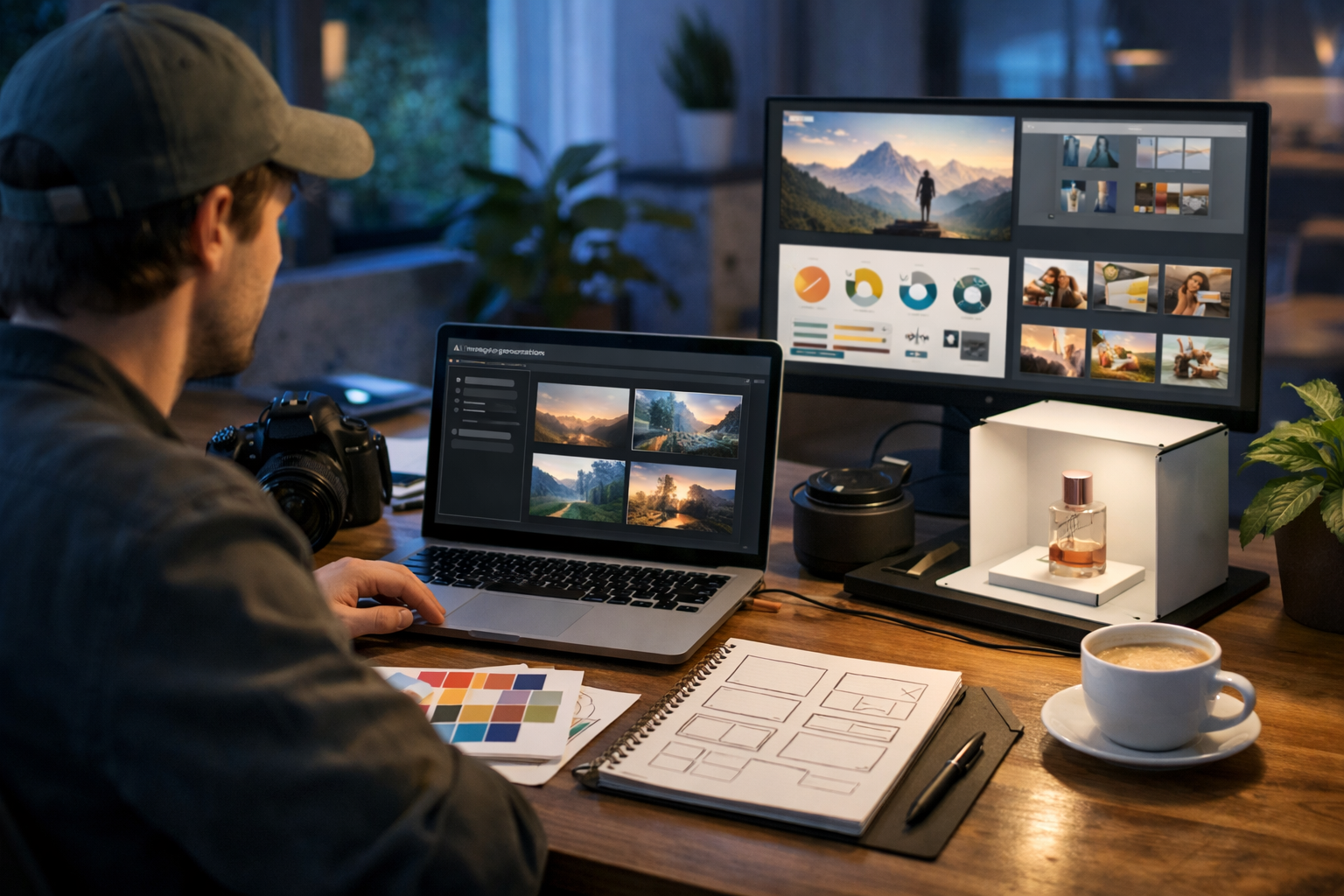
“Photorealistic 16:9 wide shot of a content creator at a tidy desk generating images for a blog post, dual monitors showing an AI image grid (unreadable UI), mood board papers, colour swatches, and a notebook with layout sketches. Soft natural window light with subtle cool blue ambience, shallow depth of field, high detail. No text, no logos, no watermarks.”
2) Section divider (prompting + iteration)
“Over-the-shoulder 16:9 image of a marketer refining an AI image prompt, with multiple image variations visible as thumbnails, a checklist page, and a small desk lamp. Warm golden-hour lighting, cinematic look, realistic hands, crisp focus on the screen area but no readable text. No logos, no watermarks.”
3) Concept illustration (workflow)
“Clean 3D render in 16:9 showing a blog post workflow: icons for idea → prompt → image variations → crop sizes → publish, displayed as floating cards on a modern desk scene. Minimal, premium tech aesthetic, cool blue lighting with neon accents, high clarity. No text, no brand marks, no watermark.”
Generate, review, and iterate (the 10-minute workflow)
If you generate one image at a time, you’ll waste time. Work in small batches and iterate quickly.
- Generate 4–8 variations of the same concept (same prompt, small changes).
- Pick the best 2 and note why they work (composition, lighting, clarity).
- Refine the prompt to fix one issue at a time (e.g., “cleaner background”, “less clutter”).
- Create final sizes (hero, in-article, social) from the winning version.
Gen AI Last is built for this kind of iteration: generate images quickly, then use AI text to write matching captions, intros, and calls-to-action so the visuals and words feel like one coherent piece of content.
Get the sizing right: formats for faster pages and better UX
Even perfect visuals won’t help if your blog loads slowly or the images don’t fit your layout. Standardise your image sizes and keep them consistent across your site.
Recommended blog image sizes (practical defaults)
- Hero/banner: 1600×900 (16:9) or 1920×1080 for premium themes.
- In-article: 1200×675 (16:9) or 1200×800 (3:2) depending on layout.
- Thumbnail/card: 800×450 (16:9) or 600×600 (square) for grids.
- Pinterest/vertical (optional): 1000×1500 (2:3).
If your CMS supports it, serve modern formats (WebP/AVIF) and compress images to keep pages snappy. A good rule for most blog images is staying under ~200–300KB where possible without visible quality loss.
SEO essentials: filenames, alt text, and image context
AI-generated images can support SEO, but only if you implement the basics properly. Search engines use surrounding text, filenames, and alt attributes to understand the image.
1) Use descriptive filenames
Rename files before uploading. Avoid generic names like image-1.png.
- Good: how-to-generate-ai-images-for-blog-posts-hero.webp
- Good: ai-image-prompt-template-blog-posts.webp
- Avoid: final_v3_revised.png
2) Write alt text for accessibility first
Alt text should describe what’s in the image in plain language. If relevant, include the keyword naturally—but don’t stuff it.
- Example alt text (hero): “Blogger generating AI images for a blog post on a laptop with image variations on screen.”
- Example alt text (section image): “Over-the-shoulder view of a marketer refining an AI image prompt and reviewing variations.”
3) Place images near relevant headings
If an image explains a section, place it directly beneath that heading. This improves comprehension and reinforces topical relevance.
Avoid common AI image mistakes (and how to fix them)
- Too generic: Add specific props and actions (e.g., “mood board”, “layout sketches”, “image variations grid”).
- Wrong vibe for your niche: Specify lighting and environment (e.g., “clean modern agency”, “warm home office”).
- Unrealistic hands/faces: Avoid extreme close-ups; ask for “realistic hands” and “natural facial features”.
- Accidental text and UI gibberish: Add “no readable text” and “no letters/words” to negative constraints.
- Cluttered compositions: Request “minimal background”, “clean desk”, “single subject focus”.
Practical example: creating a full image set for one blog post
Let’s say you’re publishing a tutorial titled “How to Generate AI Images for Blog Posts”. Here’s a straightforward image plan you can generate in one sitting:
- Hero (16:9): blogger at desk generating images; warm + cool mixed lighting.
- Divider image: over-the-shoulder prompt refinement scene.
- Concept visual: 3D workflow cards (idea → prompt → variations → optimise).
- SEO image: close-up of uploading an image with filename/alt concept implied (no readable text).
- Social share: simplified hero variant with more negative space for platform cropping.
Once the images are generated, you can use Gen AI Last’s text generation to produce matching captions, meta descriptions, and even a short summary for your email newsletter—keeping everything consistent and on-brand via our AI content tools.
Make your workflow faster with an “image prompt library”
The easiest way to speed up production is to save reusable prompt components, then swap only the topic-specific details.
Create three reusable blocks
- Brand style block: lighting, colour accents, realism level, camera look.
- Composition block: “16:9 wide, over-the-shoulder, shallow depth of field”.
- Negative block: “no text, no logos, no watermarks, no distorted hands, no extra fingers”.
Then your “topic block” changes per post: subject, props, and action. This is how you keep a consistent aesthetic across dozens of articles.
Repurpose AI images into video and social assets
A strong blog image set can do more than support your article. Turn the same visuals into promotional content—especially useful for startups and small teams that need maximum output from limited time.
- Social graphics: crop the hero into 1:1 and 4:5 formats.
- Short reels: animate a sequence of your images into a simple explainer clip.
- Voiceover + slideshow: add narration for a quick “key takeaways” video.
Gen AI Last supports not only image generation but also AI video and AI audio—so you can create a short promo video with voiceover from the same article concept, all under one subscription. You can view pricing from $10/month to access the full toolkit.
Legal and ethical considerations for AI blog images
AI images are powerful, but you should still be careful about what you generate and how you use it.
- Avoid real brand logos in generated images to prevent confusion or infringement.
- Don’t impersonate real people or create misleading “real event” imagery.
- Be transparent when necessary, especially if an image could be interpreted as documentary photography.
- Use AI for illustration, not deception—particularly in health, finance, or news-like content.
When in doubt, choose clearly illustrative styles (editorial illustration or 3D renders) for sensitive topics.
Quick checklist: publish-ready AI images for blog posts
- Each image has a purpose (hero, divider, concept, step, social).
- Prompts include subject, setting, composition, lighting, and negatives.
- Images are correctly sized (and cropped for your theme).
- Files are renamed with descriptive, keyword-relevant filenames.
- Alt text describes the image clearly and naturally.
- Images are compressed and served in modern formats where possible.
Create your first set of blog images with Gen AI Last
If you want a simple way to go from idea to publish-ready visuals, Gen AI Last lets you generate blog images quickly, then pair them with supporting text, captions, and promotional assets. It’s designed to be affordable for startups and small teams while still delivering professional results across text, image, audio, and video.
Ready to test your first prompts? start creating for free, then scale your workflow with view pricing from $10/month when you’re ready.
Ready to Create with Generative AI?
Join thousands of creators using Gen AI Last to generate text, images, audio, and video — all from one platform. Start your 7-day free trial today.
Start Free — Try 7 DaysQuick Links
Create AI content from $10/month
View Plans