How to generate commerically safe AI art (step-by-step)
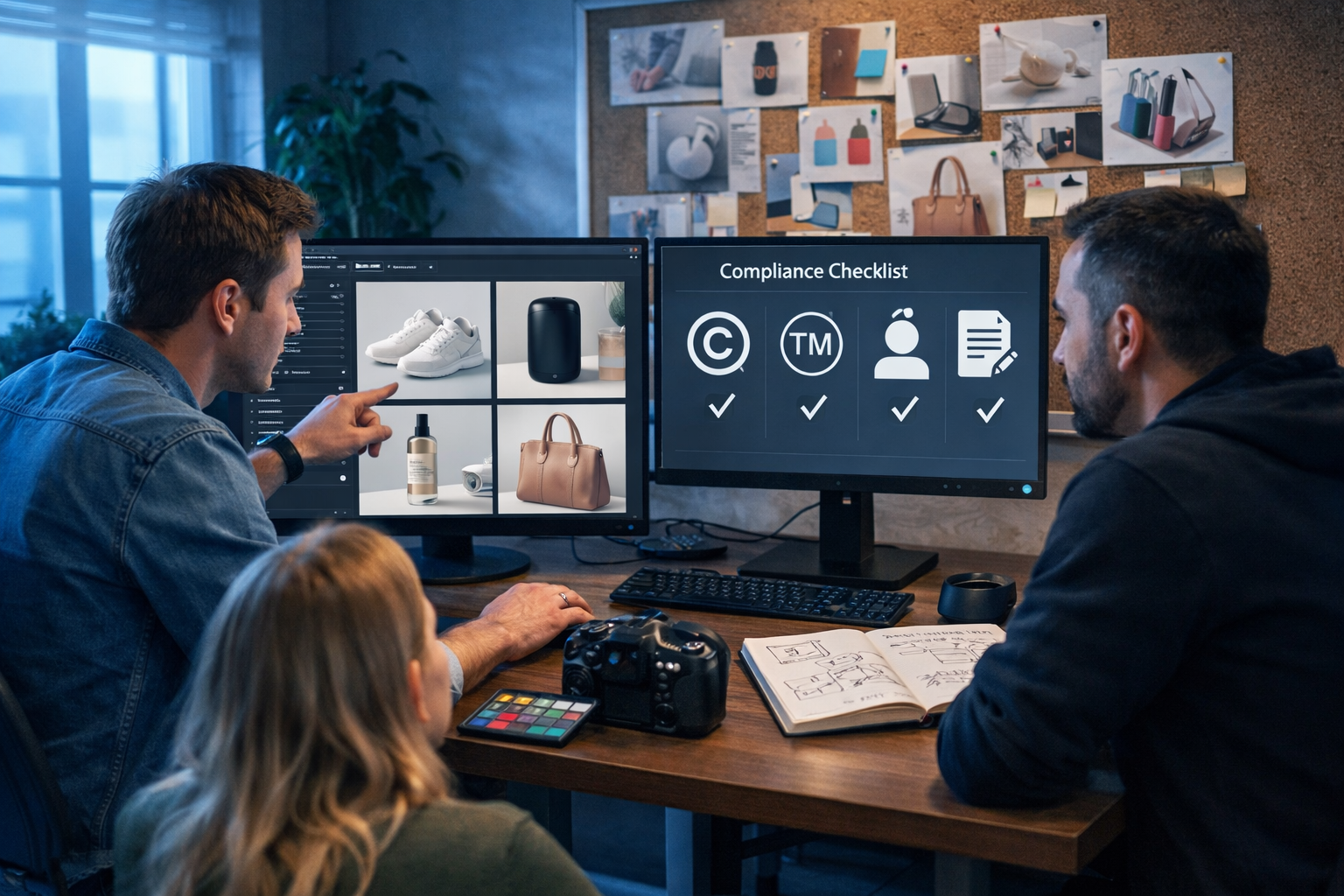
Commercially safe AI art is art you can confidently use to sell products, run ads, illustrate a blog, or package an app—without accidentally copying a living artist’s style too closely, using protected logos, or featuring a recognisable person who never gave permission. This guide explains how to generate commerically safe AI art (spelt exactly as many people search it), with a practical workflow you can use today.
What “commercially safe” AI art really means
There is no single magic switch that makes an image “100% legally risk-free”. Commercial safety is about reducing risk to a level your business can accept, through smart prompting, careful subject choices, licensing checks, and evidence you can retain.
In practice, commercially safe AI art typically means:
- You have the right to use the output for business purposes under the tool’s terms.
- The image does not include copyrighted or trademarked elements (e.g., logos, distinctive characters, brand trade dress).
- It does not depict a real person’s recognisable likeness without permission (or is clearly fictional).
- It does not imitate a specific living artist’s signature style in a way that could create passing-off or reputational/contractual problems.
- You can document how it was created (prompt, date, tool, settings, edits) and how you checked it.
Key risks to avoid when generating AI art for business
Most commercial problems fall into a few predictable categories. Use these as your mental checklist before you generate anything.
1) Trademarks and brand identifiers
The fastest way to create legal trouble is to output a logo, brand name, or recognisable product design. Even if it appears “accidentally” in the background (on a shoe, a phone, a car badge), it can trigger ad disapprovals or complaints.
- Avoid: “Nike-style swoosh”, “Starbucks cup”, “iPhone”, “Lego”, “Disney”.
- Safer: “generic athletic shoe with no logos”, “plain takeaway cup, no branding”, “modern smartphone, blank back”.
2) Copyrighted characters and recognisable IP
Famous characters (film, games, comics) and distinctive worlds are risky for commercial use. Even “inspired by” prompts can generate something too close to the original.
- Avoid: naming franchises, character names, or unique costume elements.
- Safer: describe the mood and general attributes (e.g., “retro sci-fi explorer in an orange suit”, not a specific franchise).
3) Likeness and publicity rights
If the image looks like a real person (celebrity, influencer, employee, customer), you may need a model release for ads and marketing. Even non-celebrity individuals can have rights depending on jurisdiction and usage.
- Avoid: “portrait of [celebrity name]”, “make her look like my friend Sarah”.
- Safer: “fictional person, non-identifiable”, “stylised illustration with abstract facial features”.
4) Living-artist style imitation
Prompts like “in the style of [living artist]” can produce outputs that feel like a derivative imitation. Even if not strictly illegal in all cases, it can be commercially risky: clients may reject it, platforms may flag it, and reputational harm is real.
- Avoid: naming living illustrators/photographers/painters.
- Safer: describe a style with neutral terms: “high-contrast editorial illustration”, “soft watercolour wash”, “clean vector shapes”, “film-grain street photography”.
A step-by-step workflow: how to generate commerically safe AI art
Use the process below every time you produce images for ads, websites, packaging, social posts, or client work. It is designed to be repeatable, fast, and defensible.
Step 1: Define the commercial context before you prompt
“Commercial use” varies. A background image in a blog has lower risk than a hero image for a national paid campaign. Write down:
- Where it will be used (website hero, paid social, packaging, app UI, email header).
- Whether it will include people (and if you can obtain releases if needed).
- Whether it must be exclusive (unique look) or can be more generic.
If you’re building a full campaign, you can generate the supporting copy, captions, and variations alongside images using our AI content tools, keeping the creative direction consistent.
Step 2: Build a “safe prompt” structure (with negatives)
A commercially safe prompt is specific about what you want and explicit about what you do not want. Use a structure like:
- Subject: what is in the image.
- Environment: where it takes place.
- Style descriptors: neutral, non-artist-specific.
- Lighting and camera: makes it look intentional and original.
- Restrictions: no logos, no text, no trademarks, no famous characters, no celebrity likeness.
Example safe prompt (product marketing visual): “Photorealistic studio photo of a generic matte-black reusable water bottle on a seamless light-grey backdrop, softbox lighting, subtle shadow, 85mm lens look, high detail, premium e-commerce style; no logo, no brand names, no text, no watermark, no identifiable people.”
Example safe prompt (social graphic illustration): “Clean vector illustration of a small team planning a marketing campaign at a desk with laptops and sticky notes, modern flat design, limited colour palette, crisp outlines; no logos, no readable text, no trademarks.”
Step 3: Avoid “brand drift” and hidden IP in the background
AI images often sneak in tiny brand-like shapes: shoe swooshes, phone camera layouts resembling a flagship model, or UI screens with pseudo-logos. To reduce this:
- Ask for “generic” objects and “unbranded” surfaces.
- Use “no text” to prevent the model generating brand words.
- Specify “minimal background” or “seamless backdrop” for product shots.
- For lifestyle scenes, request “plain clothing without logos” and “blank devices”.
Step 4: Prefer original composition and specific art direction
One of the best ways to be commercially safe is to be creatively specific. The more original the composition, the less likely it is to resemble a known artwork.
- Define a unique scene: time of day, lens choice, props, and angle.
- Use unusual but plausible combinations (e.g., “ceramic props + colour checker + acrylic blocks” for product photography).
- If you have a brand style guide, bake it into prompts as colour, mood, and framing—not as “make it like [brand]”.
Step 5: Generate variations, then select the safest candidate
Commercial safety improves when you can compare options. Generate multiple versions and reject anything that contains questionable elements (logos, recognisable faces, signature costume shapes, distinctive typography).
In Gen AI Last, you can iterate quickly: produce several image candidates, then generate matching ad copy and landing-page sections with the same creative brief via our AI content tools.
Step 6: Run a simple “commercial safety review” (5 minutes)
Before publishing, check the image at 200–400% zoom and ask:
- Logos/text: Any brand marks, signatures, or readable words?
- Characters: Anything that resembles a famous character or franchise outfit?
- Likeness: Would a reasonable person think this is a real individual?
- Trade dress: A product silhouette strongly associated with one brand?
- Sensitive content: Anything that could violate ad policies (medical claims imagery, unsafe scenarios, hate symbols)?
If anything feels even slightly “too close”, regenerate with clearer restrictions.
Step 7: Document your prompt, settings, and usage
Documentation is underrated. If a platform asks questions (or a client wants reassurance), having a record helps. Store:
- Prompt and negative prompt (if used).
- Tool name and date generated.
- Any edits you made (cropping, background removal, retouching).
- Where it’s used (campaign name, URL, ad account).
Practical prompt templates for commercially safe AI art
Use the templates below and swap the bracketed parts for your project. Keep the restrictions line—this is what makes them “commercial-first”.
Template 1: E-commerce product image (studio)
Prompt: “Photorealistic studio product photo of a [product] on a [colour] seamless backdrop, soft diffused lighting, natural shadow, high detail, premium e-commerce style, 50mm lens look, centred composition; unbranded, no logo, no text, no watermark, no trademarked shapes.”
Template 2: Lifestyle marketing scene (human-safe)
Prompt: “Photorealistic lifestyle scene in a [setting] with a fictional person using a generic [object], candid composition, soft natural light, shallow depth of field; non-identifiable face, no celebrity likeness, no logos on clothing, no brand names, no readable text.”
Template 3: Brand illustration system (non-derivative)
Prompt: “Modern editorial illustration of [concept], clean geometric shapes, limited palette ([colour 1], [colour 2], [accent]), subtle grain texture, consistent stroke weight; original composition, no brand marks, no famous characters, no artist names, no text.”
Template 4: Background/hero banner (web-safe)
Prompt: “Abstract photorealistic background with [materials/lighting], smooth gradients, gentle bokeh, minimal shapes, lots of negative space for UI; no text, no logos, no watermarks, no identifiable objects tied to brands.”
When you should use your own assets (and how AI helps)
If you need maximum safety—packaging, long-term brand campaigns, or high-spend ads—consider grounding images in assets you own: your product photos, your sketches, your 3D renders, or commissioned illustrations. AI can still help by generating:
- Background variations that match your product shots.
- Concept boards and visual directions for a designer.
- On-brand social variations (different crops and scenes) while keeping objects generic and unbranded.
If your workflow includes video and audio, you can extend the same “commercial safety” thinking to voice-overs and motion graphics: generate a product demo video and a narration track that avoids trademarked phrases and misleading claims—then keep a record of the prompts used. Gen AI Last supports text, image, video, and audio in one place, which makes it easier to keep the creative brief consistent.
A quick compliance checklist (copy/paste for your team)
Use this checklist before anything goes live:
- No logos, brand names, watermarks, or signatures appear anywhere (including tiny details).
- No recognisable copyrighted characters, costumes, props, or franchise-specific elements.
- No recognisable real person’s likeness (or you have a model release).
- Prompt did not include living artist names or instructions to copy a specific brand.
- Image passes platform ad policy common sense (no prohibited or misleading imagery).
- You saved the prompt + date + final file used.
Common mistakes (and safer alternatives)
These are the patterns that most often cause issues for startups and small teams.
- Mistake: “Create a poster in the style of [famous living illustrator].” Safer: “Create a bold editorial poster with high contrast, halftone grain, limited palette, original composition.”
- Mistake: “A superhero that looks like [franchise hero].” Safer: “A fictional hero in a generic suit with original colour blocking, no emblem, no franchise references.”
- Mistake: “A café scene with laptops and phones” (and you get Apple-like devices and random logos). Safer: “Café scene with blank devices, unbranded clothing, no readable screen content, minimal background.”
- Mistake: Using AI faces in regulated industries without care. Safer: Use abstract illustrations or non-identifiable figures; keep claims conservative in accompanying text.
How Gen AI Last supports a commercially safe content workflow
Commercial safety is easier when your team works from one clear brief. With Gen AI Last you can:
- Generate image concepts and variations for marketing visuals, product photos, social graphics, and banners.
- Create matching text assets—blog posts, product descriptions, email campaigns, and social captions—so the visuals and messaging stay aligned.
- Turn a safe visual direction into short marketing videos (product demos, reels, explainers) and add AI audio (voice-overs, narration, background music) without jumping between multiple tools.
All features are included from a single plan, which is helpful for startups that want predictable costs: view pricing from $10/month.
FAQ: how to generate commerically safe AI art
Is AI art automatically safe to use commercially?
No. Tool permissions are only one part of the puzzle. You also need to avoid trademarks, copyrighted characters, and recognisable likenesses, and you should keep documentation of prompts and edits.
Can I use “in the style of” prompts for client work?
It increases risk, especially if you name a living artist. For safer commercial work, describe the visual qualities (palette, line weight, medium, lighting) rather than referencing a specific person.
What if my AI image accidentally includes a logo?
Do not publish it. Regenerate with stricter “no logos/no text” constraints or edit it out, then re-check at high zoom to make sure nothing remains.
Do I need a model release for AI-generated people?
If the person is clearly fictional and not recognisable as a real individual, release requirements are often reduced, but rules vary by jurisdiction and platform. For high-stakes ads, consider using non-identifiable figures or illustrations, or obtain releases when using real people.
Next steps: generate safer images faster
Commercially safe AI art comes from discipline, not luck: prompt with restrictions, avoid IP and likeness traps, generate variations, then document your work. If you want an all-in-one platform to create the images plus the supporting copy, video, and audio from the same brief, you can start creating for free and build a repeatable, commercial-first content workflow.
Ready to Create with Generative AI?
Join thousands of creators using Gen AI Last to generate text, images, audio, and video — all from one platform. Start your 7-day free trial today.
Start Free — Try 7 DaysQuick Links
Create AI content from $10/month
View Plans