How to generate commerically safe AI art (2026 guide)
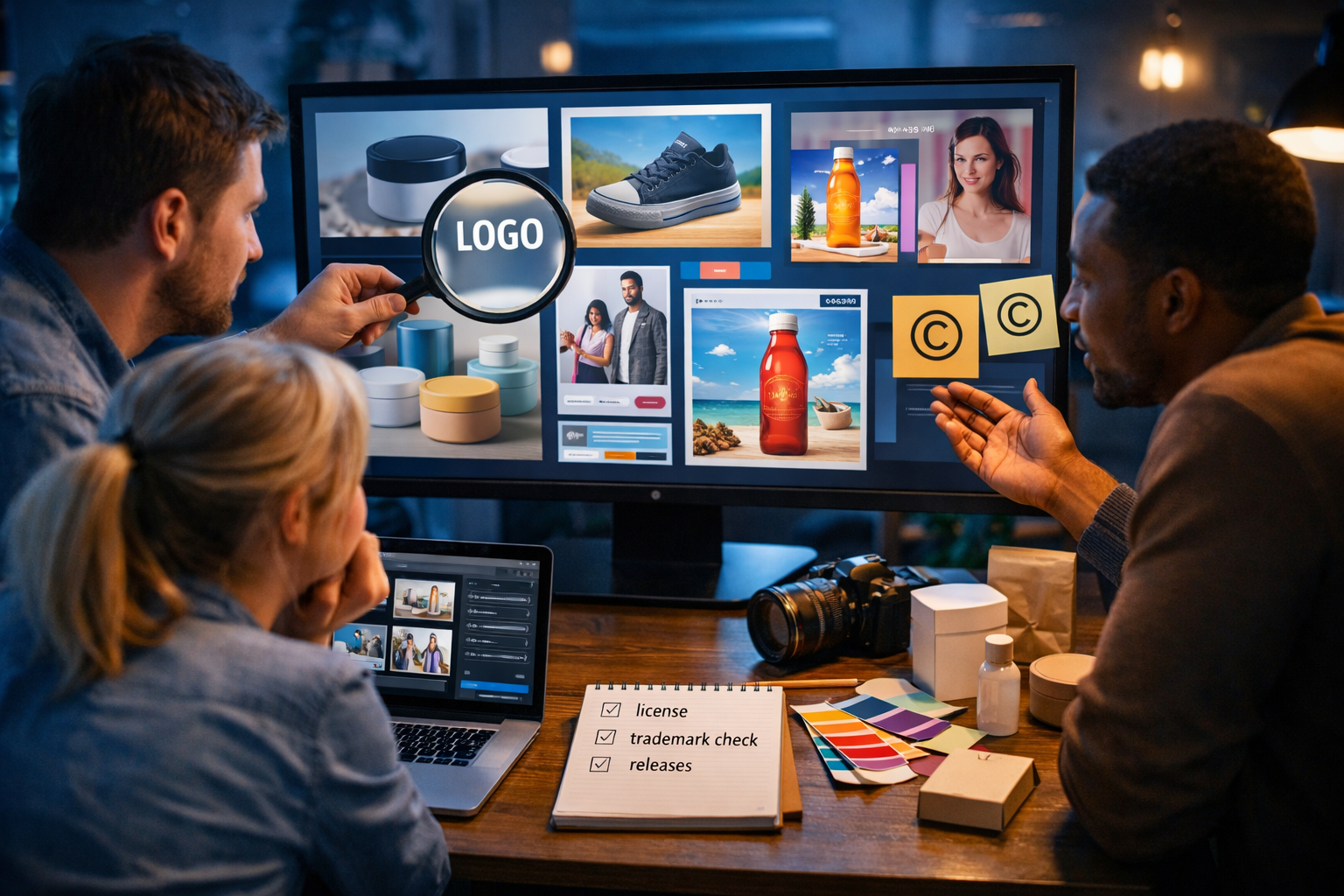
If you’re asking “how to generate commerically safe AI art?”, you’re already ahead of most teams. The safest AI images aren’t just attractive — they’re created with a workflow that reduces copyright, trademark, privacy and licensing risk, so you can use them in ads, product pages, packaging, presentations and client work without nasty surprises.
What “commercially safe” AI art actually means
There’s no such thing as “zero-risk” creative work, whether it’s AI-made, photographed, illustrated, or designed by hand. “Commercially safe” usually means you’ve taken reasonable, documented steps to ensure:
- You have the right to use the image for business purposes under the tool’s terms.
- The image does not include protected trademarks, branded characters, or distinctive trade dress (recognisable product look/packaging).
- The image does not closely imitate a living artist’s recognisable style, or a specific copyrighted artwork.
- You have the appropriate permissions/releases if real people, private property, or sensitive locations are depicted.
- The asset is original enough (and edited where needed) to fit your brand, not a near-copy of existing work.
In practice, commercially safe AI art is a combination of: (1) careful prompting, (2) smart selection, (3) basic legal hygiene, and (4) keeping records. This article gives you a repeatable process you can apply to any project.
Start with the right foundation: usage rights and platform terms
Before you generate anything, confirm the tool’s commercial usage terms. Some services restrict commercial use, require attribution, or limit use in sensitive industries. Your first step in a “commercially safe” workflow is selecting a platform that supports business use for the outputs you create.
Gen AI Last is designed as an all-in-one platform where you can generate text, images, audio and video from simple prompts — which is useful because commercially safe creative is rarely just “an image”. You often need matching ad copy, product descriptions, a short promo video and a voice-over, all aligned to the same safe brief. You can explore our AI content tools and keep everything in one place.
Practical tip: Create a “Commercial Use” checklist document for your team with links to the relevant terms, and store it with project files. If you ever need to prove diligence, documentation matters.
The 80/20 rule: what usually makes AI art unsafe
Most commercial risk comes from a few predictable issues. Avoid these, and you’re already far safer:
- Accidental trademarks: model-generated “almost Nike” swooshes, “almost Apple” fruit icons, fake luxury monograms, or brand-like packaging.
- Celebrity likeness and real people: images that resemble a recognisable public figure or a private individual.
- Branded characters/IP: anything resembling famous film, TV, gaming, or comic characters.
- Overly specific “in the style of” prompts: living artists, or highly distinctive contemporary styles that can be traced.
- Trade dress: a product design or packaging shape that’s strongly associated with one brand (even without a logo).
- Unclear rights to inputs: uploading someone else’s copyrighted image as a reference without permission (depending on your workflow and terms).
Your goal is not only to avoid obvious brand names in prompts, but also to prevent the generator from producing lookalikes.
A commercially safe AI art workflow (step-by-step)
Step 1: Write a “safe brief” before you prompt
A safe brief is a short set of requirements that prevents risky generations and speeds up approvals. Include:
- Purpose: e.g., homepage hero, paid social, packaging mock-up, blog header.
- Audience and tone: premium, playful, medical, B2B, etc.
- Brand assets allowed: your own logo, your own product photos, your own colour palette.
- Must avoid: any brand marks, celebrity likeness, copyrighted characters, “in the style of [living artist]”.
- Legal constraints: model release required if photoreal people are used in ads; avoid real locations if you can’t obtain property release.
Example safe brief (e-commerce skincare): “Create original, photoreal product lifestyle scenes for a generic 50ml amber glass dropper bottle. No logos, no brand-like labels, no recognisable trademarks. Soft natural light, clean studio props, neutral background. Avoid any celebrity or recognisable person.”
Step 2: Use “positive specificity” prompts (not brand references)
When teams ask “how to generate commerically safe AI art?”, the biggest prompt mistake is using other brands as shortcuts (e.g., “make it look like Apple”, “Nike-style poster”, “Disney-like character”). You’ll get recognisable elements you don’t own.
Instead, describe what you want in neutral, design-oriented language: composition, lighting, lens, materials, era, colour palette, mood, and use-case.
Prompt example (safe hero banner): “Photorealistic wide 16:9 hero image of a small business owner in a modern home office packaging orders, soft morning window light, muted pastel colour palette, shallow depth of field, clean desk with unbranded kraft boxes and tissue paper, no logos, no text, no trademarks.”
Prompt example (safe abstract background): “High-resolution abstract 3D render with flowing satin-like ribbons, teal and charcoal palette, subtle bokeh, studio lighting, minimal, no text, no symbols, no logos.”
Step 3: Add “negative constraints” to reduce risk
Many generators respond well to explicit exclusions. Add a short negative list to suppress common issues:
- “no logos, no brand names, no watermarks”
- “no recognisable celebrities, no famous characters”
- “no text, no labels” (useful for packaging mock-ups)
- “avoid signature marks, avoid artist signatures”
You’re not relying on the model’s judgement; you’re instructing it to avoid the most common failure modes.
Step 4: Generate variations and choose the least risky candidate
Risk is often visual: a shape that looks like a famous logo, a sneaker silhouette that resembles a specific model, a character that feels “too familiar”. Generate multiple options and pick the one that looks most original and least referential.
With Gen AI Last’s image generation, it’s easy to iterate quickly, then use the best candidate as the base for your marketing pack (social crops, banners, thumbnails) without forcing one risky image to do everything.
Step 5: Run a fast “visual clearance” review
Before anything goes into an ad account or client deliverable, do a 3–5 minute check:
- Zoom in: look for tiny marks, accidental logos, fake text resembling a brand, signature-like scribbles.
- Check distinctive shapes: iconic shoe silhouettes, famous car grilles, branded product forms, recognisable packaging.
- Check faces: does the person resemble a celebrity or identifiable individual? If yes, regenerate.
- Check backgrounds: shop signs, billboards, street names, licence plates, identifiable private homes.
- Check for sensitive content: medical claims visuals, unsafe depictions, or anything that could violate ad policies.
Actionable tip: Use a “two-person rule” for paid campaigns: one creator, one reviewer. Fresh eyes catch accidental trademarks fast.
Step 6: Create (and keep) a simple audit trail
If you’re using AI art in business, store:
- the final prompt(s) used
- the date generated
- the platform used (e.g., Gen AI Last)
- notes from your clearance review (e.g., “no logos/text visible, regenerated twice to avoid brand-like label”)
This is not bureaucracy for its own sake. It’s practical protection if a client asks for provenance, or if a platform requests clarification during an ad review.
People, products and property: when you need releases (and when to avoid photoreal)
A frequent misconception is: “If it’s AI-generated, I don’t need releases.” In advertising and commercial contexts, releases can still matter because the risk is about identifiable individuals and recognisable property, not just who pressed the shutter.
Safer options if you don’t have releases:
- Use non-identifiable people: back-of-head, hands only, silhouette, or stylised illustration rather than photoreal faces.
- Use fully synthetic characters: but avoid celebrity resemblance and overly realistic “person looks like X”.
- Use product-only scenes: studio packshots, flat lays, ingredient textures, abstract brand visuals.
Prompt example (hands-only): “Close-up photoreal shot of hands placing an unbranded kraft label on a plain glass jar, shallow depth of field, warm golden hour light, no faces, no logos, no text.”
Avoiding “style infringement” without killing creativity
Many creators use prompts like “in the style of [artist]”. For commercially safe work, especially client work, it’s better to avoid referencing living artists or highly distinctive contemporary styles.
What to do instead: describe the style using neutral attributes:
- medium: “watercolour”, “gouache”, “ink sketch”, “3D render”, “paper cut-out”
- era: “mid-century modern poster”, “1920s art deco geometry”
- technique: “cross-hatching”, “halftone shading”, “soft film grain”
- palette: “muted earth tones”, “high-contrast monochrome”
- composition: “minimal negative space”, “editorial portrait crop”
Example (editorial illustration without artist name): “Digital editorial illustration of a small team brainstorming around a whiteboard, simplified shapes, flat colour blocks, subtle paper texture, limited palette of navy, cream and coral, clean outlines, no text, no logos.”
Trademarks and trade dress: what to watch for in AI images
Trademarks aren’t just names and logos. They can include distinctive symbols, colourways, patterns, and packaging. AI images often hallucinate brand-like marks because training data contains lots of branded photography.
Common “gotchas” to check:
- sportswear stripes/swooshes on clothing
- luxury repeating patterns on bags
- soft drink can designs, beer labels, coffee cup logos
- recognisable device shapes (phones, earbuds, smartwatches)
- vehicle badges, grille shapes, distinctive headlights
Actionable fix: If your image includes apparel or products, prompt for “plain, unbranded, generic design” and “no symbols”. If the generator still produces marks, regenerate rather than trying to paint out complex logos — editing can help, but regeneration is usually safer and faster.
How to use AI art commercially across channels (safely)
Commercial safety isn’t just about a single image. It’s about how you deploy it.
Paid social ads
Paid platforms can reject ads for unclear reasons, and a brand-like mark can trigger review delays. Use clean, unbranded visuals and add your real logo in your design tool (so it’s accurate), rather than hoping the model generates it.
Pair your visuals with compliant copy. Gen AI Last’s text generation can draft ad variants and disclaimers that match your offer while keeping claims realistic. For a full campaign workflow, use our AI content tools to generate images plus headlines, primary text and landing page sections.
Product pages and marketplaces
If you sell on marketplaces, check their rules on synthetic images for main listings. Many allow AI for lifestyle images but prefer accurate product photography for the main image. A safe approach is:
- use real product photos where accuracy is required
- use AI for backgrounds, lifestyle scenes, and banners
- avoid generating fake labels/claims on packaging
Print (packaging, flyers, billboards)
Print increases stakes because distribution is broader and mistakes are costly. For print-bound AI art:
- work at high resolution
- avoid tiny details that could look like hidden logos
- do a final 200% zoom proof pass
Turn safe AI art into a full “asset kit” with Gen AI Last
A practical advantage of Gen AI Last is that it’s not only for images. Once you’ve generated a commercially safe visual concept, you can build a consistent campaign package quickly:
- AI Text: product descriptions, ad copy, email sequences, landing page sections.
- AI Video: short promos, product explainers, social reels using the same safe visual direction.
- AI Audio: voice-overs and narration that match your brand tone (useful for reels and explainers).
Because all features are available across plans, it’s realistic for startups and small teams to keep quality high without needing four separate subscriptions. You can view pricing from $10/month and scale up your output without changing tools.
Commercially safe prompt templates (copy and adapt)
Use these as starting points. Replace bracketed sections with your details.
1) Safe product lifestyle (generic)
Prompt: “Photorealistic lifestyle photo of [generic product: e.g., plain amber dropper bottle / blank white tube / unbranded pouch] on a clean studio surface with [props: citrus slices / eucalyptus / ceramic dish], soft natural light, shallow depth of field, premium minimal aesthetic, 16:9 wide, ultra high resolution, no logos, no text, no labels, no trademarks, no watermark.”
2) Safe team/office marketing visual (no identifiable people)
Prompt: “Photorealistic wide shot of a creative team collaborating in a modern agency, faces not visible (back view / silhouette), laptops showing generic UI shapes (no readable text), sticky notes without writing, warm desk lamps with cool ambient light, cinematic depth of field, no logos, no brand marks, no watermarks, 16:9.”
3) Safe abstract brand background
Prompt: “High-end abstract background, smooth gradient waves, subtle grain, [your brand colours], studio lighting, minimal, modern, 16:9 wide, no text, no symbols, no logos, no watermark.”
A simple risk checklist before you publish
Run this checklist every time you use AI art commercially:
- Terms: does your tool allow commercial use for this output?
- Prompt hygiene: no brand names, no copyrighted characters, no living-artist style requests.
- Trademark scan: zoom in for accidental logos, patterns, distinctive shapes.
- Likeness scan: no celebrity resemblance; faces not identifiable if you can’t obtain releases.
- Background scan: no identifiable addresses, signage, licence plates, or private property details.
- Record-keeping: save prompts, dates, and final selections.
Frequently asked questions
Is AI art automatically copyright-free?
No. Even if an image is generated, it can still include elements that create legal risk (trademarks, recognisable characters, likeness). Treat AI art like any commercial creative: clear it before use.
Can I sell AI-generated images as products?
Often yes, depending on the platform’s terms and what the image contains. The key is to avoid copying existing IP and to keep records showing you created the work with compliant prompts and review steps.
What’s the safest type of AI art for businesses?
Abstract backgrounds, product-centric scenes with unbranded items, and stylised illustrations that avoid celebrity likeness and brand references are typically lower-risk than photoreal portraits or pop-culture-inspired character art.
Next steps: generate safer assets faster
To generate commerically safe AI art consistently, you need a repeatable process: a safe brief, brand-free prompting, negative constraints, variation selection, clearance checks and documentation. Once you adopt that workflow, AI becomes a reliable production tool rather than a legal gamble.
If you want to streamline creation across images, campaign copy, short videos and voice-overs in one place, you can start creating for free and then view pricing from $10/month when you’re ready to scale.
Ready to Create with Generative AI?
Join thousands of creators using Gen AI Last to generate text, images, audio, and video — all from one platform. Start your 7-day free trial today.
Start Free — Try 7 DaysQuick Links
Create AI content from $10/month
View Plans