How to Use AI for Jingle and Sound Effect Creation
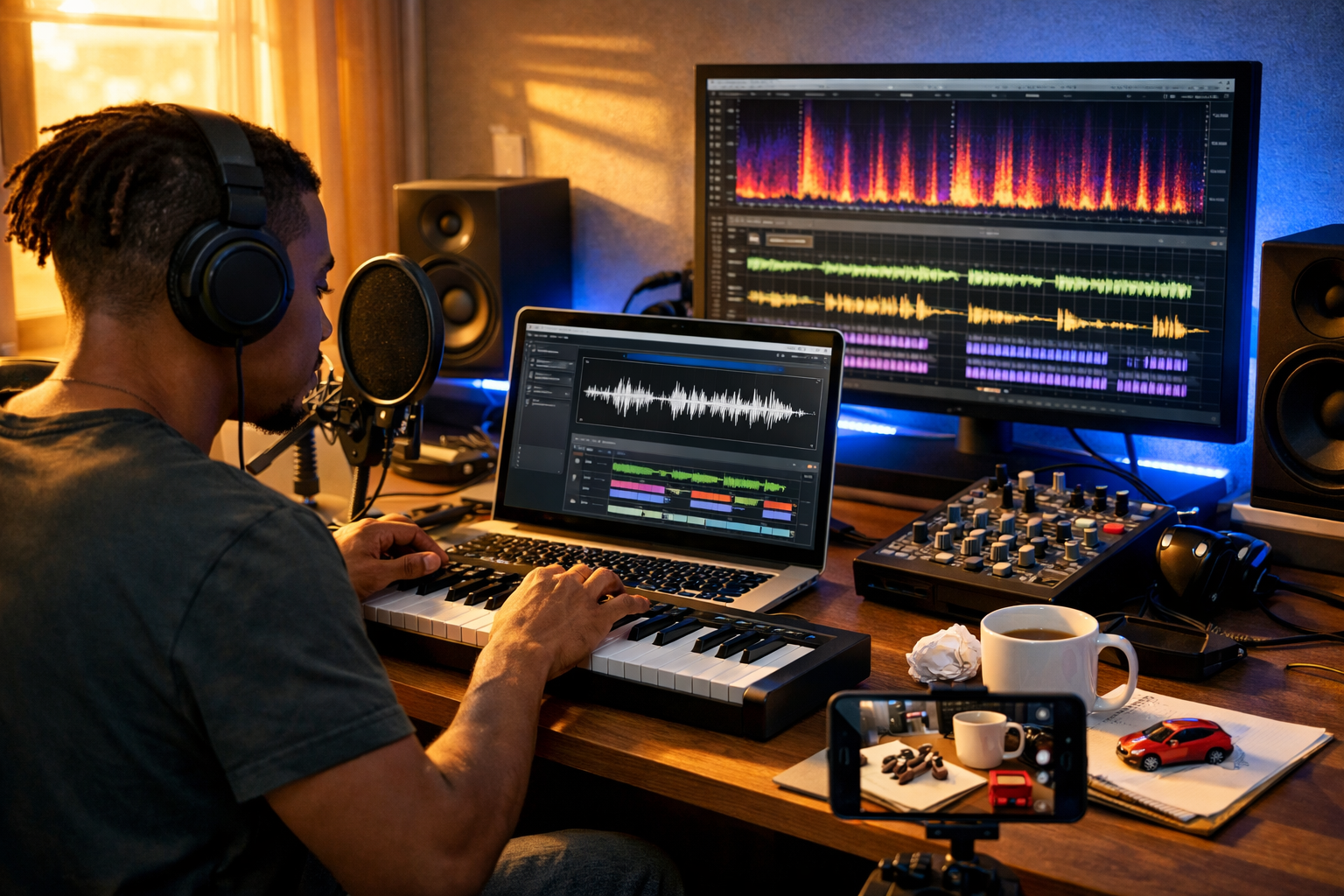
Knowing how to use AI for jingle and sound effect creation can cut days off your audio workflow, especially if you’re a startup, creator, or small marketing team without an in-house sound designer. With the right prompts and a simple review process, you can generate memorable brand jingles, UI sounds, podcast stings, and cinematic whooshes on demand—then refine them into broadcast-ready assets.
What AI can (and can’t) do for jingles and sound effects
AI audio generation is excellent at producing fast variations: multiple jingles in different moods, alternate endings, and a library of sound effects that match your brand style. It’s also great for bridging gaps—when you need “something like a soft notification chime” or “a punchy 2-second logo sting” immediately.
What AI still needs from you is direction and quality control. You’ll want to verify timing, clarity, and suitability for your platform (podcast, TikTok, app UI, video ad). You may also need to recreate or regenerate any element that feels off-brand or too busy.
Best use cases
- Brand jingles and logo stings (2–10 seconds)
- Podcast intros/outros and segment bumpers
- UI/UX sounds: taps, confirmations, error tones
- Video transitions: whooshes, hits, risers, drops
- Ambient beds: office ambience, city night, café room tone
When to avoid AI-only audio
- If you must replicate a recognisable existing jingle or protected sound mark
- If your compliance or licensing requirements demand fully documented source recordings
- If the project needs complex musical structure (multiple sections, long evolving composition) without human arrangement
A simple workflow: from brief to finished audio
The most reliable way to use AI for jingle and sound effect creation is to treat it like a rapid ideation engine, then apply a lightweight production checklist. This keeps output consistent and prevents “random cool sounds” that don’t fit your brand.
Step 1: Define your audio brief in 60 seconds
Before you generate anything, answer these:
- Purpose: logo sting, notification, transition, intro, comedic hit?
- Length: 0.2–1s for UI; 2–5s for stings; 8–15s for intros.
- Emotion: confident, playful, premium, calming, urgent.
- Instrumentation: synth, piano, ukulele, orchestral, lo-fi, chiptune.
- Tempo: slow (70–90 BPM), mid (100–120), fast (130–160).
- Brand references: “minimal and modern”, “warm and human”, “techy and crisp”.
Step 2: Generate variations (aim for 10–20)
AI output improves when you ask for variations with fixed constraints. Rather than generating one perfect jingle, generate a batch, then shortlist the best 2–3.
With Gen AI Last you can create audio quickly and keep the rest of your campaign aligned using our AI content tools—for example, generating matching video scripts, ad copy, thumbnails, and voice-overs for the same concept.
Step 3: Select, trim, and standardise loudness
For jingles and SFX, “professional” often means consistent loudness and clean start/end points. Trim silence, apply short fades (5–50ms), and target sensible loudness:
- Podcast stings: often around -16 LUFS (stereo) for final mixes
- UI sounds: prioritise clarity; keep peaks controlled (avoid harsh clipping)
- Video ads: keep SFX supportive, not overwhelming narration
If you’re not using a DAW, you can still do basic trimming and fades in many free editors. The key is consistency across your library.
Step 4: Export a sensible file set
Avoid re-exporting later by saving two formats:
- WAV (48kHz, 24-bit) for editing and video
- MP3/AAC (high bitrate) for quick previews and lightweight web use
Prompting basics: how to “direct” AI audio reliably
Great prompts for jingle and sound effect creation are specific about duration, mood, instrumentation, and mix character. Think like a producer: what should the listener feel, and what should the sound do inside a video or app?
Core prompt structure (copy/paste)
- Type: jingle / sting / whoosh / chime / impact / ambience
- Duration: exact seconds (or a range)
- Mood: 2–4 adjectives
- Instruments/sound design: specify 2–5 elements
- Tempo/key (optional): BPM and musical key
- Mix notes: clean, minimal, no distortion, soft attack, tight low-end
- Use context: “for a fintech app confirmation sound”, “for a YouTube intro”
Prompt templates for jingles
1) Minimal logo sting (modern brand)
“Create a 3-second logo sting. Mood: modern, confident, clean. Instruments: soft synth pluck, warm pad, subtle sub hit. Tempo: 110 BPM. Mix: crisp top end, no harshness, short reverb tail, ends cleanly for a cut.”
2) Playful startup jingle (friendly)
“Create a 6-second jingle for a friendly SaaS startup. Mood: upbeat, optimistic, quirky. Instruments: marimba, ukulele strum, hand claps, light bass. Include a memorable 4-note motif. Mix: bright, tight, no crowd noise.”
3) Premium boutique sting (luxury)
“Create a 4-second luxury logo sting. Mood: elegant, premium, cinematic. Instruments: felt piano, soft strings swell, gentle shimmer. Tempo: slow. Mix: spacious but not muddy, refined high-end, smooth fade out.”
Prompt templates for sound effects (SFX)
1) UI confirmation chime
“Create a 0.6-second UI confirmation chime for a mobile app. Mood: positive, subtle, non-intrusive. Sound: two-tone glassy synth bell, soft transient, minimal reverb. Ensure it’s audible at low volume.”
2) Soft error tone (not aggressive)
“Create a 0.8-second UI error sound. Mood: gentle, informative, not alarming. Sound: low marimba knock + muted synth buzz, quick decay, no distortion, no harsh highs.”
3) Video transition whoosh
“Create a 1.2-second whoosh transition for social video edits. Mood: modern, energetic. Sound: airy swoosh with subtle low-end movement, clean transient at the end, no metallic ringing.”
Building a recognisable “sonic brand” with AI
A jingle isn’t just a tune—it’s a system. The easiest way to build consistency is to define a small set of repeatable elements, then generate variations that reuse them.
Choose 3 sonic anchors
- Motif: a 3–5 note pattern that can be shortened for UI sounds
- Palette: 2–4 instruments (e.g., synth pluck + piano + soft pad)
- Space: dry and tight vs. airy and reverby (pick one default)
Then prompt AI to keep these constants while changing tempo, ending type (button ending vs. fade), or energy level. This is how you get an audio library that feels like one brand, not a random pack of sounds.
Create a micro library (what to generate first)
- Logo sting: 3–5 seconds
- Short sting: 1.5–2 seconds (same motif, shorter)
- UI confirm: 0.4–0.8 seconds (motif fragment)
- UI error: 0.5–1.0 seconds (minor variation, softer)
- Whoosh: 0.8–1.5 seconds (same tonal colour)
Practical examples: end-to-end creation scenarios
Scenario 1: A podcast intro sting that matches your host voice-over
If you already have a voice-over (or plan to generate one), build the sting around it. Keep the frequency range clear for speech and avoid busy melodies.
- Generate: 8–10 second intro bed with a clear downbeat for the VO entry
- Structure: 2 seconds “hook”, 6 seconds “bed”, 1 second “button ending”
- Mix note: “leave space for narration, no sharp highs”
In Gen AI Last, you can generate the narration and the background music in one place, then produce supporting assets (episode descriptions, social captions, audiograms) using our AI content tools.
Scenario 2: UI sounds for a fintech app (trustworthy, not childish)
Fintech UI sound design works best when it’s understated: quick confirmation tones, soft error cues, and minimal ambience. Your prompt should avoid “cartoon” cues like boings or exaggerated sparkles.
Prompt: “Create a set of 5 UI sounds for a fintech app: tap, confirm, success, error, notification. Each 0.2–0.8 seconds. Mood: trustworthy, modern, minimal. Sound palette: soft synth, gentle click transient, subtle low tone. Keep loudness consistent and avoid harsh sibilant highs.”
Scenario 3: Social video transitions for weekly ad creatives
If you publish a lot of short-form video, you’ll save time by creating a “transition pack”: 10–20 whooshes, hits, and risers that share the same tonal colour. Then editors can drag-and-drop without searching stock libraries.
- Create 5 short whooshes (0.6–1.0s) and 5 long whooshes (1.2–1.8s)
- Add 3 impact hits (0.3–0.6s) with controlled low end
- Add 3 risers (1–2s) for “reveal” moments
Once you have audio, you can generate the matching video variations, scripts, and on-screen copy with Gen AI Last’s video and text tools, keeping everything consistent across campaigns.
Quality checklist: make AI audio sound “made for you”
Run this checklist on every jingle and SFX before you ship it:
- Clean edges: no accidental silence at the start; no abrupt cut-offs at the end
- Controlled peaks: avoid clipping; keep transients pleasant
- Mono compatibility: UI sounds should work on phone speakers
- Brand fit: does it feel like your website/app tone of voice?
- Recognition: can you hum the motif after 2 listens (for jingles)?
- Context test: play it under a voice-over or inside your app prototype
Common mistakes (and how to fix them with better prompts)
Mistake 1: Prompts that are too vague
“Make a cool jingle” typically yields generic results. Add duration, tempo, palette, and an explicit use case.
Fix: “Create a 4-second modern logo sting for a B2B analytics platform, 120 BPM, synth pluck + soft pad, clean ending.”
Mistake 2: Overly complex music for short timings
A 2–3 second sting needs a simple hook. If you ask for too many elements, the result can feel messy.
Fix: Limit to 2–3 instruments and request “minimal arrangement”.
Mistake 3: SFX that fight your narration
High-frequency-heavy whooshes and sparkly risers often conflict with speech intelligibility.
Fix: Add “no piercing highs, keep midrange clear for voice-over” to your prompt, then reduce levels in the final mix.
Scaling production: create more assets without more headcount
The real benefit of AI is consistency at speed. Once you have your sonic anchors, you can generate:
- Seasonal variants (holiday sparkle, summer brightness) while keeping the same motif
- Platform variants (shorter for TikTok, slightly longer for YouTube)
- Campaign variants (more energetic for a launch, calmer for onboarding)
Because Gen AI Last bundles text, image, audio, and video generation in one subscription, you can build a full campaign system: generate the jingle, voice-over, ad script, product visuals, and short videos without hopping between tools. If you’re cost-conscious, view pricing from $10/month to get full access across formats.
Legal and brand safety basics (practical, not scary)
If you’re creating audio for commercial use, avoid prompts that intentionally mimic a specific famous jingle, brand sound, or recognisable artist style. Instead, describe the characteristics you want (tempo, instrumentation, emotional tone) and keep it original.
Also maintain an internal record of your prompts and versions, and store exported masters in a shared folder with consistent naming (e.g., brand_sting_v03_4s_120bpm.wav). This makes approvals and updates much easier.
Getting started quickly with Gen AI Last
If you want a fast, repeatable workflow for jingle and sound effect creation, start with one brand motif and generate a small library of core assets (sting, confirm, error, whoosh). Then expand with variations for each campaign.
- Generate 10 jingles/stings with fixed duration constraints
- Shortlist 2–3 and refine prompts to match your palette
- Build a mini SFX pack that reuses the same tonal colour
- Pair with AI voice-overs and videos for consistent campaigns
You can try the platform and begin generating assets straight away—start creating for free, then scale when you’re ready.
FAQ: how to use AI for jingle and sound effect creation
How long should a logo jingle be?
For most brands, 3–5 seconds is ideal. Shorter (1.5–2 seconds) can work as a “button ending” for social videos, while 6–10 seconds suits podcast intros.
How do I make AI-generated audio sound less generic?
Lock a small palette (2–4 instruments), define a repeatable motif, and regenerate variations that keep those constants. Then trim, fade, and standardise loudness so everything feels intentionally produced.
Can I use the same motif for UI sounds and jingles?
Yes—this is one of the best ways to build sonic branding. Use a fragment of the motif for confirmation tones and a fuller version for your logo sting or intro bumper.
What’s the fastest way to produce a full campaign?
Generate your audio (sting + SFX), then create the matching scripts, visuals, and short videos using the same creative brief. Gen AI Last supports text, image, audio, and video generation in one place, which reduces handoffs and tool switching.
Ready to Create with Generative AI?
Join thousands of creators using Gen AI Last to generate text, images, audio, and video — all from one platform. Start your 7-day free trial today.
Start Free — Try 7 DaysQuick Links
Create AI content from $10/month
View Plans