How to Use AI for Press Release Writing (Step-by-Step)
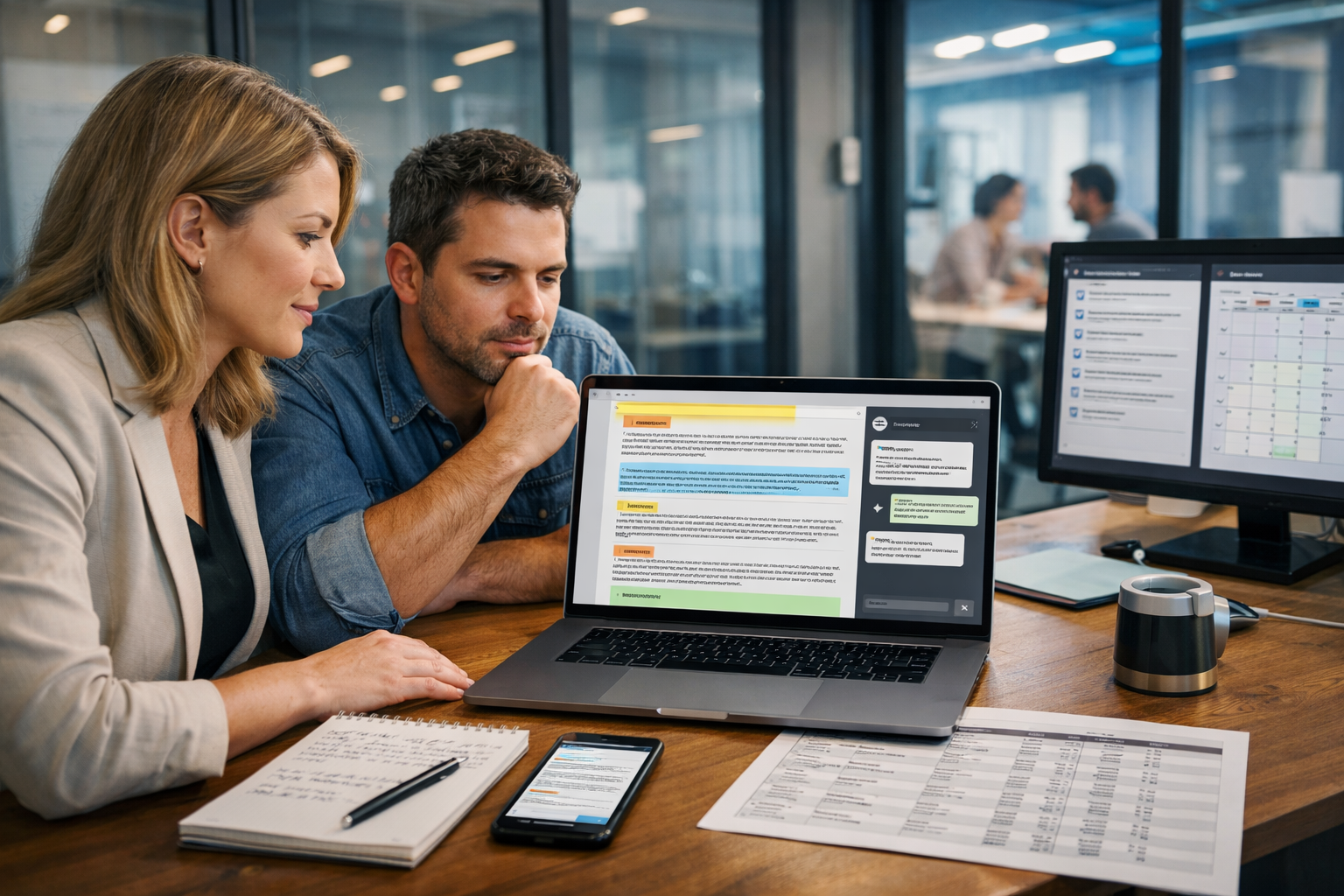
Knowing how to use AI for press release writing can cut your drafting time from hours to minutes—without sacrificing accuracy, credibility, or media-readiness. The key is treating AI as a structured assistant: you provide verified facts, constraints, and tone, then you edit like a professional PR lead. This guide walks you through a repeatable workflow (with prompts, templates, and examples) you can use with Gen AI Last to produce press releases that journalists can actually use.
What AI can (and can’t) do for press release writing
AI is excellent at turning structured inputs into clean, conventional press release copy: strong headlines, tight leads, sensible quote placement, and consistent formatting. It’s also great for generating multiple angles (customer benefit, industry trend, local impact) so you can pick what fits your news value.
What AI can’t do reliably is verify your claims, confirm numbers, or ensure compliance with regulations (for example, financial forward-looking statements, medical claims, or embargo rules). For that reason, the best results come from a “facts-first” workflow: you feed the model verified information and boundaries, and you keep final editorial control.
When AI is a good fit
- Product launches, feature releases, partnerships, funding announcements (with verified figures), awards, new hires, event announcements, reports and research summaries.
- Creating multiple versions for different audiences (industry trade press vs local press vs investors).
- Repurposing: turning a release into email pitches, social posts, a landing page outline, or a short explainer video script.
When you should be extra cautious
- Regulated industries (health, finance, legal) and anything involving claims about outcomes.
- Sensitive issues (security incidents, layoffs, legal disputes). Use AI only for structure and clarity, and involve stakeholders.
- Anything under embargo: avoid copying confidential details into tools unless you are comfortable with your risk posture.
A practical step-by-step workflow (built for AI)
Before you open an AI writer, gather a complete “press release brief”. This prevents generic output and reduces the risk of inaccuracies. Then use AI to draft, tighten, and format.
Step 1: Build a press release brief (10 minutes)
Use this checklist and paste it into your AI prompt as your ground truth:
- News hook: What changed? Why now?
- Who/what: Company name, product/service, key people involved.
- When/where: Date, location (or “Remote/Online”).
- Proof points: Verified stats, customer numbers, performance results, third-party validation.
- Target outlets: Trade press, local media, mainstream, investors, niche bloggers.
- Quotes: Named spokesperson + role + what they can credibly say.
- Call to action: Demo link, media kit, event registration.
- Boilerplate: Your standard “About” paragraph, website, contact details.
- Constraints: Word count, tone, no hype, no unverified claims, UK spelling.
If you want to streamline this process, draft your brief and your first release using our AI content tools so you can move from outline to full copy in one place.
Step 2: Ask AI for angles before you draft
Press releases fail most often because the angle is weak or overly promotional. Use AI to propose 5–8 possible angles, then choose one that a journalist would consider timely and relevant.
Prompt (angles): “Using the brief below, suggest 8 press release angles with a one-sentence rationale for each. Prioritise what would interest journalists. Avoid marketing language. Brief: [paste brief].”
Pick one primary angle and one secondary angle. This makes your headline and lead paragraph more focused.
Step 3: Generate 10 headline options (then edit)
A strong press release headline is specific, factual, and easy to scan. Ask AI for options, then rewrite the best two by hand to remove fluff.
- Keep it under ~90 characters if possible.
- Lead with the news (launch, partnership, funding, appointment).
- Avoid “revolutionary”, “ground-breaking”, and vague superlatives.
Prompt (headlines): “Write 10 headline options for a press release based on this angle: [angle]. Use UK spelling. Make them factual and specific. Avoid hype. Include company name in at least 5.”
Step 4: Draft the release in a standard structure
Journalists prefer familiar formatting. Use AI to produce the first full draft in a conventional layout:
- Headline
- Dateline (CITY, Country — Date)
- Lead paragraph (who/what/when/why it matters)
- Supporting paragraphs (detail, context, proof)
- Quote 1 (executive/spokesperson)
- Quote 2 (partner/customer/industry voice if available)
- Product/service details or availability
- Boilerplate “About”
- Media contact
- ### (end)
Prompt (full draft): “Write a press release using the standard structure (headline, dateline, lead, supporting paragraphs, 1–2 quotes, boilerplate, media contact, ###). Constraints: 450–650 words, UK spelling, neutral journalistic tone, no unverified claims, no exclamation marks. Use only the facts in the brief. If information is missing, insert [NEEDS CONFIRMATION]. Brief: [paste].”
Step 5: Make the quotes sound human (and credible)
AI-generated quotes often read like generic corporate filler. Fix this by giving AI real talking points (or rough notes) and instructing it to keep the language concrete.
- Tie each quote to one idea: problem, insight, decision, or next step.
- Include a detail that only your spokesperson would know (timeline, customer feedback theme, operational change).
- Avoid stacking adjectives; add one measurable or verifiable point if possible.
Prompt (quote polishing): “Rewrite these two quotes to sound like a real spokesperson: clear, specific, no clichés. Keep meaning and facts unchanged. Quote 1: [text]. Quote 2: [text].”
Step 6: Run an “accuracy and compliance” pass with AI (then verify)
Use AI as a second set of eyes to spot inconsistencies, missing details, or risky language—then you verify the flagged items against your source documents.
Prompt (risk scan): “Review this press release for: factual claims that need sources, vague statements, potential compliance risks, and missing key details (who/what/when/where/why). Output a checklist of issues and suggested fixes. Press release: [paste].”
Important: do not rely on AI to “confirm” facts. Use it to identify what needs confirmation.
Step 7: Create variations for different channels
A single press release is rarely the full campaign. With Gen AI Last you can generate supporting assets quickly—without paying for multiple tools. If you’re a startup or small team, this is where the time savings become meaningful.
- Email pitch: 120–180 words tailored to one journalist/outlet.
- Short version: 200–250 words for a newsroom page.
- LinkedIn post: 1–2 paragraphs plus 3 bullet highlights.
- X/Twitter thread: 5–7 posts with one key takeaway each.
- Media kit copy: Fact sheet + FAQs.
You can access text, image, audio, and video generation in one subscription—view pricing from $10/month—which is especially useful when your release needs campaign visuals and a quick explainer.
Press release prompts you can copy and paste
These prompts are designed to produce press-ready output with minimal waffle. Replace the bracketed sections with your details.
1) Press release outline prompt
Prompt: “Create a press release outline (headings + bullet points) for the following announcement. Include the best news angle, suggested headline, lead paragraph bullets, proof points needed, quote talking points, and a boilerplate checklist. Constraints: UK spelling, neutral tone. Details: [paste brief].”
2) Journalist-friendly draft prompt (no fluff)
Prompt: “Write a journalist-friendly press release draft. Keep sentences short, avoid buzzwords, avoid claims without proof, and prefer specifics over adjectives. Include: headline, dateline, 4–6 body paragraphs, 2 quotes, availability/pricing if provided, boilerplate, media contact, ###. Word count 500–650. Facts only from: [paste brief].”
3) Quote generation from raw notes
Prompt: “Turn these rough spokesperson notes into one press quote (40–60 words). Keep it realistic and grounded, no clichés, no hype. Notes: [paste]. Spokesperson: [name, title].”
4) Editorial tightening prompt
Prompt: “Edit this press release for clarity and concision. Keep meaning the same, keep facts unchanged, remove repetition, replace vague phrases with specific ones where possible, and ensure UK spelling. Provide: (1) revised version, (2) bullet list of key changes. Text: [paste].”
5) Media pitch email prompt (tailored)
Prompt: “Write a personalised email pitch to a journalist at [Outlet] who covers [beat]. Keep it 140–170 words. Include: subject line, 1-sentence why it matters to their audience, 3 bullet highlights, one line offering interview access, and a link placeholder to the full release. Use a helpful, non-sales tone. Press release: [paste].”
Example: AI-assisted press release (mini sample)
Below is a shortened example to show what “specific and news-led” looks like. Use it as a style reference (not a plug-and-play template).
Headline: Northbridge Analytics launches real-time inventory forecasting for Shopify retailers
LONDON, UK — 11 April 2026 — Northbridge Analytics today announced the launch of Forecast Live, a real-time inventory forecasting tool designed for Shopify retailers managing fast-moving product lines. The feature updates demand projections every 30 minutes using sales velocity, stock levels, and supplier lead times.
Forecast Live is available immediately for Northbridge customers on the Growth plan and above. The company says early users reduced stock-outs by 18% over eight weeks, based on internal reporting across 22 stores.
“Retailers don’t need another dashboard—they need forecasts they can act on before they run out of stock,” said Aisha Khan, CEO at Northbridge Analytics. “We built Forecast Live to surface the next best reorder decisions in a way that’s simple enough to use daily.”
###
How to use Gen AI Last to ship the full PR package (not just the text)
Press releases perform better when they’re supported by ready-to-use assets: a hero image, a short product clip, and a clean spokesperson soundbite. Gen AI Last helps you create those in one workflow.
1) Generate press release variations and supporting copy
Use AI text generation to produce: the long-form release, a short version, outlet-specific pitches, a newsroom FAQ, and a founder LinkedIn post. Keep one “source of truth” brief and regenerate only the sections you need to change (headline, lead, quote, CTA).
If you haven’t tried it yet, start creating for free and build your reusable PR prompt library (brief template, angle prompt, risk scan prompt, pitch template).
2) Create a media-ready hero image
For many outlets, a clean image increases pickup—especially for online publications. With AI image generation, produce a simple, editorial-style visual: product in use, founder portrait, or a contextual shot that matches the story. Keep it realistic, avoid text overlays, and ensure it doesn’t misrepresent the product.
3) Produce a 15–30 second announcement video
A short video can help social teams and smaller publications. Use Gen AI Last’s video generation to create: a product demo clip, a simple animated explainer, or a teaser for an event announcement. Keep the message aligned with the release headline and lead—consistency matters for trust.
4) Add a voice-over or audio snippet
AI audio is useful when you want quick narration for a product clip or an audio version of the announcement for accessibility. Keep the script tight and factual, and always review pronunciation (names, locations, technical terms) before publishing.
Best practices journalists expect (AI or not)
AI won’t save a release that ignores PR fundamentals. Use these rules to keep your output publishable.
Write for scanning
- Front-load key facts in the first 2 sentences.
- Use short paragraphs (2–3 sentences).
- Keep the release ideally 400–700 words unless you have genuine complexity.
Include proof points and context
- If you mention growth, give a timeframe and source.
- If you claim “first”, define the category and be prepared to substantiate it.
- If you cite customer results, state how measured and over what period.
Use quotes to add meaning, not marketing
- A quote should interpret the news (why it matters, what changes, what’s next).
- Avoid repeating the lead paragraph in different words.
- Keep it believable: executives rarely speak in slogans.
Don’t bury the practical details
Availability, pricing (if public), regions supported, and a clear next step (demo link, trial, event sign-up) are what turn a “nice story” into something actionable.
Common mistakes when using AI for press release writing
- Feeding AI vague inputs: you’ll get vague copy. Provide numbers, timelines, and constraints.
- Letting AI invent detail: instruct it to flag unknowns as [NEEDS CONFIRMATION].
- Over-optimising for buzzwords: press releases aren’t SEO blogs; clarity beats keyword stuffing.
- Forgetting the audience: a trade journalist and a local reporter need different context.
- Skipping human editing: do at least one pass for tone, one for factual accuracy, one for formatting.
Press release template (copy-ready)
Use this template as the structure you ask AI to fill. You can paste it into Gen AI Last and instruct the model to complete each bracket using your verified brief.
[Headline: factual, specific]
[CITY, Country — Date] — [Company] today announced [news]. [One sentence on why it matters / who it helps].
[Paragraph 2: key details — what changed, what’s included, where/when available].
[Paragraph 3: proof points — stats, customer numbers, validation, context].
“[Quote 1: insight + specificity],” said [Name], [Title], [Company].
“[Quote 2: partner/customer perspective],” said [Name], [Title], [Organisation].
[Final body paragraph: next step, demo link, event registration, media assets].
About [Company]
[Boilerplate: what you do, who you serve, where based, website].
Media contact
[Name]
[Email]
[Phone]
[Website]
###
Putting it all together
If you want to master how to use AI for press release writing, focus on inputs and process: create a verified brief, ask AI for angles, generate a structured draft, tighten the quotes, and run an accuracy checklist. Then repurpose the release into pitches and campaign assets so the announcement actually travels.
To produce the release and the supporting content (copy, visuals, short video, and audio) from one place, explore our AI content tools or view pricing from $10/month for full access across text, image, audio, and video.
Ready to Create with Generative AI?
Join thousands of creators using Gen AI Last to generate text, images, audio, and video — all from one platform. Start your 7-day free trial today.
Start Free — Try 7 DaysQuick Links
Create AI content from $10/month
View Plans