How to write 100 product descriptions in one hour with AI
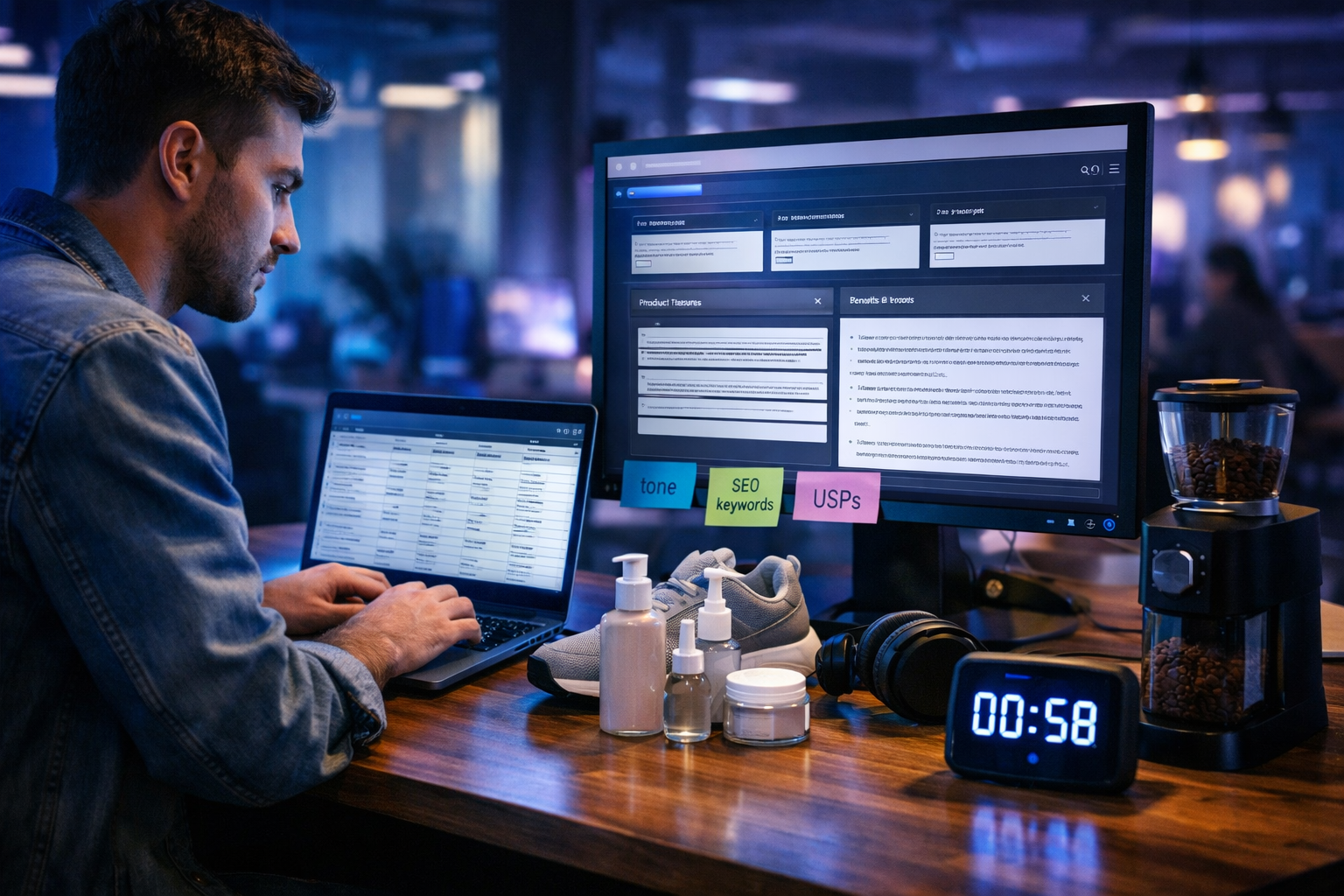
If you’ve ever tried writing product descriptions at scale, you know the bottleneck isn’t creativity—it’s time, consistency and quality control. This guide shows you exactly how to write 100 product descriptions in one hour with AI using a repeatable workflow: a clean product data sheet, a description template, a “bulk prompt” method, and a fast QA pass so the copy still sounds human, on-brand and conversion-focused.
What “100 descriptions in one hour” really requires
Writing 100 descriptions in 60 minutes is realistic when you treat the work like a production line. AI can generate the first draft in seconds, but you’ll only hit the hour target if you prepare your inputs and your rules (tone, format, claims, SEO) before you generate. The goal isn’t 100 random paragraphs—it’s 100 consistent, accurate descriptions that match your brand voice and reduce returns by setting clear expectations.
A practical breakdown for one hour:
- 10 minutes: organise product data + decide a single description format
- 35 minutes: generate in batches (10–25 products per batch)
- 10 minutes: QA sweep (accuracy, tone, repetition, forbidden claims)
- 5 minutes: export, paste to your CMS, and spot-check on-page
Step 1: Build a “description-ready” product sheet (10 minutes)
AI performs best when your inputs are structured. Before you write anything, create a simple spreadsheet (or export from Shopify/WooCommerce) with the minimum fields AI needs to write accurate copy. For 100 SKUs, resist the temptation to include everything—include what changes the buyer’s decision.
Minimum columns to include
- Product name (exact)
- Category (e.g., “men’s trainers”, “vitamin C serum”)
- Top 3–6 features (materials, size, compatibility, key specs)
- Primary benefit (what problem it solves)
- Target customer (beginner, pro, gift-buyer, eco-focused)
- SEO keyword (one per product, plus optional secondary terms)
- Proof/claims constraints (e.g., “no medical claims”, “don’t mention BPA-free unless certified”)
If your catalogue is messy, prioritise accuracy over speed. Incorrect size, compatibility or ingredients will create returns, complaints, and compliance issues.
Step 2: Choose one format that converts (and stick to it)
The fastest way to generate at scale is to force consistency. Pick one description structure that fits your product type and your store theme. Here are two formats that work well for most eCommerce sites.
Format A: Short + scannable (best for mobile)
- 1–2 sentence hook (benefit-led)
- 3 bullet points (features translated into outcomes)
- One line “Ideal for…” (customer fit)
- Care/compatibility note (reduces returns)
Format B: SEO-friendly paragraph + bullets (best for organic search)
- 80–120 word paragraph including the primary keyword naturally
- 4–6 bullets: specs, materials, sizes, what’s included
- Micro-FAQ (1–2 lines) answering the top objection
Whichever you choose, codify it as a “template” that AI must follow—this is how you keep output uniform across 100 products.
Step 3: Set your brand voice rules once (so you don’t fix 100 drafts)
Most AI-generated product copy fails because it’s vague, overhyped, or inconsistent. Fix that upfront by defining guardrails. Put these rules directly into your prompt so every batch follows them.
- Tone: e.g., “confident, friendly, no clichés, no exclamation marks”
- Reading level: clear, simple sentences, avoid jargon unless necessary
- Claims: no medical/therapeutic claims; no sustainability claims unless provided
- SEO: include the primary keyword once in the first 40 words; avoid keyword stuffing
- Uniqueness: vary openings and avoid repeated phrases across products
Step 4: Use Gen AI Last to generate in bulk (the 35-minute engine)
With your sheet and template ready, you can generate batches quickly using Gen AI Last’s AI Text Generation. You’ll get the speed of automation while keeping control over structure and accuracy. If you also need matching visuals later (product lifestyle images, banners, social graphics), you can do that in the same platform via image, video and audio generation—handy for small teams keeping costs down.
Explore our AI content tools to generate product copy, marketing images, voice-overs and short promos from the same workflow.
The “batch prompt” method (10–25 products at a time)
Instead of prompting product-by-product, paste a batch of rows (10–25) and ask for output in a strict format (e.g., JSON or CSV-like blocks). This reduces time spent copying and reformatting.
Copy-and-paste prompt template (edit once, reuse)
Prompt:
You are an eCommerce copywriter. Write product descriptions for the products listed below.
- Output format (must follow exactly): For each product, return: ProductName | SEOTitle (max 60 chars) | MetaDescription (max 155 chars) | Description (Format B) | Bullets (4–6) | IdealFor (one line) | CareOrCompatibility (one line).
- Tone: British English, clear and specific, no hype, no clichés, no exclamation marks.
- SEO: Use the provided PrimaryKeyword once in the first 40 words. Do not repeat it more than twice total.
- Accuracy rules: Only use facts from the input. If a detail is missing, omit it—do not guess.
- Uniqueness rule: Vary the first sentence across products. Do not reuse the same opening phrase.
- Compliance rule: Follow the Constraints field exactly.
Products (one per line):
[PASTE 10–25 ROWS HERE IN A CONSISTENT FORMAT]
Example input (3 products)
- Name: “SeaGlow Vitamin C Serum 30ml” | Category: skincare | Features: 10% vitamin C, hyaluronic acid, fragrance-free, glass bottle | Benefit: brighter-looking skin | Target: sensitive skin | PrimaryKeyword: vitamin c serum for sensitive skin | Constraints: no medical claims, don’t mention ‘dermatologist approved’
- Name: “TrailFlex Men’s Running Trainers” | Category: footwear | Features: breathable mesh, rubber grip sole, 280g (size 9), neutral support | Benefit: comfortable daily runs | Target: beginners | PrimaryKeyword: men’s running trainers for beginners | Constraints: don’t claim injury prevention
- Name: “BrewPro Manual Coffee Grinder” | Category: coffee gear | Features: stainless steel burr, 30g capacity, adjustable grind, travel pouch | Benefit: consistent grind anywhere | Target: home baristas | PrimaryKeyword: manual coffee grinder with burr | Constraints: don’t claim ‘best’, avoid superlatives
Example output (one product, shortened)
SeaGlow Vitamin C Serum 30ml | SEOTitle: Vitamin C Serum for Sensitive Skin (30ml) | MetaDescription: Vitamin C serum for sensitive skin with 10% vitamin C and hyaluronic acid. Fragrance-free hydration for a brighter-looking complexion. | Description: Looking for a vitamin c serum for sensitive skin that keeps things simple? SeaGlow combines 10% vitamin C with hyaluronic acid to support a brighter-looking, more even finish without added fragrance. The lightweight formula layers easily under moisturiser and makeup, making it a practical daily step for a clearer-looking glow. | Bullets: 10% vitamin C for a brighter-looking appearance; Hyaluronic acid for comfortable hydration; Fragrance-free formula suited to sensitive routines; 30ml glass bottle for everyday use | IdealFor: Anyone building a straightforward brightening routine for sensitive skin | CareOrCompatibility: Patch test first and avoid direct contact with eyes
Step 5: Prevent “samey” AI copy with three quick tactics
When you generate 100 descriptions, repetition is the silent killer. Use these tactics to keep copy varied without losing your structure.
1) Rotate hooks (provide AI with a hook bank)
Add a list of 8–12 permissible opening styles and tell AI to alternate. For example: a problem-solution opener, a “designed for” opener, a material-led opener, a use-case opener.
- “Designed for…”
- “If you want X without Y…”
- “Made from…”
- “A practical choice for…”
2) Force specificity (ban vague adjectives)
Tell AI to avoid words like “premium”, “high-quality”, “amazing”, “perfect”. Replace them with measurable details: sizes, weights, materials, compatibility, what’s included, and real outcomes.
3) Use category micro-templates
If your 100 products span different categories (e.g., skincare, electronics, homeware), keep one global structure but add category-specific lines. For example, skincare: usage frequency + skin type note; electronics: compatibility + what’s in the box; apparel: fit guidance + fabric care.
Step 6: Do a 10-minute QA pass that catches the real risks
Your QA pass should be fast and ruthless. You’re not rewriting—just preventing costly errors and improving conversion clarity.
The rapid QA checklist (scan in this order)
- Accuracy: sizes, materials, compatibility, capacity, what’s included.
- Claims/compliance: no forbidden claims (medical, sustainability, performance guarantees).
- Repetition: identical first lines or repeated phrases across multiple products.
- Clarity: remove fluff, ensure benefits are obvious.
- SEO hygiene: keyword present once early; no awkward stuffing.
Tip: sort by category and QA in groups. Your brain catches inconsistencies faster when products are similar.
Step 7: Make the output CMS-ready (without wasting time)
Decide where the final descriptions will live: Shopify product body HTML, WooCommerce short description + description, or a PIM. Ask AI to output in a paste-friendly structure. If your theme prefers bullets, keep bullets as plain lines so you can paste and format quickly.
If you’re building a lean stack, Gen AI Last is priced to suit small teams—text, image, audio and video in one place. You can view pricing from $10/month and avoid paying separate tools for each content type.
Optional: Pair descriptions with AI images, videos and voice (same hour, next sprint)
Once your copy pipeline is working, you can extend it into a full product content system:
- AI Image Generation: create consistent lifestyle images (e.g., “product on kitchen counter at golden hour”) for collections, ads and social posts.
- AI Video Generation: turn key bullets into 10–15 second reels (problem → product → outcome) for TikTok/Instagram.
- AI Audio Generation: generate voice-overs for product demos or simple explainer clips.
The advantage of an all-in-one platform is consistency: you can reuse the same product sheet, the same benefit statements and the same brand voice across every asset.
Common pitfalls (and how to avoid them)
Pitfall 1: Letting AI “fill in the blanks”
If you don’t provide a detail, AI may invent one. Fix this by explicitly instructing: “If missing, omit it—do not guess.” Then QA the highest-risk attributes (ingredients, dimensions, compatibility).
Pitfall 2: Over-optimising for SEO
Keyword stuffing reduces trust and can harm conversions. Use one primary keyword, then write naturally. Google and shoppers both prefer clear, helpful copy.
Pitfall 3: Forgetting the buyer’s objections
Descriptions that only list features don’t sell. Add one line that answers the likely objection: fit, compatibility, sensitivity, maintenance, what’s included, or who it’s for.
A one-hour workflow you can reuse every week
Here’s the repeatable system to write 100 product descriptions in one hour with AI:
- Export/prepare a product sheet with the minimum useful columns.
- Choose one description format (mobile-first or SEO-first).
- Set brand voice + compliance rules once.
- Generate in batches (10–25 products) using a strict output format.
- Run a 10-minute QA sweep focused on accuracy, claims and repetition.
- Publish, then spot-check live pages for layout and readability.
Ready to generate your first 100?
If you want to move faster without sacrificing quality, Gen AI Last helps you generate product descriptions at scale—and then create matching images, videos and voice-overs when you’re ready. Use the prompt template above, start with one category, and you’ll have a production process you can repeat whenever new SKUs land.
start creating for free and turn your product sheet into publish-ready descriptions in minutes.
Ready to Create with Generative AI?
Join thousands of creators using Gen AI Last to generate text, images, audio, and video — all from one platform. Start your 7-day free trial today.
Start Free — Try 7 DaysQuick Links
Create AI content from $10/month
View Plans