How to Write Amazon Product Listings With AI (Step-by-Step)
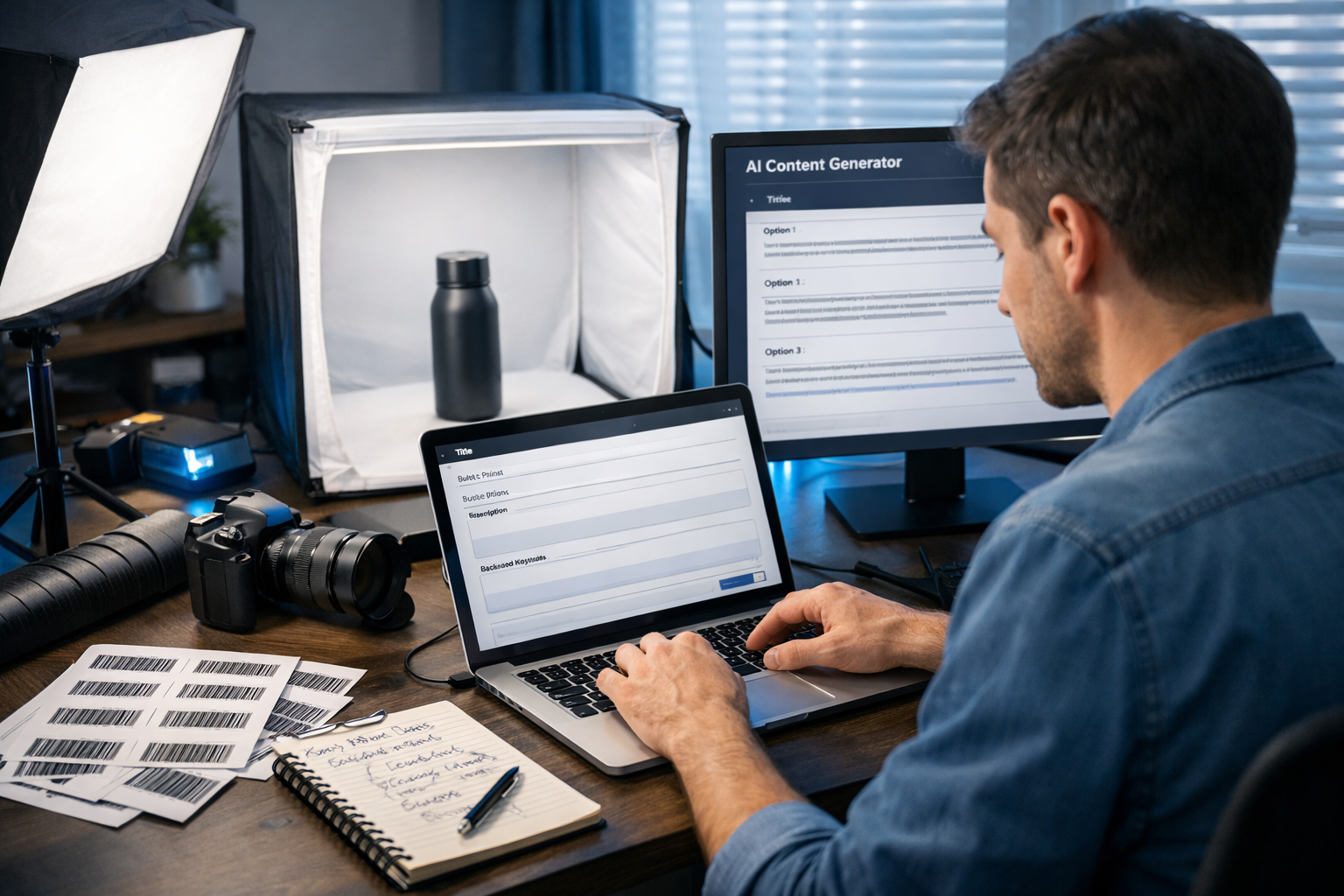
If you sell on Amazon, your listing is your storefront: it has to rank for the right searches, communicate value in seconds, and stay within Amazon’s rules. AI can help you do all of that faster—if you feed it the right inputs, use a structured workflow, and apply human judgement before you publish.
What “writing Amazon product listings with AI” really means
Using AI for Amazon listings isn’t about pressing a button and hoping for sales. The best results come from combining your product knowledge (facts, differentiation, target customer, compliance) with AI’s ability to draft, reframe, and optimise copy at scale. A strong AI-assisted listing typically improves:
- Clarity: benefits and key details are instantly understandable.
- Search relevance: you naturally include high-intent keywords without keyword stuffing.
- Conversion: stronger bullets, better objections handling, and clearer differentiation.
- Consistency: variants, bundles, and ranges stay aligned in tone and structure.
Gen AI Last makes this practical because you can generate text, images, video and audio from prompts in one place—ideal when you’re building listings and the supporting creative (images, short product demo clips, voiceovers) at the same time. Explore our AI content tools to use the same workflow across your entire Amazon content stack.
Before you prompt AI: gather the inputs that matter
AI copy is only as accurate as the information you provide. Create a simple “listing brief” before you generate anything.
Your Amazon listing brief (copy-and-paste checklist)
- Product basics: brand, model name/number, colour, size, material, pack count, what’s included.
- Target customer: who it’s for, typical use cases, pain points, “must-have” criteria.
- Differentiators: what you do better (proof: test results, certifications, warranty, unique design).
- Constraints: Amazon style guide rules, restricted claims, regulated terms, character limits.
- Keywords: primary keyword + 10–30 secondary phrases (from Amazon suggestions, competitor listings, or keyword tools).
- Objections: common hesitations (fit, durability, compatibility, cleaning, noise, smell).
Tip: If you don’t have formal keyword data yet, start with Amazon search autocomplete (type your main term and note suggestions) and competitor listing language (especially repeated phrases in titles and bullets). Then ask AI to organise and prioritise them by intent.
Step-by-step: how to write Amazon product listings with AI
Below is a repeatable workflow you can use for any category. The examples reference an “insulated stainless-steel water bottle” to keep it concrete—swap in your product details.
Step 1: Ask AI to build a keyword map (not just a keyword list)
A keyword map links phrases to what the shopper is trying to do—so you know where each term belongs (title vs bullets vs description vs backend terms).
Prompt (paste into Gen AI Last text generator):
You are an Amazon listing SEO specialist. Using the keywords below, create a keyword map for an Amazon listing. Group into: Primary (highest intent), Secondary (supporting), Feature keywords, Use-case keywords, Compatibility/size keywords, and “avoid/overclaim” terms. Then recommend where to place each group: title, bullets, description, A+ (if applicable), backend search terms. Keywords: [paste your keyword list]. Product: [paste your product brief].
Outcome: you get a placement plan that prevents overstuffing and keeps copy natural.
Step 2: Generate 10 title options and select one based on rules
Amazon title requirements vary by category, but broadly: start with the primary keyword, include critical attributes, keep it readable, and avoid spammy punctuation or subjective claims. Use AI to propose options, then choose the best fit for your category rules.
Prompt:
Write 10 Amazon product titles for this product. Constraints: include the primary keyword near the start; include size/capacity, key material, and top differentiator; avoid all caps, excessive symbols, and unverified superlatives. Target 160–180 characters unless category requires less. Product brief: [paste]. Keyword map: [paste].
Example title (water bottle): Insulated Water Bottle 750ml, Stainless Steel Double Wall, Leakproof Lid, Keeps Drinks Cold 24h/Hot 12h, BPA-Free Sports Bottle for Gym, Hiking & Work
Quick human check before publishing:
- Does it match the product exactly (capacity, material, included accessories)?
- Is the primary keyword present and natural?
- Any restricted claims (medical, “guaranteed”, “best”, etc.)?
Step 3: Write 5 bullets that sell outcomes (and answer objections)
Bullets are where you win the click-to-cart decision. Great bullets combine a benefit headline with proof and specifics. Ask AI for multiple styles, then keep the clearest version.
Prompt:
Create 5 Amazon bullet points for this product. Each bullet should follow: Benefit (3–6 words) + detail/proof + who it’s for. Include secondary keywords naturally. Address common objections: [list]. Keep bullets scannable and avoid hype. Product brief: [paste]. Keyword map: [paste].
Example bullets (shortened):
- All-day temperature control: Double-wall insulation helps keep drinks cold up to 24 hours or hot up to 12—ideal for commuting and outdoor days.
- Leakproof, bag-friendly lid: Silicone seal and secure twist cap reduce spills in backpacks, gym bags and prams.
- Comfortable to carry: Powder-coated grip and slim profile fits most cup holders and bike cages (check dimensions below).
- Clean taste, easy cleaning: BPA-free materials and wide mouth for ice; hand-wash recommended for longest life.
- Built to last: Food-grade stainless steel with a 12-month warranty—great for daily use at work, school or travel.
Step 4: Draft the description for humans (and the algorithm)
Depending on your brand setup, shoppers may see A+ content instead of a long description. Still, the description matters for completeness, indexing, and mobile contexts. Use AI to create a clean, readable description with short paragraphs and mini sections.
Prompt:
Write an Amazon product description in a helpful, UK English tone. Structure: short intro, “Key benefits”, “What’s included”, “Specs & care”, and “Who it’s for”. Weave in secondary keywords naturally. No medical claims or unverifiable promises. Product brief: [paste]. Keyword map: [paste].
Step 5: Create A+ content copy (module-ready)
A+ content (if you have Brand Registry) boosts conversion by clarifying value visually. AI helps you write module headlines and tight paragraphs that match your brand voice.
Prompt:
Create A+ content copy for Amazon. Provide: 1 hero headline (max 45 chars), 3 feature module headings (max 30 chars each) with 60–90 word body copy, 1 comparison chart row copy (3 competing features), and 1 brand story section (80–120 words). Tone: premium but practical. Product brief: [paste].
If you also need supporting visuals, Gen AI Last can generate on-brand marketing images to match each module concept. This is especially useful when you’re launching quickly and need lifestyle scenes plus clean product-focused graphics.
Step 6: Generate backend search terms safely
Backend terms should expand coverage without repeating what’s already in the title/bullets, and without adding irrelevant terms. Don’t include competitor brands or misleading terms.
Prompt:
Generate backend search terms for an Amazon listing (UK). Output a single line under 250 bytes (approx). Include relevant synonyms and long-tail phrases not already in the title/bullets. Exclude competitor brands, prohibited terms, and punctuation. Product brief: [paste]. Title and bullets: [paste].
Using AI for Amazon images, video, and audio (often overlooked)
Copy alone rarely wins on Amazon. Your visual stack does heavy lifting: it communicates quality, scale, use cases, and differentiation instantly. With Gen AI Last, you can generate supporting creative alongside your text—without juggling multiple tools.
AI image generation for listing galleries
Use AI images for lifestyle scenes, feature callouts (without text baked into the image if you plan to add compliant overlays later), and concept mock-ups. Always ensure final images reflect the real product accurately (shape, colour, accessories). For the main image, follow Amazon’s category rules—AI can help you plan, but you still need compliant final assets.
Practical image prompt idea: “Create a photorealistic lifestyle scene of [product] being used by [target customer] in [setting], showing [key feature] clearly, neutral background elements, soft natural light, 16:9, no text.”
AI video generation for product demos and ads
Short product demos improve understanding and reduce returns. Use AI video to draft simple explainer sequences: problem → solution → key features → how to use → what’s included. Keep it accurate and aligned to your real product and packaging.
- Create a 15–30 second “how it works” clip for your Storefront.
- Turn your top 3 bullets into scenes (one benefit per scene).
- Repurpose for social reels to drive external traffic.
AI audio for voiceovers and narration
If you’re making videos, AI voiceovers help you produce consistent narration quickly (especially for multi-language expansions). Keep the script simple, factual, and compliant—no exaggerated claims.
A complete prompt template (fill in the blanks)
Use this single “master prompt” to generate a first draft of an entire listing, then refine each section.
Master prompt:
You are an Amazon listing expert. Write an optimised Amazon product listing in UK English for the product below. Provide: (1) 10 title options, (2) 5 bullet points, (3) a description with sections, (4) A+ module copy, (5) backend search terms, and (6) a compliance check list of any risky claims/wording. Requirements: include primary keyword near the start of title; use secondary keywords naturally; avoid keyword stuffing; no competitor brands; no medical/guaranteed claims; match all facts exactly. Product brief: [paste]. Primary keyword: [paste]. Secondary keywords: [paste]. Target customer: [paste]. Differentiators: [paste]. Objections to address: [paste].
Quality control: how to keep AI listings accurate and Amazon-safe
AI can hallucinate features, certifications, and performance claims. Treat your final edit like compliance and customer service insurance.
- Fact check every spec: dimensions, materials, compatibility, included items, warranty length.
- Replace vague claims with proof: “durable” → “304 stainless steel body”; “fast” → “charges in X hours” (only if true).
- Avoid restricted language: medical claims, “cure”, “FDA approved” (unless verified), “best”, “#1”, “guaranteed”.
- Check category style guides: title length, bullet formatting, prohibited terms, image rules.
- Match the intent: don’t target keywords that imply a different product type (it can hurt conversion and increase returns).
Optimisation tips that improve ranking and conversion
Once your first version is live, iterate based on what Amazon and customers tell you.
Use reviews and Q&A as your next prompt input
Paste recurring customer questions and review phrases into Gen AI Last and ask it to:
- write new bullet variants that address the top 3 concerns,
- suggest missing images (size guide, “what’s in the box”, comparison),
- propose clearer wording to reduce misunderstandings.
Create listing variants for A/B style testing (without breaking rules)
You can’t always run formal A/B tests depending on your setup, but you can still iterate methodically: change one element at a time (title, first bullet, main image order) and track conversion and keyword movement over a consistent period.
Maintain brand consistency across a product range
If you sell multiple SKUs, ask AI to build a “brand voice” guideline (tone, banned words, formatting rules) and then generate listings using that standard. This makes your Storefront feel cohesive and improves shopper trust.
Common mistakes when writing Amazon listings with AI (and how to fix them)
- Mistake: Copy that sounds polished but says nothing specific. Fix: Add measurable details (capacity, material grade, compatibility, what’s included).
- Mistake: Keyword stuffing that hurts readability. Fix: Use a keyword map and place terms where they make sense.
- Mistake: Unverified claims (e.g., “clinically proven”). Fix: Force AI to include only claims supported by your evidence; add a compliance review step.
- Mistake: Forgetting the customer’s context. Fix: Prompt for use cases (“commuting”, “school”, “camping”) and objections (“will it fit cup holders?”).
- Mistake: Treating images and video as an afterthought. Fix: Generate a visual plan: 7-image storyboard + a 20-second demo script.
Recommended workflow with Gen AI Last (fast, affordable, scalable)
A practical way to implement this without hiring multiple specialists:
- Text: Generate keyword map → titles → bullets → description → A+ copy using the prompts above.
- Images: Generate lifestyle concepts and feature visuals; then align final images to Amazon compliance.
- Video: Generate a short demo sequence (problem/solution/features) for your Storefront and ads.
- Audio: Create a clear voiceover for the video (or multiple languages if expanding).
- Iterate: Use reviews, Q&A, and performance data to update copy monthly.
Because Gen AI Last includes text, image, video, and audio generation in every plan, it’s a cost-effective setup for small teams. You can view pricing from $10/month or start creating for free and build your first listing draft today.
FAQ: how to write Amazon product listings with AI
Will Amazon penalise AI-written listings?
Amazon focuses on policy compliance and customer experience. If your listing is accurate, compliant, and helpful, it’s the outcome that matters. The risk comes from misinformation, prohibited claims, or spammy keyword use—not from using AI as a drafting tool.
How do I keep AI copy from sounding generic?
Feed it specifics (materials, dimensions, test results, warranty terms, what’s included) and ask for “benefit + proof + use case” bullets. Generate multiple versions and combine the best lines.
What should I generate first: copy or images?
Start with the keyword map and bullets (they define your positioning), then generate an image storyboard that matches the top benefits and objections. This keeps your gallery aligned with what shoppers care about.
Next steps
To write Amazon product listings with AI that actually convert, treat AI as your drafting and optimisation engine—and keep you as the product truth source and final editor. Start by building a listing brief, generating a keyword map, and then producing titles, bullets, and A+ copy in a structured way. When you’re ready, bring it all together with on-brand visuals and short demos using our AI content tools.
Ready to Create with Generative AI?
Join thousands of creators using Gen AI Last to generate text, images, audio, and video — all from one platform. Start your 7-day free trial today.
Start Free — Try 7 DaysQuick Links
Create AI content from $10/month
View Plans