How to Write Landing Page Copy With AI (That Converts)
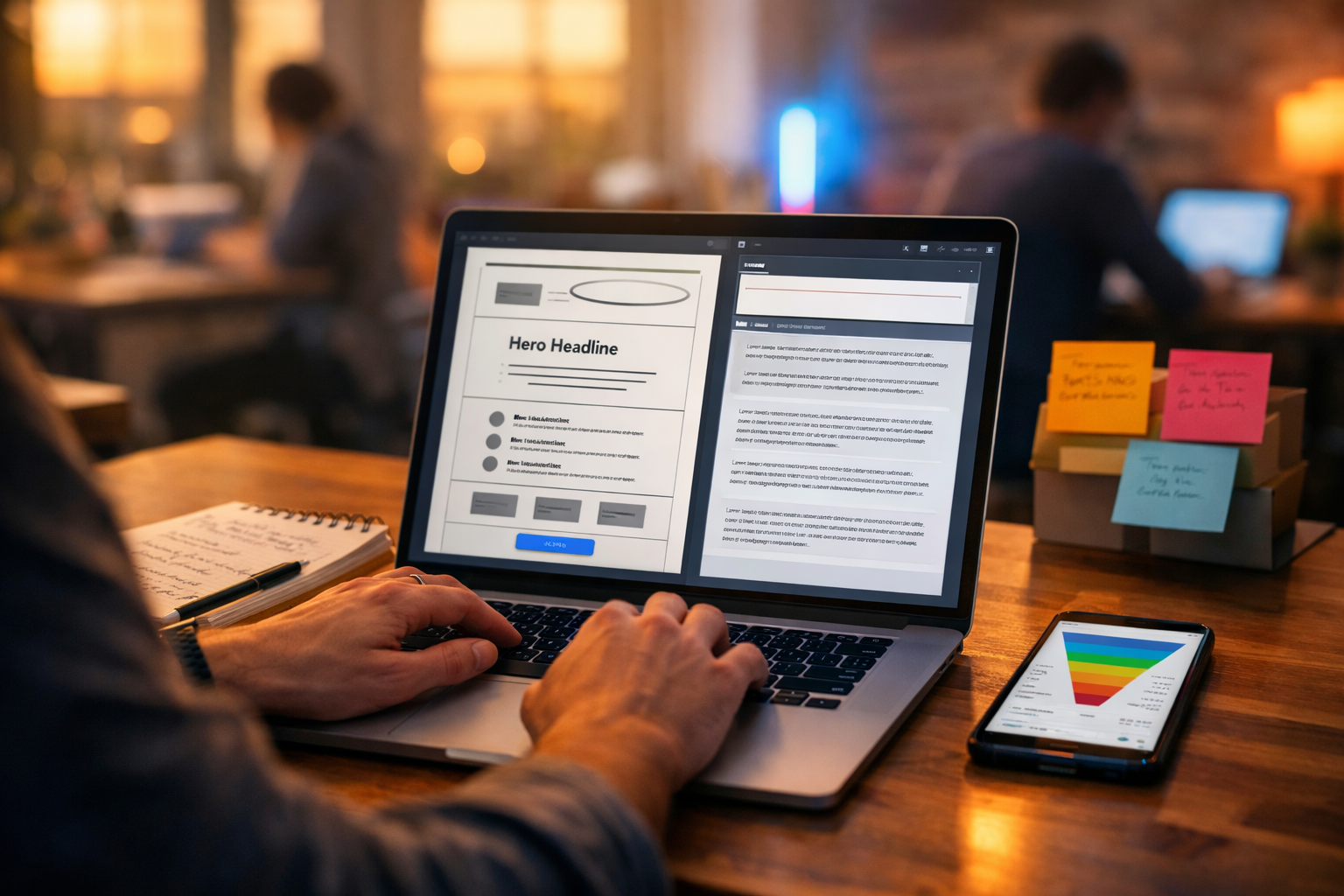
If your landing page isn’t converting, it’s rarely a “traffic problem” — it’s usually a messaging problem. The good news: AI can help you write landing page copy faster, test more angles, and sharpen clarity, as long as you use it with the right inputs and a rigorous editing process. This guide shows you exactly how to write landing page copy with AI, step by step, with prompts, examples, and a conversion-focused structure you can reuse.
What “good” landing page copy needs to do
Landing page copy has one job: move a specific visitor to take a single action (sign up, book a call, buy, download). Great landing pages do this by combining clarity, relevance, credibility, and momentum.
- Match the visitor’s intent (the reason they clicked).
- Make the value proposition instantly obvious.
- Reduce perceived risk (proof, guarantees, FAQs).
- Increase perceived reward (benefits, outcomes, urgency).
- Remove friction (simple CTA, scannable layout, no fluff).
AI helps most with speed, ideation, and variant testing — but you still need to supply the strategy: who it’s for, what problem it solves, why you’re credible, and what happens next.
When to use AI for landing pages (and when not to)
AI is ideal when you need to generate multiple angles quickly (different audiences, industries, or offer positions), tighten clarity, and produce on-brand variations for A/B tests. It’s less reliable when your product is complex, regulated, or requires precise claims (health, finance, legal). In those cases, use AI to draft and structure, then run a strict human review for accuracy and compliance.
With our AI content tools, you can generate and refine landing page copy, then quickly create supporting visuals and even short videos or voice-overs to improve trust and engagement — all from a prompt.
The 7 inputs you must give AI before it can write high-converting copy
Most AI-generated landing page copy fails because the prompt is missing essentials. Before you write anything, capture these seven inputs (a simple briefing template you can reuse):
- Audience: role, industry, level (e.g., “solo ecommerce founders”, “marketing managers at SaaS”).
- Problem: the painful, expensive, time-wasting issue they want solved.
- Promise: the outcome they want (and how fast).
- Mechanism: how it works, at a high level (your differentiator).
- Proof: numbers, testimonials, recognisable customers, guarantees.
- Offer: what they get, pricing model, bonus, trial, cancellation terms.
- CTA: the exact next step (start trial, book demo, download guide).
If you can’t fill one of these in, that’s not an AI problem — it’s a positioning gap. Fix the brief first, then let AI write.
A proven landing page copy structure AI can follow
Use this structure as your default. It’s conversion-friendly, scannable, and works across products and lead magnets.
- Hero: headline + subheadline + primary CTA + one trust cue.
- Problem agitation: demonstrate you understand their situation.
- Solution & benefits: outcomes first, features second.
- How it works: 3–5 steps, simple language.
- Social proof: testimonials, stats, logos, before/after.
- Offer details: what’s included, who it’s for, what to expect.
- Risk reducers: FAQs, guarantee, privacy note, cancellation.
- Final CTA: restate the value + action.
You can ask AI to generate copy for each section separately (best for control) or generate the whole page in one go (best for speed) and then refine section-by-section.
How to write landing page copy with AI: the step-by-step workflow
Step 1: Start with message match (the #1 conversion lever)
“Message match” means the landing page reflects the exact promise and wording of the ad, email, or search intent that brought the visitor there. AI can help you generate variations, but you must anchor the page to the source.
Action: paste your ad copy / email / keyword intent into the prompt and instruct AI to reuse the same language (without being repetitive).
Step 2: Generate 10 headline options (then choose 2 for testing)
Headlines should be specific, outcome-led, and instantly understandable. Ask AI for multiple “angles”, not just synonyms.
Prompt you can use in Gen AI Last (edit the brackets):
Write 10 landing page hero headlines for [audience] who want [desired outcome] but struggle with [pain point]. Offer is [offer]. Keep each under 10 words. Create 2 options each for these angles: speed, certainty, simplicity, cost-saving, credibility. Avoid hype and vague claims.
Quick example (SaaS demo booking page):
- “Book a 15‑minute demo. See results in your data.”
- “Turn messy reports into clear decisions — fast.”
- “Your team’s dashboard, built in days — not months.”
Step 3: Write a subheadline that clarifies, not decorates
Most subheadlines fail by repeating the headline. Use it to answer: what is it, who is it for, and what happens next?
Prompt: Based on the chosen headline “[headline]”, write 5 subheadlines (max 22 words) that clarify what the product is, who it’s for, and the immediate next step after clicking the CTA. Use plain English.
Step 4: Create benefit bullets that are specific and measurable
Ask AI for benefits, then force it to make them concrete. A good benefit bullet often includes a “so you can…” outcome.
Prompt: Write 8 benefit bullets for [offer]. Each bullet must follow this pattern: “Do/achieve X, so you can Y.” Keep under 14 words. Use outcomes a [audience] cares about. If a claim needs proof, mark it with (needs proof).
Tip: The “(needs proof)” label is an excellent safety mechanism. Only keep claims you can support with real evidence.
Step 5: Draft the “How it works” section to reduce uncertainty
Visitors hesitate when they can’t picture what happens after they click. AI is great at simplifying flows into steps.
Prompt: Write a “How it works” section in 4 steps for [offer]. Each step: 1 short title (max 5 words) + 1 sentence explanation (max 16 words). Assume the reader is sceptical and busy.
Step 6: Generate social proof blocks (without sounding fake)
Never fabricate testimonials. Instead, use AI to turn real customer notes into polished proof, or to create placeholders you’ll replace later.
- Good use: “Rewrite this testimonial for clarity, keep meaning unchanged.”
- Bad use: “Invent testimonials from big brands.”
Prompt: Rewrite the testimonial below for clarity and brevity. Keep meaning identical and do not add new claims. Output 3 variants: short (1 sentence), medium (2 sentences), long (3 sentences). Testimonial: [paste real testimonial].
Step 7: Write FAQs that remove objections and improve conversions
FAQs aren’t filler — they’re objection handling. Use customer support tickets, sales call notes, or competitor reviews to identify objections.
Prompt: Generate 10 FAQs for a landing page selling [offer] to [audience]. Include questions about pricing, setup time, compatibility, results timeline, support, cancellation, and data/privacy. Provide concise answers (40–70 words) in a reassuring, non-pushy tone.
A complete AI prompt to generate a full landing page draft
If you want speed, use a single “master prompt” and then iterate. This works well inside Gen AI Last’s text generation so you can produce multiple drafts for different audiences quickly.
Master prompt:
You are a conversion copywriter. Write landing page copy in British English for: Offer: [offer]. Audience: [audience]. Primary pain: [pain]. Desired outcome: [promise]. Differentiator/mechanism: [mechanism]. Proof available: [proof]. CTA: [CTA]. Traffic source & message: [paste ad/email/keyword intent].
Structure the page with: Hero (headline, subheadline, CTA text, 3 benefit bullets, 1 trust cue), Problem, Solution, Benefits, How it works (4 steps), Social proof (placeholders clearly labelled), Offer details (what’s included), FAQs (8), Final CTA. Keep sentences short, avoid jargon and hype, and do not make claims that require proof unless labelled (needs proof).
Example: turning a weak AI draft into high-converting copy
AI drafts often start generic. Here’s what to look for and how to fix it.
Before (too vague)
“Boost your business with our powerful platform. Save time and grow faster with easy-to-use tools.”
After (specific + outcome-led)
“Create high-converting landing pages in hours, not weeks.”
“Generate clear headlines, benefit-led sections, FAQs, and A/B test variations with AI — then publish with confidence.”
- Write copy that matches your ads and keywords, so clicks don’t bounce.
- Test multiple angles quickly, so you find what converts sooner.
- Reduce risk with stronger proof and objection-handling FAQs.
The improvement comes from specificity (who/what/when), clear outcomes, and removing empty adjectives like “powerful”.
How to edit AI landing page copy so it actually converts
Treat AI as your first draft, not your final draft. Use this checklist to tighten the page before you publish.
1) Clarity test (10-second rule)
- Can a visitor explain what you sell in 10 seconds?
- Is the CTA obvious without scrolling?
- Did you remove jargon and “marketing fog”?
2) Specificity upgrades
- Replace “increase”, “improve”, “optimise” with tangible outcomes.
- Add timeframes where true (e.g., “in 15 minutes”, “in 7 days”).
- Swap generic benefits for audience-specific ones (“reduce refunds”, “book more demos”).
3) Proof and compliance check
Any claim that implies guaranteed results needs evidence and careful wording. If you can’t support it, soften it (e.g., “help”, “often”, “typically”) or remove it.
4) Voice and brand consistency
AI can drift into overly enthusiastic or overly formal language. Set a clear brand voice in your prompt (“direct, calm, practical”) and then edit for consistency: contractions, sentence length, and your preferred terms.
Using Gen AI Last to build the full landing page asset pack
High-performing landing pages aren’t just text. They’re a coordinated set of assets that improve comprehension and trust.
- Text: Generate the full page, then create 3–5 headline/CTA variants for A/B testing.
- Images: Create hero visuals, feature mock-ups, or product-style shots aligned to your promise.
- Video: Produce a short explainer or product demo to reduce uncertainty and lift conversions.
- Audio: Add voice-over for your explainer video or narration for product walk-throughs.
Because Gen AI Last includes text, image, video, and audio generation in every plan, small teams can build an entire campaign around one landing page without juggling multiple subscriptions. If you want to keep it lean, view pricing from $10/month.
High-converting CTA copy: AI prompts and examples
CTAs work best when they are specific and low-friction. “Submit” is rarely the right choice.
Prompt: Write 12 CTA button labels for [offer] targeting [audience]. Mix these intents: start, book, download, compare, get a quote. Keep each 2–5 words. Avoid “Submit”. Make them sound confident but not pushy.
- Start my free trial
- Book a 15‑minute demo
- Get the template pack
- See plans and pricing
Common mistakes when using AI for landing page copy (and fixes)
- Mistake: Asking for “high-converting copy” with no context. Fix: Provide the 7 inputs and the traffic source message.
- Mistake: Writing feature lists. Fix: Force “so you can…” benefits and outcomes.
- Mistake: Overclaiming results. Fix: Label claims “needs proof” and delete unsupported ones.
- Mistake: One draft, no testing. Fix: Generate 3 variants and A/B test headline + CTA first.
- Mistake: Inconsistent tone across sections. Fix: Specify brand voice; edit for rhythm and consistency.
Simple A/B testing plan (what to test first)
You don’t need sophisticated tooling to start. Test the highest-impact elements first:
- Headline (primary promise): outcome vs mechanism vs pain relief.
- CTA (intent): “Start free trial” vs “Get a demo” vs “See pricing”.
- Hero proof cue: customer count, rating, or short testimonial.
- Offer framing: what’s included vs who it’s for vs risk reducer.
AI makes this easier because you can generate consistent variations quickly, while keeping the rest of the page stable.
Quick-start: your first landing page draft in 30 minutes
- Write your brief using the 7 inputs.
- Use the master prompt to generate a full draft.
- Generate 10 headlines + 12 CTA labels; pick 2 of each to test.
- Add 6–8 FAQs targeting real objections.
- Create a matching hero visual and a short explainer video if needed.
If you’re ready to build and iterate quickly, start creating for free and generate your first set of landing page variants today.
Final thoughts
Learning how to write landing page copy with AI isn’t about letting a tool “do marketing for you”. It’s about combining clear strategy with fast iteration: stronger message match, sharper benefits, cleaner objection handling, and more tests in less time. Give AI the right inputs, insist on specificity, and edit with a conversion checklist — and you’ll ship better landing pages, faster.
To create the copy and the supporting visuals, video, and audio assets in one place, explore our AI content tools and view pricing from $10/month.
Ready to Create with Generative AI?
Join thousands of creators using Gen AI Last to generate text, images, audio, and video — all from one platform. Start your 7-day free trial today.
Start Free — Try 7 DaysQuick Links
Create AI content from $10/month
View Plans